Why Your Shopify Store Has Sales but No Profit


A Shopify store has sales but no profit when the costs of each order add up to almost all of the price. Product cost, shipping, payment fees and, most often, the ad cost per sale take the money before it reaches you.
Your Shopify dashboard counts sales, and every new order feels like progress. But a $29.99 order can leave you $8, $1 or less than nothing, and the dashboard shows the same $29.99 in every case.
The fix starts with one number: your net profit per sale. Once you know it, you can see which cost is too big and whether your ads pay for themselves. Then you can grow the part of the order you keep. The free profit margin calculator and ROAS calculator do the math for you.
What Does Sales but No Profit Mean?
It means your revenue is real, but your costs take nearly all of it. Revenue is what shoppers pay you. Net profit is what's left after you pay for the product, the shipping, the payment fee, the ads that brought the shopper and the small costs on every order.
The sales total in your Shopify admin is what shoppers paid. It doesn't take out the ad spend you pay to Meta, Google or TikTok, or the invoices from your supplier and your carrier. That's why a store can look busy in Shopify and still lose money at the bank.
What Costs Eat Your Profit on Every Sale?
Five costs come out of every sale. Here's one $29.99 order with typical numbers, the same example the profit margin calculator opens with:
The payment fee is the Shopify Payments rate for online card sales on the Basic plan in the US, which Shopify lists as 2.9% + 30¢ on its credit card fees page. It's lower on the Grow and Advanced plans and different in other countries.
The ad cost per sale is the one that moves most. Product cost and shipping change when your supplier or carrier changes their price. The ad cost per sale changes every day with your ad results.
How Do You Work Out Your Net Profit per Sale?
Subtract every cost from the selling price. Net profit per sale = price - product cost - shipping - ad cost per sale - other costs - payment fee. Divide it by the price to get your margin.
- Take the price of your best-selling product.
- Add up the product cost, the shipping you pay and the other costs per order.
- Divide last month's ad spend by the orders it brought. That's your ad cost per sale.
- Work out the payment fee for that price.
- Subtract all of it from the price.
In the example, $29.99 - $7.50 - $3.00 - $9.00 - $1.00 - $1.17 leaves $8.32. That's a 27.7% margin, and at 150 sales a month it's $1,248 of profit.
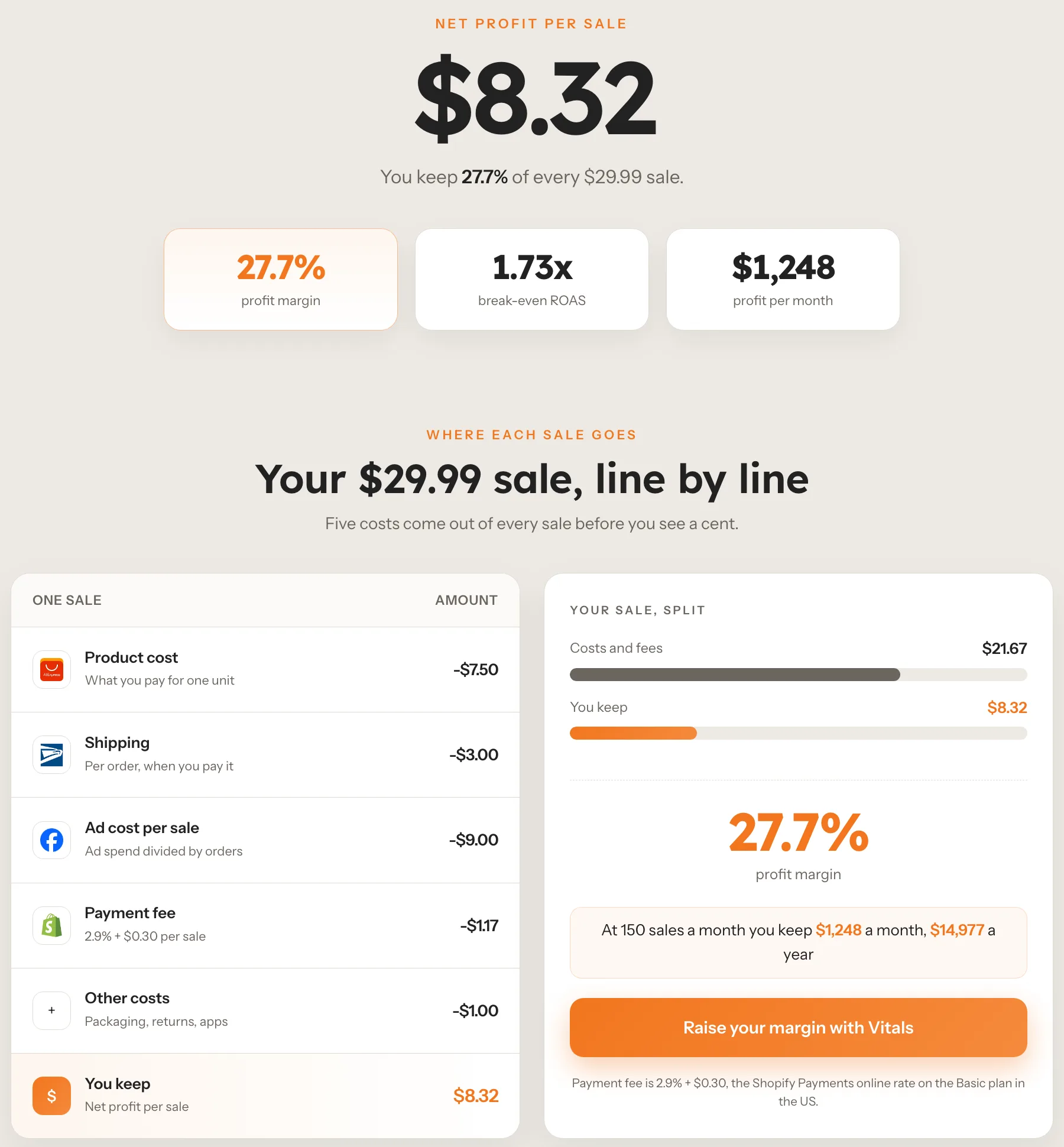
Change one number and the whole result moves. If the ad cost per sale climbs from $9 to $13, profit per sale drops to $4.32. At $17.32 it's zero.
Why Do Ads Bring Sales but No Profit?
Ads bring sales but no profit when your ROAS sits at or below your break-even ROAS. ROAS is the revenue your ads bring divided by what they cost. Break-even ROAS is the ROAS where the ads neither make nor lose money.
Break-even ROAS = price / (price - product cost - shipping - other costs - payment fee). In the example, $29.99 / $17.32 gives 1.73x. Below 1.73x, every sale the ads bring loses money.
The ROAS calculator shows how close a store can sit to that line. With a $30 daily budget, a $49 product that costs $15 with shipping, a $12 CPM, a 1.5% click rate and a 2.5% conversion rate, a month of ads brings about 28 orders and $1,378 in sales:
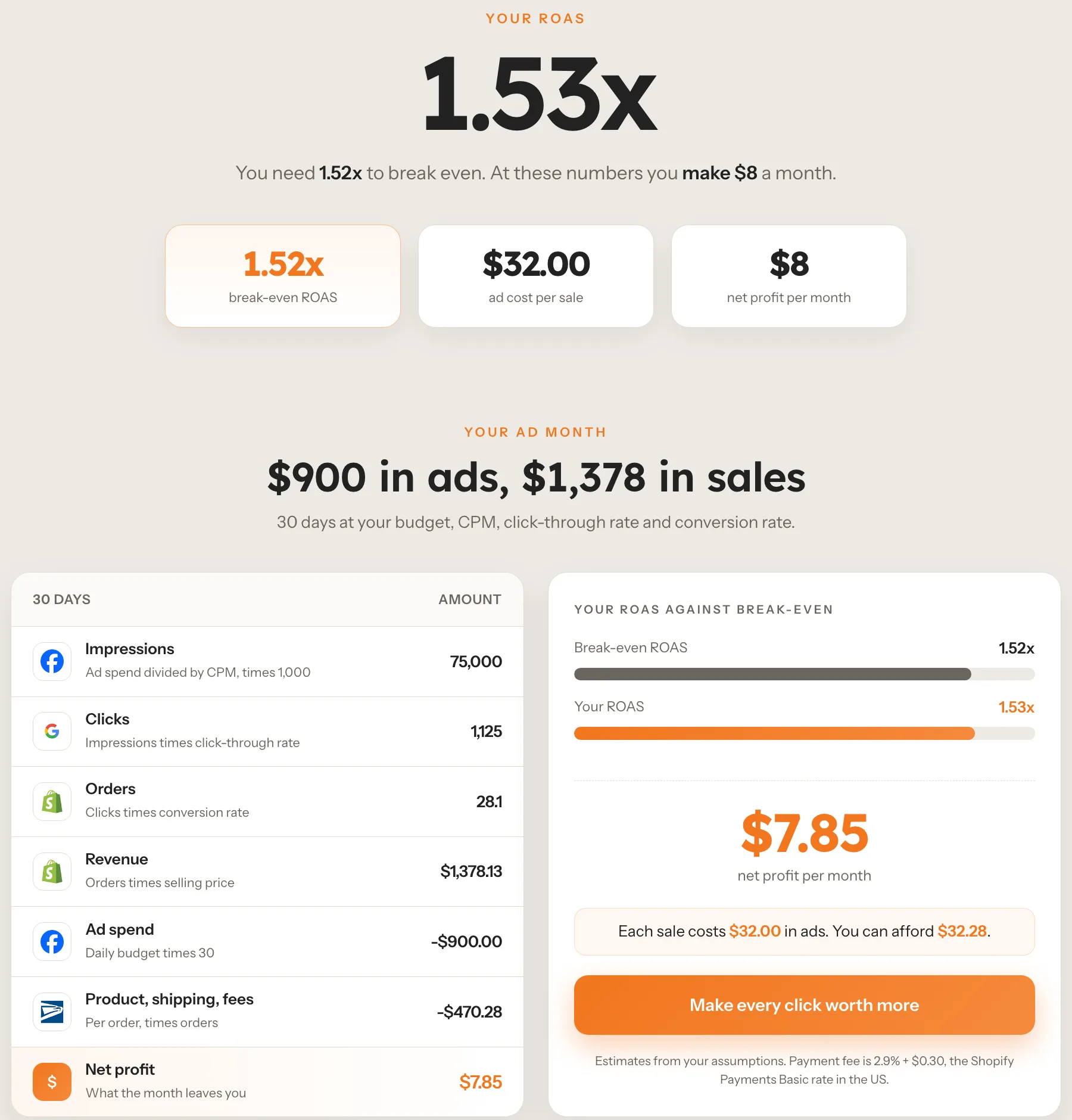
That's $900 in ads for $7.85 of profit. A 1.53x ROAS looks fine in an ad dashboard, but this product needs 1.52x to break even. Spending more doesn't fix that, because each extra sale costs about the same $32 in ads and leaves about 28 cents.
What's the Quickest Way to Turn Sales Into Profit?
- Vitals - All in One App is the quickest way to make each order bigger for most stores, so the ad cost you already paid buys more revenue
- Vitals also offers 40+ apps, such as upsells, product bundles and a cart drawer, in one subscription from $29.99/month, so you don't have to install and pay for each app separately
The fixes compare like this. To see what bigger orders would earn you first, try the what-if slider in the profit margin calculator.
How to Turn Sales Into Profit Without More Ad Spend?
Make each order bigger and make more of your visitors buy. Both use the traffic you already paid for, so they lift profit without a bigger ad budget.
Make Each Order Bigger
A bigger order pays its ad cost once. When a shopper adds a second item, your ad cost per sale stays at $9 and often the shipping stays at $3. In the example, orders 15% bigger take profit per sale from $8.32 to $11.56.
- Offer a bundle of products that sell together, with the Vitals Product Bundles app
- Give a lower price per unit on the second and third unit, with the Vitals Volume Discounts app
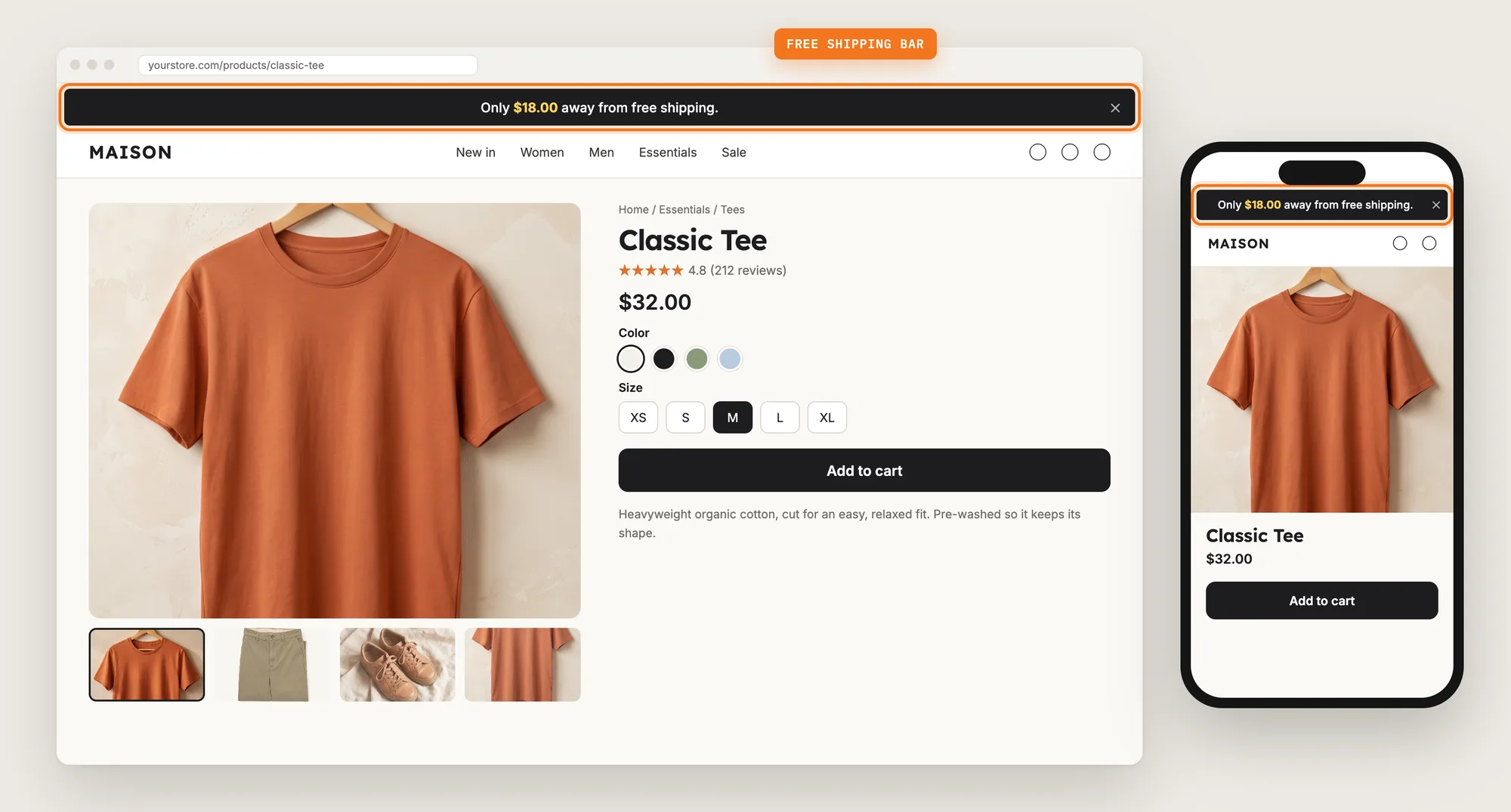
- Show how much more a shopper needs to spend for free shipping, with the Vitals Spending Goal app
- Show a related product or a one-click offer after payment, with the Vitals Upsell Builder app
- Put those offers above the checkout button, with the Vitals Cart Drawer app
We measured how often these offers get taken in our upsell statistics from 6,484 Shopify stores. Our guide on how to increase average order value on Shopify without more ad spend works through the math of each offer.
Convert More of the Visitors You Pay For
If twice as many visitors buy, your ad cost per sale halves. In the example, that's $9 down to $4.50, and profit per sale goes from $8.32 to $12.82.
- Show product reviews on every product page
- Show trust badges near the Add to Cart button
- Keep the Add to Cart button in reach on long product pages
Cut the Costs You Control
Product cost and shipping are worth a call to your supplier and carrier, but they move slowly. The other costs line is quicker to check: count what packaging, inserts, returns and the apps you pay for add to each order. If you pay for five separate apps, each one adds to that line.
Should You Raise Your Prices?
Test a higher price if your margin is thin and shoppers compare you on more than price. In the example, a $32.99 price with the same costs leaves $11.23 per sale instead of $8.32.
The risk is that fewer shoppers buy, which pushes the ad cost per sale back up. Change the price on one product first, then check its conversion rate and ad cost per sale after two weeks. A bigger order does the same job without changing the price shoppers see on the product.
Which Fix Should You Start With?
Start with the number that's furthest off. Work out your profit per sale and your break-even ROAS first, then pick:
- Choose bigger orders if your ROAS is close to break-even and shoppers often buy one item
- Choose conversion if many visitors reach your product pages but few buy
- Choose costs if your product and shipping take more than half of the price
- Choose a price test if competitors sell the same product for more
For a list of apps that raise order value, see our roundup of the best Shopify apps to increase AOV.
Start your free trial: Install the Vitals - All in One App
Frequently Asked Questions
1. Why is my Shopify store not profitable even with sales?
Usually because the ad cost per sale is too high for your margin. If ads cost $9 per order and you have $5 left before ads, every sale loses $4, and more sales make the loss bigger. Work out your net profit per sale with the profit margin calculator to see which cost is the problem.
2. How do I calculate net profit per sale on Shopify?
Take the selling price and subtract the product cost, shipping, ad cost per sale, other costs per order and the payment fee. For a $29.99 product with $7.50 product cost, $3 shipping, $9 ad cost, $1 other costs and a $1.17 fee, that leaves $8.32.
3. What is a break-even ROAS?
Break-even ROAS is the ROAS where your ads neither make nor lose money. Divide your price by what's left after product cost, shipping, other costs and the payment fee. For the $29.99 example that's 1.73x.
4. Does Shopify show my profit?
The sales total in your Shopify admin is what shoppers paid. Your ad spend sits in your ad accounts, and your supplier and carrier bill you separately, so take those costs out yourself or use the profit margin calculator.
5. What payment fee does Shopify charge?
Shopify lists 2.9% + 30¢ per online card sale on the Basic plan in the US, 2.7% + 30¢ on Grow and 2.5% + 30¢ on Advanced. Rates are different in other countries and for some card types.
6. Is it better to raise prices or order value?
Raising order value keeps your product price the same and adds revenue to orders you already win. A price rise can work too, but test it on one product first, because fewer buyers push your ad cost per sale up.
7. How do I increase profit without spending more on ads?
Make each order bigger with bundles, volume discounts, a free shipping goal and upsells, and turn more visitors into buyers with reviews and trust badges. Both use the traffic you already pay for.