6 Best Square Instagram Feed Alternatives for Shopify [2026]

![6 Best Square Instagram Feed Alternatives for Shopify [2026]](/assets/blog/square-instagram-feed-alternatives/banner.avif)
Looking for a Square Instagram Feed Alternative?
Square: Instagram Feed Gallery is a popular Shopify app for putting your Instagram posts on your store as a shoppable grid or slider. It handles that one job and no other, with no product reviews or analytics, and its maker sells every other store job as a separate app.
So, we compared six alternatives on the layouts they offer, the sources a feed can draw from, how posts become shoppable and which other store jobs each app takes on. Vitals is our app, so we've pointed out where it falls short as well.
What Is Square Instagram Feed Shopify App?
Square: Instagram Feed Gallery is a Shopify app for showing an Instagram account's posts on a store. Products can be tagged on posts, and a pop-up opens when a shopper clicks one.
Square Instagram Feed lets you do the following:
- Grid and slider galleries: Pick a grid or a slider for desktop and another for mobile, with the post count and the spacing between images set per device.
- Shoppable posts: Tag store products on your posts from inside the app, so shoppers can reach them from the gallery.
- Post approval: Let new posts appear on their own, or turn auto-publishing off and choose which posts to show from the Posts tab.
- Two ways to connect: Log in with Instagram for a quick start, or connect through Facebook Business Manager to show likes, comments and your profile picture.
- Styling and placement: Set the section title, colors, hover and pop-up backgrounds and margins, and show the feed on the home page alone or on product pages too.
Where Square Instagram Feed stands out is how little it asks of a store. Every feature, product tagging included, comes on its one free plan, and the install guide only asks for an app embed to be switched on. That makes it a fit for stores adding their first Instagram gallery.
Reviewers most often mention its chat support, where a named agent helped some of them set up the gallery, and a connection that stays up, which one merchant found after a paid app kept disconnecting.
How Much Does Square Instagram Feed App Cost?
Square: Instagram Feed Gallery is free, with no paid plan (square-apps.com on October 19, 2026).
Why Shopify Merchants Look for Square Instagram Feed Alternatives
Square: Instagram Feed Gallery holds a 5.0 rating from 62 reviews and carries the Built for Shopify badge, and none of those reviews sit below four stars. The reasons to look further come from what the app covers:
- It handles the feed alone, with no product reviews or photo reviews, so star ratings next to tagged products need another app
- Square Apps sells its other store jobs, such as a sticky add-to-cart bar, upsells, a wishlist and a page builder, as separate apps, so each new job means one more app
- Its listing and help docs show no analytics, so there's no count of views or clicks on tagged posts
- No hashtag feeds, mentions or video playback are listed, and the gallery draws on a single Instagram account
- The feed can sit on the home page alone or on the home page and product pages, with no rules for which products show it
Switching suits stores that would rather manage their feed, reviews and pop-ups from one dashboard than add an app for each.
Read: The 7 Best Shopify Shoppable Instagram Feed Apps in 2026
How We Compared the Square Instagram Feed Alternatives
Every rating and review count here comes from the live Shopify App Store listing on October 19, 2026, the same day we checked each app's listing, help docs and changelog, where available.
We compared the apps on:
- App type, standalone or all-in-one
- Product tagging, video, layout choices and where each feed's posts come from
- Which store pages the gallery can be placed on
- How many single-purpose apps it takes the place of
- Scripts added to the storefront and how each app fits into the theme
- AI features and MCP support
- How setup goes, from the docs, the listing and merchant reviews
Short Answer
Vitals - All in One App is the best Square Instagram Feed alternative for most stores.
- It offers a shoppable Instagram feed with click analytics and its own photo and video reviews, while Square: Instagram Feed Gallery covers the feed alone and leaves reviews and other store jobs to separate apps
- It includes 40+ apps, such as reviews, bundles and discounts, in one subscription of $29.99/month
- It replaces multiple single-purpose apps that you would otherwise install and pay for every month
Square: Instagram Feed Gallery costs nothing, so Vitals costs more, and a usage fee applies once sales from its conversion apps pass $1K a month. For that, the same subscription also covers product reviews, bundles, pop-ups and the rest of its 40+ apps.
What Are the Top Square Instagram Feed Alternatives for Shopify in 2026
Each app below is matched to one kind of store, and its entry covers what the feed can show and where it can appear.
1. Vitals - All in One App
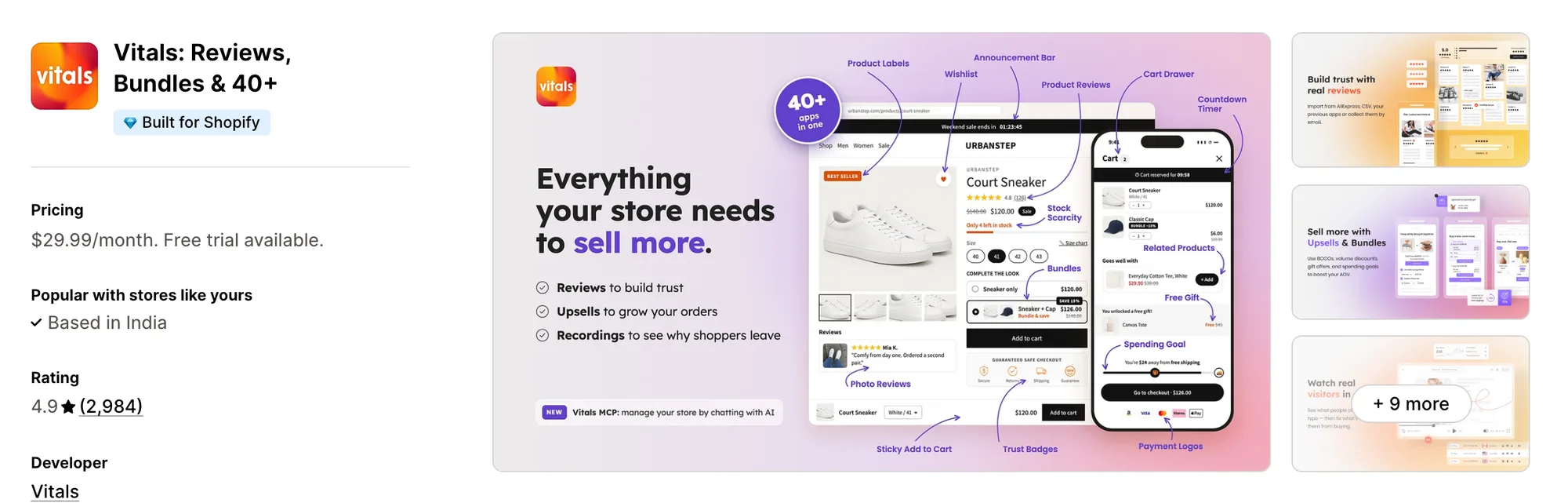
Best for: Stores that want Shoppable Instagram Feed, Product Reviews, Bundles and Pop-Ups plus 40+ apps in one subscription
Rating: 4.9 (2,984 reviews) | App type: All-in-one | Free trial: 7 days | Built for Shopify: Yes
Vitals is our app. A shoppable Instagram feed leads its list of 40+ apps, which also covers product reviews, bundles and pop-ups, all inside a single subscription of $29.99/month.
The Vitals Shoppable Instagram Feed app turns the posts on your Instagram account into a gallery on the store and keeps adding new ones. Customers can click a post to see its tagged products as numbered thumbnails and go straight to each product page.
Its Analytics tab counts impressions, image clicks and tag clicks, so the store can see which posts draw shoppers in. On the same product pages, the Vitals Product Reviews app can gather photo and video reviews through review request emails, a job Square: Instagram Feed Gallery leaves to another app.
Key features:
- Emails that ask customers for photo and video reviews, sent by the Vitals Product Reviews app
- Feed stats for impressions, image clicks and tag clicks
- No limit on how many products a post can carry, and each carousel image can be tagged too
- A numbered marker on each tagged item in the pop-up, with a thumbnail linking to that product
- Rules that show or hide the feed by product, or by price, discount or stock range
- Separate desktop and mobile setups for columns, rows and spacing, in slider or grid form, portrait or square
- Placement added for you on the home page and product pages, or set by hand in the theme editor
- New posts published as they arrive, or held back and shown in bulk when you choose
- Email sign-up and discount pop-ups from the Vitals Pop-Ups app, timed by page views or shown to first-time visitors
Pros:
- Product reviews, bundles and pop-ups come in the same subscription as the feed
- One support team answers for the feed and every other Vitals app, so a broken widget never means working out which developer to contact
- One plan in place of a long app list (e.g., FreeShippingAllOrders replaced thirty single-purpose apps with one Vitals plan)
- Through Vitals MCP, ChatGPT or Claude can switch Vitals apps on or off and edit their settings by chat, and Shopify Sidekick answers questions about the feed
Cons:
- Draws on a single Instagram account, and shows no TikTok videos, Highlights, Stories or hashtag feeds
- Works on Shopify only
Pricing:
Prices from vitals.app/pricing on October 19, 2026, with a 7-day free trial.
Read: Best Shopify Review Apps in 2026
2. Instafeed for Instagram Feed
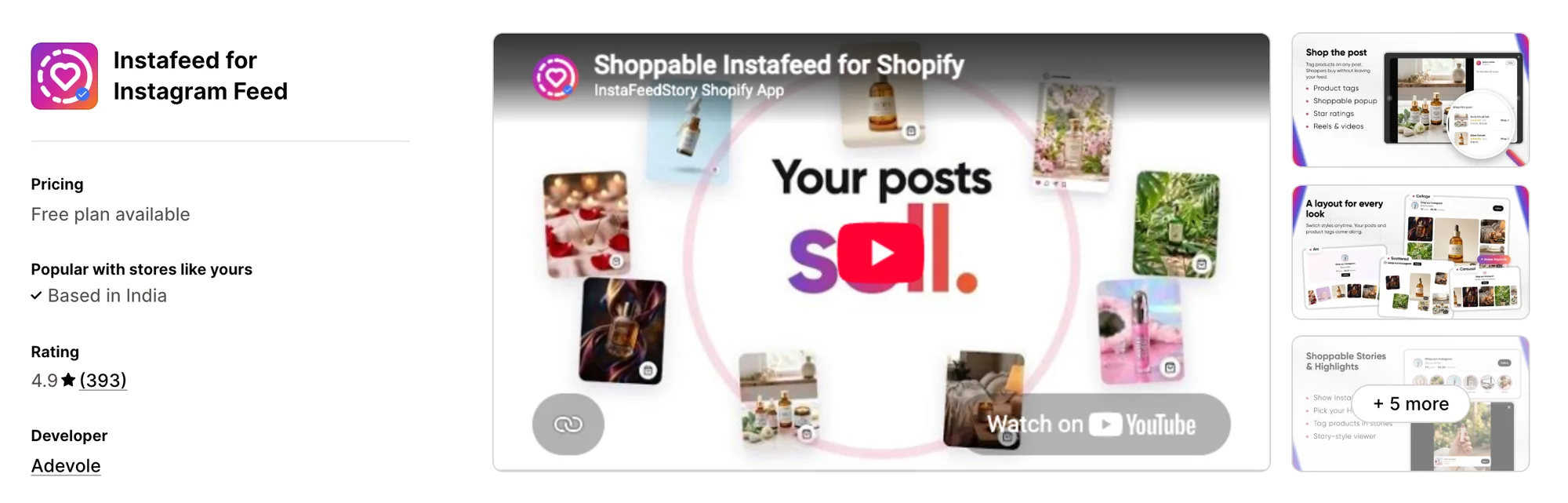
Best for: Stores that share Stories and Highlights and want them shoppable on the site, with a shop page for their Instagram bio
Rating: 4.9 (393 reviews) | App type: Standalone | Free trial: No | Built for Shopify: No
Instafeed for Instagram Feed, formerly Instafeed+Story Instagram Feed, is Adevole's Instagram app. Beyond the post feed, it can place live Stories and saved Highlights on the store as story circles and link products to single stories. It also publishes a shoppable link-in-bio page, which suits brands that send their Instagram followers to the store.
Merchants report a one-click connection with no technical skills needed, since the app reads a public username instead of asking for an Instagram login.
Key features:
- Six layouts to pick from, including spotlight, arc, scattered, collage, carousel and grid
- Reels alongside posts, which play as video once the store is on Sell or Growth
- Story circles above the feed for saved Highlights and live Stories
- A cap of three products linked to each post or story, shown when the pop-up opens
- Pinning, hiding and reordering of posts, stories and highlights
- A link-in-bio page that sells, with its own custom links and tracking of taps
- AI Studio, which turns a product photo into an Instagram post image with caption ideas
Pros:
- Highlights and Stories shown on the site, a feature missing from Square: Instagram Feed Gallery's listing
- Reels that play on the store on paid plans, where Square: Instagram Feed Gallery lists no video playback
- Feed and link-in-bio insights on the Sell plan, while Square: Instagram Feed Gallery lists no analytics
Cons:
- A post or story can carry three linked products at most
- Low-star reviews between 2021 and 2026 mention unexpected bills once store traffic rose
- Some reviewers say new posts never showed up, and Instagram is only checked roughly twice a day
- Limited to Instagram content, which leaves reviews, bundles and cart offers to other apps
Pricing:
Adevole's website doesn't list prices, so these come from the Shopify App Store listing on October 19, 2026, which shows no free trial. Its help center quotes higher prices for the same two plans.
3. RPTR Instagram Feed Connect
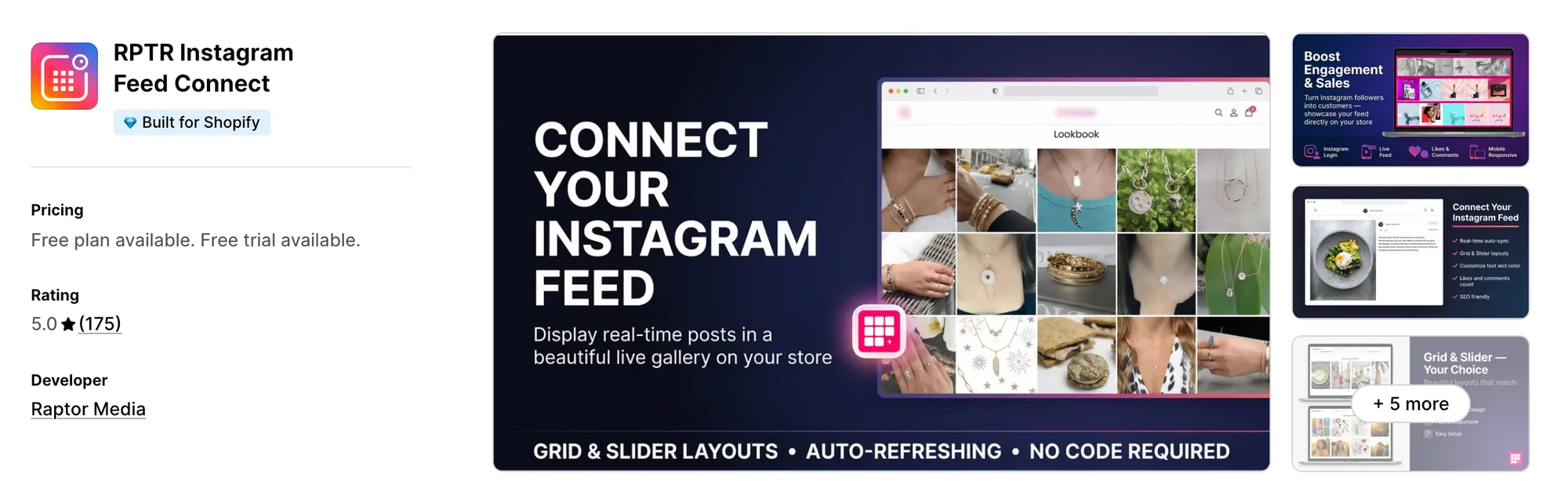
Best for: Stores whose theme is missing an Instagram section and that want a grid or slider styled in their own colors
Rating: 5.0 (175 reviews) | App type: Standalone | Free trial: 3 days | Built for Shopify: Yes
RPTR Instagram Feed Connect is the only app Raptor Media makes. It connects your Instagram profile and shows a self-refreshing grid or slider, with overlay, text and hover styles set to the brand. Product tagging comes on its Professional plan, so it fits stores that mainly want their posts on display.
The listing describes a one-click setup with no coding, and reviewers say the install went smoothly even for owners without a technical background.
Key features:
- A slider from the Basic plan up, and a grid on all plans
- Unlimited images with a load more button, from the Basic plan
- Likes and comments counts on each post
- Overlay and text colors, plus a choice of hover layouts
- Shoppable tags whose text and colors match the brand, on the Professional plan
Pros:
- A 5.0 rating, with reviews describing support that fixes display issues and adds custom CSS within minutes
- Likes and comments counts on every plan
- Hover layouts and overlay colors that help the feed match the theme
- Listed on the Shopify App Store since 2019
Cons:
- Tagging products on posts is a Professional plan feature
- No help center, docs or changelog to check features against
- Covers the Instagram feed and nothing more, so reviews and other store jobs mean adding apps
Pricing:
Raptor Media's website lists no prices, so these come from the Shopify App Store listing on October 19, 2026, with a 3-day free trial on both plans.
4. Covet Instagram Feed & Reviews
Best for: Stores whose strongest photos come from customers, through hashtags, mentions and review emails
Rating: 4.7 (206 reviews) | App type: Standalone | Free trial: 14 days | Built for Shopify: No
Covet Instagram Feed & Reviews comes from Space Squirrel and mixes brand posts with customer content. Galleries can draw on your profile, posts that mention or tag you, hashtags, your own uploads and the photo reviews its emails collect. Product Galleries then place every post tagged with a product on that product's page.
Merchants report a fast, intuitive admin, and its getting-started guide walks through linking Instagram via Facebook and picking sources.
Key features:
- Hashtag, mention and profile sources, with Growth allowing 2 hashtags and Premium 5
- Carousel posts, Reels, videos and photos, and from Growth up, bulk uploads of your own pictures
- 20+ ready-made layouts, among them sliders, grids, lookbooks and press pages
- Tagging one image at a time or many at once, and hotspot tags on Premium
- Product Galleries, which put a product's tagged posts on its own page
- Requests for photo and video reviews sent by Shopify Flow or email, with a discount as an optional thank-you
- Automatic or manual approval for each source, plus hiding posts one at a time or in bulk
- Galleries that can be placed in newsletters and on outside websites through embed codes
Pros:
- Hashtag and mention feeds, where Square: Instagram Feed Gallery shows your own posts only
- Customer photo and video reviews in the same app as the feed
- Tagged posts on product pages built automatically from each product's tags
Cons:
- Not Built for Shopify
- Hashtags start on Growth and hotspot tagging needs Premium
- Its low-star reviews, most dated 2016 to 2022, mention Instagram disconnects and images that disappeared
- Ends at reviews and galleries, leaving checkout and cart offers to other apps
Pricing:
Prices from covet.pics on October 19, 2026, with a 14-day free trial on every plan.
5. GSC Instagram Feed, Instafeed
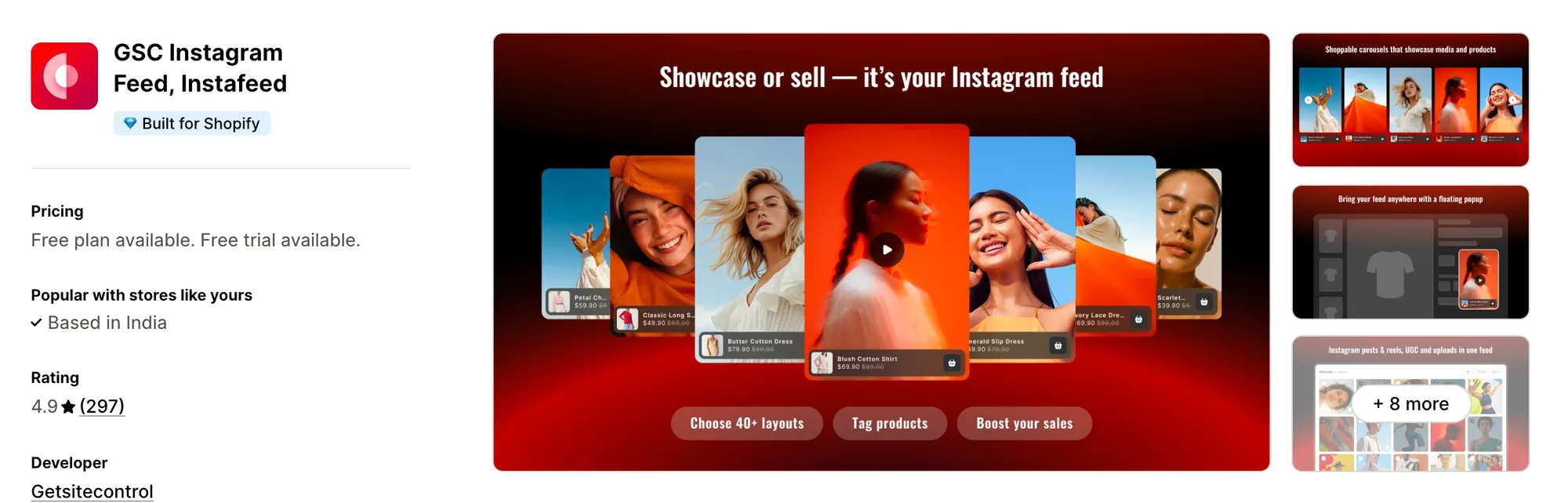
Best for: Stores that want the app to report the orders and revenue their tagged posts lead to
Rating: 4.9 (297 reviews) | App type: Standalone | Free trial: 7 days | Built for Shopify: Yes
GSC Instagram Feed, Instafeed is Getsitecontrol's feed app. It counts the orders and revenue that come through its shoppable posts on every plan, and the plans differ only in how many tagged posts a widget can hold. Posts customers tag you in and your own uploads can sit next to your feed.
Reviewers describe it as easy to install and configure, even for owners with no technical background.
Key features:
- Collage, gallery, carousel and grid layouts to choose from
- Posts, Reels and shoppable videos
- Posts that customers tag you in, plus your own uploads
- Tags for collections as well as products, on both Reels and posts
- A sticky video pop-up across the store
- Order and revenue figures credited to the feed
Pros:
- Orders and revenue tied to the feed on every plan, a measure Square: Instagram Feed Gallery doesn't list
- Reels and shoppable video, which Square: Instagram Feed Gallery doesn't list
- As many feeds as you like, whatever the plan
- Live chat help whatever the plan
Cons:
- Setup and features are documented only on the listing, with no help center, docs or changelog
- A widget holds up to 20 tagged posts on the Shoppable plan
- Offers nothing for the cart, checkout or reviews, only the feed
Pricing:
Getsitecontrol's website lists no prices, so these come from the Shopify App Store listing on October 19, 2026, with a 7-day free trial.
6. Socialwidget ‑ Instagram Feed
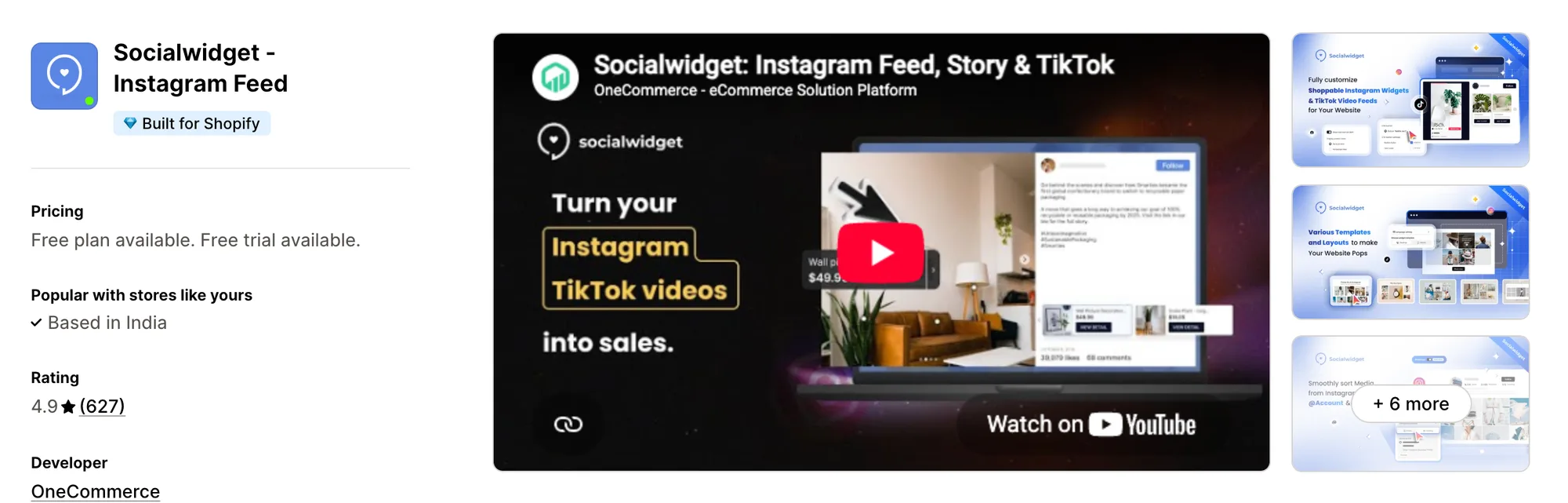
Best for: Stores that post on TikTok as well as Instagram and want both in one gallery with add-to-cart buttons
Rating: 4.9 (627 reviews) | App type: Standalone | Free trial: 14 days | Built for Shopify: Yes
Socialwidget ‑ Instagram Feed is OneCommerce's feed app, once listed as Instafeed PRO. It mixes Instagram and TikTok posts in shared galleries, and tagged posts can carry Add to cart and checkout buttons. Its Advanced plan adds hashtag feeds and posts from other public business profiles.
Reviewers call it easy to install and configure, and several credit its live chat team with sorting out their design.
Key features:
- Nine desktop templates and six mobile ones, each designed on its own
- Videos that autoplay from the Standard plan, next to photo and carousel posts
- Feeds from a TikTok profile (Standard plan)
- On the Advanced plan, posts from hashtags and from other public business accounts
- Tags for products and their variants, with 2 to 5 allowed per post by plan
- From the Professional plan, tagged posts can carry checkout and add-to-cart buttons
- Tagged posts gathered on each product's page by a product widget
Pros:
- TikTok and hashtag sources, beyond the single account Square: Instagram Feed Gallery connects
- Counts of widget views, pop-up opens and button clicks in its report
- Built-in translation of the widget into eight languages
Cons:
- The plan sets how many tags a post takes, 2 on Standard and 5 on Advanced
- How often new posts sync depends on the plan, from every 2 hours on Advanced to every 6 on Professional and daily on Standard
- Several reviews dated 2024 to 2026 say Instagram dropped its connection with no notice
- Built for social feeds alone, leaving reviews and cart offers to other apps
Pricing:
Prices from onecommerce.io on October 19, 2026, with a 14-day free trial.
How Many Apps Each Option Replaces
Each app on a store can add its own code to every page, and that code weighs on how fast pages load. Here is how many separate apps each option covers, by our count.
How we counted it:
- Vitals - All in One App can replace 40+ single-purpose apps, an Instagram feed app, a reviews app, a pop-up app and a bundle app among them
- Instafeed for Instagram Feed covers the feed and the link-in-bio page in a single app
- RPTR Instagram Feed Connect covers the gallery and nothing beyond it
- Covet Instagram Feed & Reviews lets one app handle both customer photo reviews and the feed
- GSC Instagram Feed, Instafeed takes over the shoppable feed, and a video pop-up app too where a store has one
- Socialwidget ‑ Instagram Feed shows TikTok and Instagram posts from one app
- Square: Instagram Feed Gallery replaces one feed app, and Square Apps offers each other store job as a separate app
Pairing Square: Instagram Feed Gallery with a pop-up app and a reviews app puts three apps' code on each page, while a Vitals subscription covers all three jobs with one script.
When Should You Stay on Square Instagram Feed
Square: Instagram Feed Gallery remains the better choice in two cases.
- You want to pay nothing for the feed, since it's the only app in this list with no paid plan and product tagging is part of it
- You want an app with no low-star reviews at all, since every one of its 62 reviews gives four or five stars
Switch when you want photo reviews, click analytics and pop-ups next to the feed in one subscription.
How to Switch From Square Instagram Feed to Vitals
There's no stored data to move, because your posts stay on Instagram and come back as soon as you connect the account again. Only the product tags and your shown or hidden posts live in Square: Instagram Feed Gallery, so write them down first.
- Add Vitals - All in One App, switch on the Vitals Shoppable Instagram Feed app, link your Instagram account and put the same product tags back on each post
- On a duplicate theme, set the layout, the home page and product page placement and any display rules, hide the posts you kept off the old feed, and check the result on desktop and on a phone
- Switch off the Square: Instagram Feed Gallery app embed in the theme editor, publish the theme and uninstall the app
Crystal Pro Jewellery is one Shopify store that swapped seven single-purpose apps for a single Vitals subscription.
Read: Best All in One Apps for Shopify in 2026
Find the Best Square Instagram Feed Alternative for Your Store
Most stores are best served by Vitals - All in One App, though the right pick comes down to what the feed should do that Square: Instagram Feed Gallery doesn't.
- Vitals, if you want photo reviews, a shoppable Instagram feed, discounts, bundles and 40+ apps in one single subscription of $29.99/month
- Instafeed for Instagram Feed, if shoppers should see your Highlights and Stories on the store and your Instagram bio should link to a page that sells
- RPTR Instagram Feed Connect, if all your theme lacks is a tidy gallery of your own posts in your brand's colors
- Covet Instagram Feed & Reviews, if customers take most of your best photos and you want hashtags, mentions and review images in one place
- GSC Instagram Feed, Instafeed, if the app should show you which orders and how much revenue came from tagged posts
- Socialwidget ‑ Instagram Feed, if TikTok matters as much as Instagram and shoppers should add to cart straight from a post
Start a 7-day free trial: Install Vitals - All in One App
Frequently Asked Questions
1. Which app is the best alternative to Square Instagram Feed on Shopify?
For most stores, the best Square Instagram Feed alternative is Vitals - All in One App. It's the only all-in-one app that includes 40+ apps, product reviews, pop-ups, bundles and a shoppable Instagram feed among them, in one subscription. Vitals is our app, and its entry spells out its gaps.
2. What makes merchants leave Square Instagram Feed?
Its reviews give no low-star reasons, so the reasons come from what it covers. It shows a feed from one account, with no reviews, analytics, hashtag feeds or video playback listed. Its maker sells a sticky add-to-cart bar, upsells and a wishlist as separate apps, so each extra job means another app.
3. What features separate Vitals and Square Instagram Feed?
Each shows a shoppable feed from one Instagram account in grid or slider layouts set separately for desktop and mobile, with new posts published automatically or held back. Square: Instagram Feed Gallery is free and listed in 15 languages. Vitals adds display rules by product, price or stock, an Analytics tab with tag clicks, photo and video reviews and 40+ other apps.
4. Can one Vitals subscription take over from Square Instagram Feed and other apps?
Yes. Vitals can replace the shoppable feed along with a product reviews app, a bundle app and a pop-up app. Stores that want Stories, hashtag feeds or TikTok videos on the store would keep a separate app for those.
5. Do these Square Instagram Feed alternatives change how fast a store loads?
Every app a store adds can load its own scripts, so speed depends on how many apps sit on the store as well as which ones. Vitals - All in One App serves its feed, reviews and every other app it includes from one script. Covering the same jobs with single-purpose apps means a script for each. We didn't speed-test these apps, so check your own pages before and after a change.
6. Do any Square Instagram Feed alternatives offer AI features or MCP support?
Not all of them. Vitals has Vitals MCP, which lets Claude or ChatGPT read and change Vitals app settings and switch apps on or off, and Shopify Sidekick can answer questions about its feed. Instafeed for Instagram Feed offers AI Studio for making Instagram-ready images from product photos, with no MCP support listed. We found no AI features or MCP support listed for RPTR, Covet, GSC, Socialwidget or Square.
7. Which Square Instagram Feed alternatives include feed analytics?
Not all of them. Vitals - All in One App counts impressions, image clicks and tag clicks, GSC Instagram Feed, Instafeed attributes orders and revenue to the feed, and Socialwidget ‑ Instagram Feed reports widget views and button clicks. Instafeed for Instagram Feed lists feed insights on its Sell plan. We found no analytics listed for RPTR Instagram Feed Connect, and Covet's docs mention tracking image sales without an analytics guide.
8. Can I keep my product tags when I switch from Square Instagram Feed?
Not automatically. Your posts return as soon as you connect Instagram in the Vitals Shoppable Instagram Feed app, but the product tags and hidden posts stay behind in the old app. Note which products each post carries and tag them again in Vitals. Test on a duplicate theme, then switch off the old app embed and uninstall it.