8 Best GSC Countdown Timer Bar Alternatives for Shopify in 2026


Looking for a GSC Countdown Timer Bar Alternative?
GSC Countdown Timer Bar is a popular Shopify app for adding free countdown timers to a store as bars, badges and banners. It handles timers alone, though, and its docs list no way to aim a timer by country, customer or traffic source.
So, we compared seven alternatives on their timer schedules, the store areas they reach and what each one can show beside the countdown, such as stock counts and coupon bars. Since Vitals is our app, we've included its gaps.
What Is GSC Countdown Timer Bar Shopify App?
GSC Countdown Timer Bar is a Shopify app from Getsitecontrol for placing countdown timers across a store at no cost. Shoppers can see a timer in a sticky bar, as a badge on product images, inside the cart or as a homepage banner. Each one can count to a date, to a daily cut-off or from the shopper's first visit.
Here's what you can do with GSC Countdown Timer Bar:
- Six widget types: Pick a top or bottom bar, a product badge, a small or large timer, an inline timer or an inline bar, depending on where the countdown should sit.
- Timer modes: Count down to a fixed date, start an evergreen timer for each visitor, or show a daily timer during set hours on chosen weekdays.
- Product and cart placements: Show timers on product cards in collection grids, next to product images, on each item in the cart and in the cart drawer.
- Coupons, buttons and languages: Add a coupon or a button inside a widget, and translate every text element into the store's published languages.
- Targeting and stats: Target product timers by device, product or variant with AND/OR rules, and check view counts for each widget over 7, 30 or 90 days.
Where GSC Countdown Timer Bar stands out is the number of places a timer can go for free. A sale can count down on collection cards, product images, cart items and the password page without a paid plan, which suits stores that want urgency at every step of browsing on a small budget.
Reviews most often mention accurate timers for flash sales, designs that fit themes like Dawn, multi-language support and a fast, proactive support team.
How Much Does GSC Countdown Timer Bar App Cost?
Pricing: Free, with no paid plan (getsitecontrol.gitbook.io on October 26, 2026).
Why Shopify Merchants Look for GSC Countdown Timer Bar Alternatives
GSC Countdown Timer Bar has a 4.9 rating from 729 reviews and the Built for Shopify badge. Still, stores that replace it give these reasons:
- It shows timers only, so a stock counter, sales pop-ups and reviews each need another app, and Getsitecontrol sells its pop-ups, product labels and shoppable videos as separate apps
- Its docs describe no targeting by country, Shopify market, customer tag or traffic source
- Low-star reviews from December 2024 to January 2026 describe an editor that keeps loading or stays blank
- Its small, large and inline timers are placed as theme app blocks, and vintage themes need pasted code that its support doesn't cover
For stores already paying for a stock counter and a pop-up app beside a free timer, moving to one subscription cuts the number of apps to set up and keep track of.
Read: Best Countdown Timer Apps for Shopify in 2026
How We Compared the GSC Countdown Timer Bar Alternatives
We checked each app's live Shopify App Store listing, its help docs and its changelog, where available, on October 26, 2026, with ratings and review counts taken from the listing that day.
We compared the apps on:
- App type: standalone or all-in-one
- Core countdown features: schedules, placements, end-of-timer actions, targeting and stock counts
- Store areas covered: the bar across every page, product pages, collection cards, cart, checkout and email
- How many separate apps each option can replace
- Scripts each app adds to the storefront and how it fits into the theme
- AI features and MCP support
Short Answer
Vitals - All in One App is the best GSC Countdown Timer Bar alternative for most stores.
- It offers a product page countdown, a countdown bar and the selected variant's live stock count, while GSC Countdown Timer Bar covers timers only and leaves stock counters to separate apps
- It includes 40+ apps, such as reviews, bundles and discounts, in one subscription of $29.99/month
- It replaces multiple single-purpose apps that you would otherwise install and pay for every month
GSC Countdown Timer Bar is free, and Vitals costs more, at $29.99/month. That subscription also covers the stock counter, the sales pop-ups and the reviews and bundle apps a GSC store would install one by one.
What Are the Top GSC Countdown Timer Bar Alternatives for Shopify in 2026
Each of these apps solves a different gap in a free timer setup, and the table sums up who each one is for.
1. Vitals - All in One App
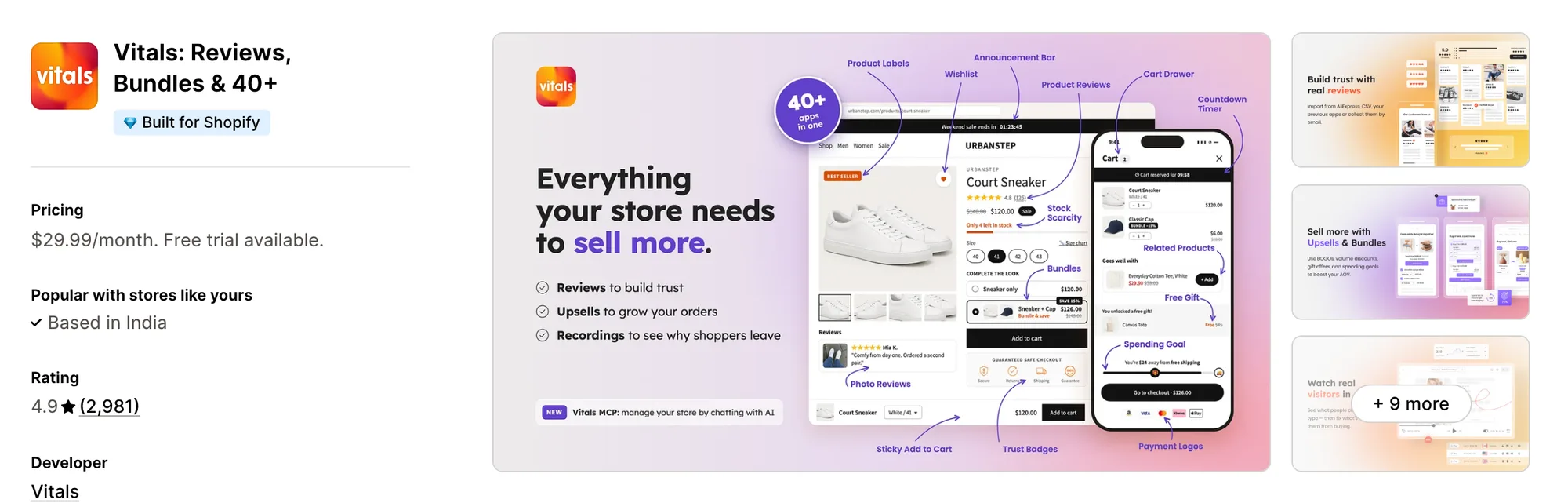
Best for: Stores that want Countdown Timer, Stock Counter, Product Reviews and Bundles plus 40+ apps in one subscription
Rating: 4.9 (2,981 reviews) | App type: All-in-one | Free trial: 7 days | Built for Shopify: Yes
Vitals is our app. Among its 40+ apps, a countdown timer sits next to reviews, bundles and discounts, all for one subscription of $29.99/month.
The Vitals Countdown Timer app shows a "sale ends in" countdown on product pages, and products with a discount get it by default. Its start and end dates follow the store's Shopify time zone, so every shopper counts down to the same moment.
Under that deadline, the Vitals Stock Scarcity app can show how many units of the selected variant are left, from live Shopify stock, which GSC Countdown Timer Bar doesn't offer. For a sale bar across every page, the Vitals Announcement Bars app can add a countdown bar aimed by page, country or device.
Key features:
- A product page countdown in seven styles, including Minimalist, Modern and Progress circles, with colours, a title line and alignment to match the theme
- Timer text translated for each store language, placed through a position setting or a theme app block
- Product rules that include or exclude items by price range, discount percentage or stock level, plus an option for sold-out products
- A low-stock message for the selected variant once stock falls below a store-wide level, shown as a dot or a bar
- A countdown bar on every page, targeted by page, country or device, with an analytics tab for views and clicks
- Recent sales pop-ups from real orders and add-to-carts, through the Vitals Recent Sales Notifications app
- Countdowns on bundle and upsell offers that end with each offer
Pros:
- A real stock count beside the deadline, read from Shopify for each variant
- The timer, the stock counter, the sales pop-ups and 40+ more apps on one plan (e.g., Perk by Kate moved its single-purpose apps to one Vitals subscription)
- One support team to contact when the timer, the bar or the stock message needs a fix
- Vitals MCP connects Claude or ChatGPT to your store's Vitals data, so you can ask about it in a chat
Cons:
- Timers can't start per visitor, repeat each day, or show on product cards or in the cart, and all products share one end date
- Works on Shopify only
Pricing:
Prices from the Vitals website on October 26, 2026, with a 7-day free trial.
Read: Best Low Stock & Scarcity Counter Apps for Shopify in 2026
2. Essential Countdown Timer Bar
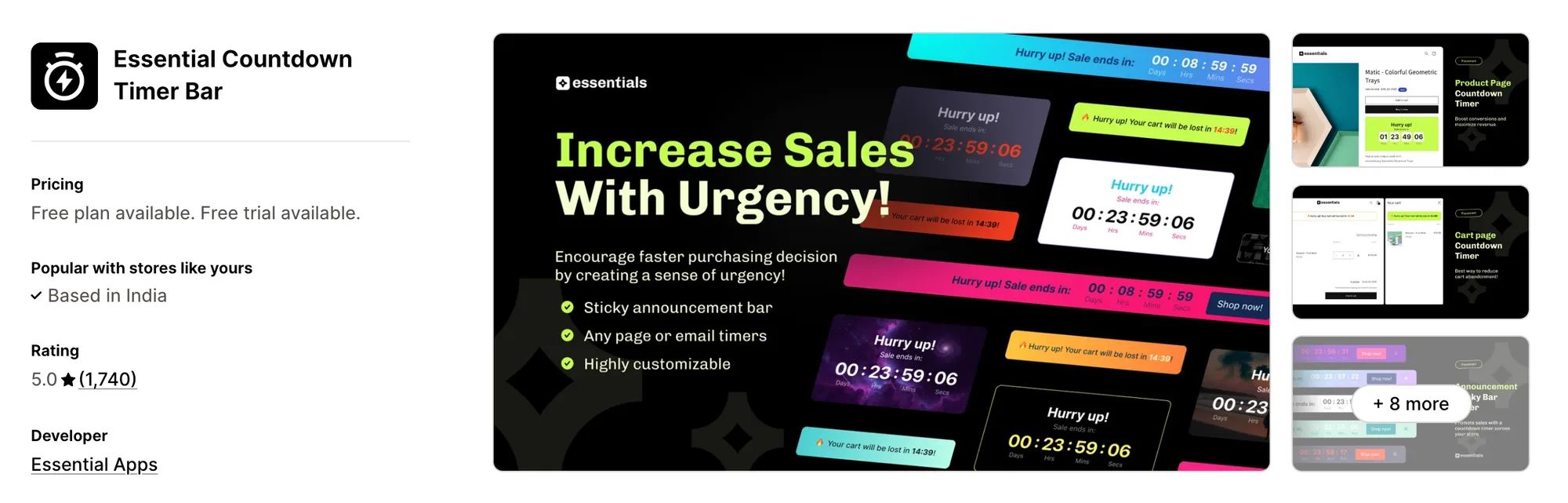
Best for: Stores whose sale emails should carry the same live countdown as the site
Rating: 5.0 (1,740 reviews) | App type: Standalone | Free trial: 7 days | Built for Shopify: No
Essential Countdown Timer Bar is the most reviewed app in this list and a timer app from Essential Apps. It links the store and the inbox, with a live timer image that can drop into a Klaviyo, Omnisend or Shopify Email campaign.
Key features:
- Date timers with a scheduled start, fixed-minute timers per visitor and daily timers on chosen weekdays
- A fixed or sticky bar at the top or bottom, scoped to every page or to chosen products and collections
- A product page timer below the add-to-cart button, or in another spot through an app block
- A landing page timer block (Starter plan) and cart page and cart drawer timers (Essential plan)
- Email timers for Klaviyo, Omnisend and Shopify Email campaigns (Essential plan)
- Country and product tag targeting, with timer text for each Shopify Markets language (Essential plan)
Pros:
- One countdown across the site and the email that announces the sale
- Country targeting, which GSC Countdown Timer Bar's docs don't describe
- 1,740 reviews at a 5.0 rating
Cons:
- Covers timers only; Essential Apps sells its announcement bar, trust badges and free shipping bar as separate apps
- Pricing tracks monthly timer views, and a store that stays over its limit for about three days has its live timers unpublished
- Not Built for Shopify
Pricing:
Prices from essential-apps.com on October 26, 2026, with a 7-day free trial.
3. Hoppy Cart Countdown Timer Bar
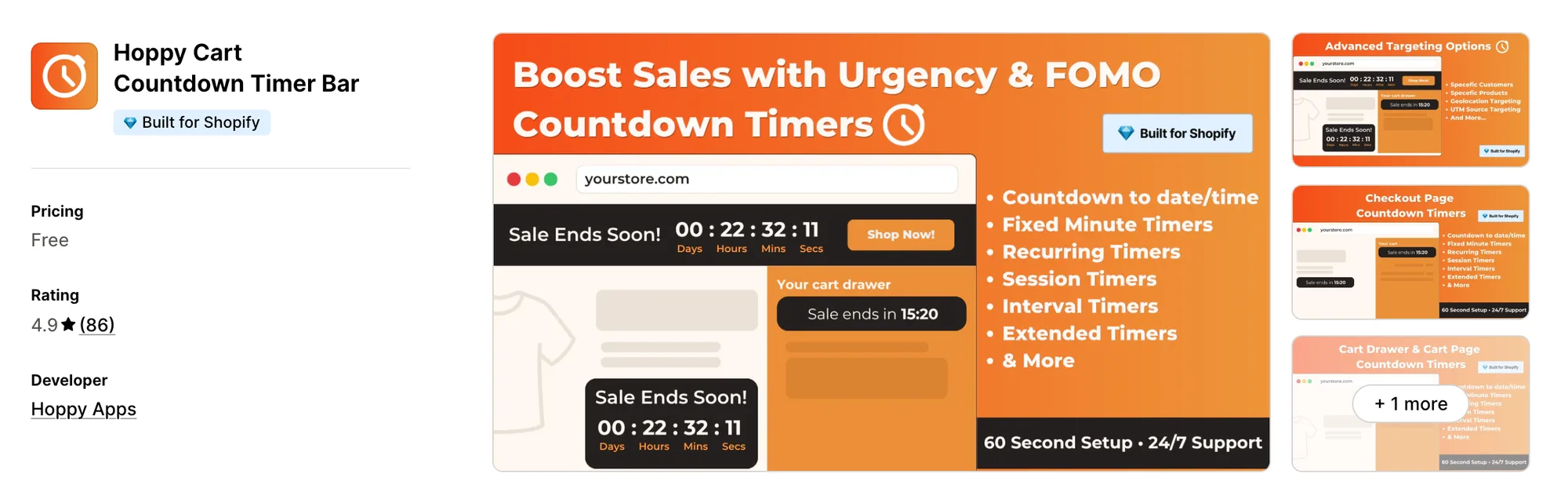
Best for: Shopify Plus stores that want a timer on the checkout page itself
Rating: 4.9 (86 reviews) | App type: Standalone | Free trial: Free plan | Built for Shopify: Yes
Hoppy Cart Countdown Timer Bar, formerly Hoppy FOMO Countdown Timer Bar, is free like GSC but reaches one step further. On Shopify Plus, its checkout extension can place a countdown on the checkout page, and its targeting covers the countries and ad sources GSC's docs leave out.
Key features:
- Date, fixed-minute, daily, multi-interval and session timers
- A bar, a product page timer, a collection page block and a password page timer
- Cart and cart drawer timers that start at the first add to cart and can empty the cart at zero
- A checkout timer on Shopify Plus, through a checkout extension
- End actions that hide the timer, show a message, extend it or restart it
- Targeting by country, UTM source, customer tag, lifetime spend, product, tag and collection
- Translated timer text matched to the shopper's browser language
Pros:
- Free, with country and UTM targeting included
- A countdown on the checkout page for Shopify Plus stores
Cons:
- Covers timers only; Hoppy Apps sells its banners, pop-ups and trust badges as separate apps
- No view or click stats in its help center, where GSC shows view counts per widget
Pricing: Free, with no paid plan (hoppyapps.com on October 26, 2026).
4. Hextom: Countdown Timer Bar
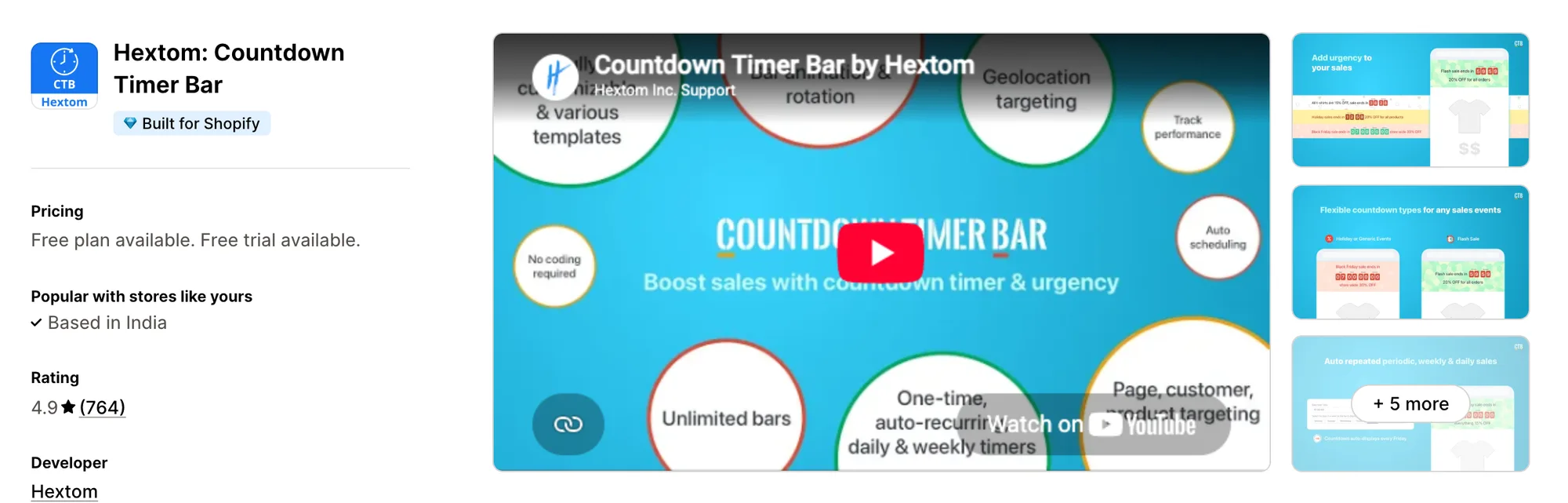
Best for: Stores selling into several Shopify markets that need a different bar per market or ad source
Rating: 4.9 (764 reviews) | App type: Standalone | Free trial: 7 days | Built for Shopify: Yes
Hextom: Countdown Timer Bar has been on the App Store for over ten years and centres on who sees which bar. A single sale can show its own message per Shopify market, visitor location, UTM source, customer tag or B2B company.
Key features:
- Date timers, plus daily, interval and per-visitor session timers (Premium plan)
- A top or bottom bar, a timer under the add-to-cart button and an app block for any section
- Targeting by Shopify market, visitor location and UTM or social source (Premium plan)
- Customer targeting by login, tag, lifetime spend and B2B company (Premium plan)
- Flip clock, plain number, square tile and circle tile timer styles, with background images (Premium plan)
- Bar performance tracking (Premium plan)
Pros:
- Dot, an AI assistant that edits a bar's text, schedule and targeting from a chat prompt
- Market and B2B targeting that GSC's docs don't offer
- One paid plan with no view caps
Cons:
- Covers the product page and the bar; stock counters and sales pop-ups need other apps
- A page shows one bar at a time
- Bar translations go through Hextom's separate Translate & Currency app
Pricing:
Prices from hextom.com on October 26, 2026, with a 7-day free trial.
5. Urgency+ | All‑in‑one FOMO App
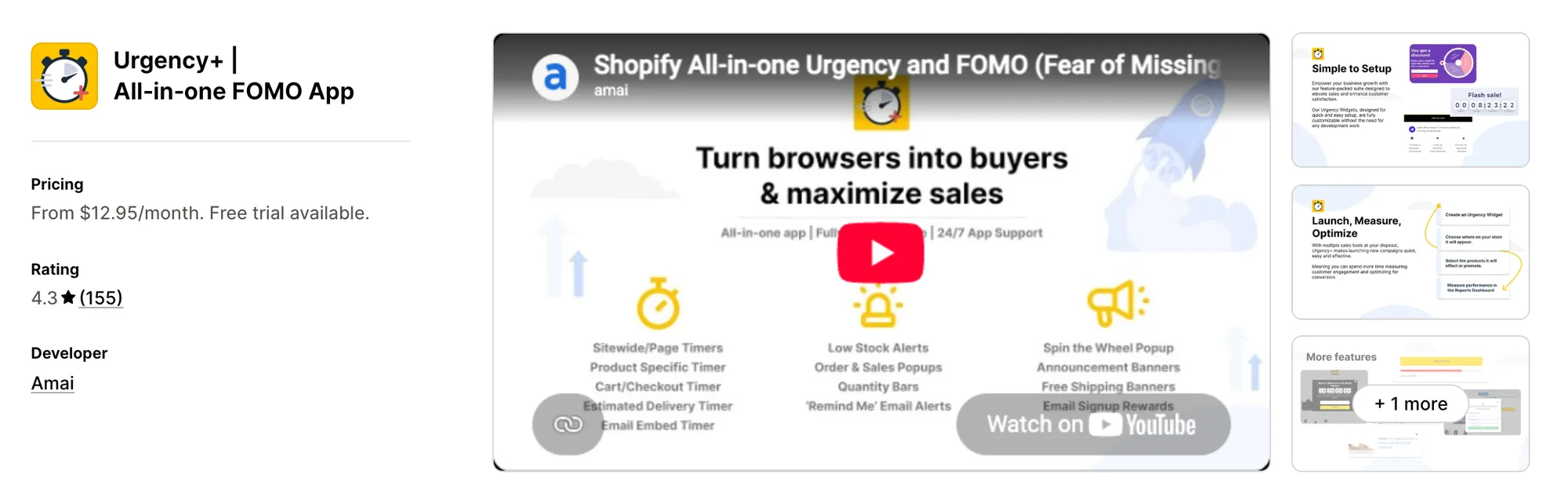
Best for: Stores that repeat one sale every week, month or year until a set repeat count
Rating: 4.3 (155 reviews) | App type: All-in-one | Free trial: 14 days | Built for Shopify: No
Urgency+ | All‑in‑one FOMO App from Amai bundles more than ten urgency widgets on one plan. Its timers can come back daily, weekly, monthly or yearly and stop after a chosen number of repeats, and the same app adds stock bars, sales pop-ups and a spin wheel.
Key features:
- Scheduled timers that repeat on a daily, weekly, monthly or yearly cycle with a repeat limit
- Evergreen timers kept across visits for each shopper
- A top or bottom banner and a product page widget
- A reserved cart timer with hide, reset or clear-cart actions at zero
- Quantity bars showing stock left or sold, plus low-stock pop-up alerts
- A spin wheel with discount prizes and email capture
- Live countdowns for emails sent through Klaviyo or Mailchimp
Pros:
- Stock bars and sales pop-ups in the same app as the timer
- Every plan includes every feature, with no impression caps
Cons:
- Covers urgency widgets only, so reviews, bundles and upsells need other apps
- Its price follows the store's Shopify plan, from $12.95 on Basic up to $26.95 a month on Plus
- Its help center describes country targeting but no targeting by device, customer tag or market
- Low-star reviews from February 2024 to January 2026 describe slow or unhelpful support replies
Pricing:
Prices from the Shopify App Store listing on October 26, 2026, with a 14-day free trial. The plan follows the store's Shopify plan.
6. Profy Banner & Countdown Timer
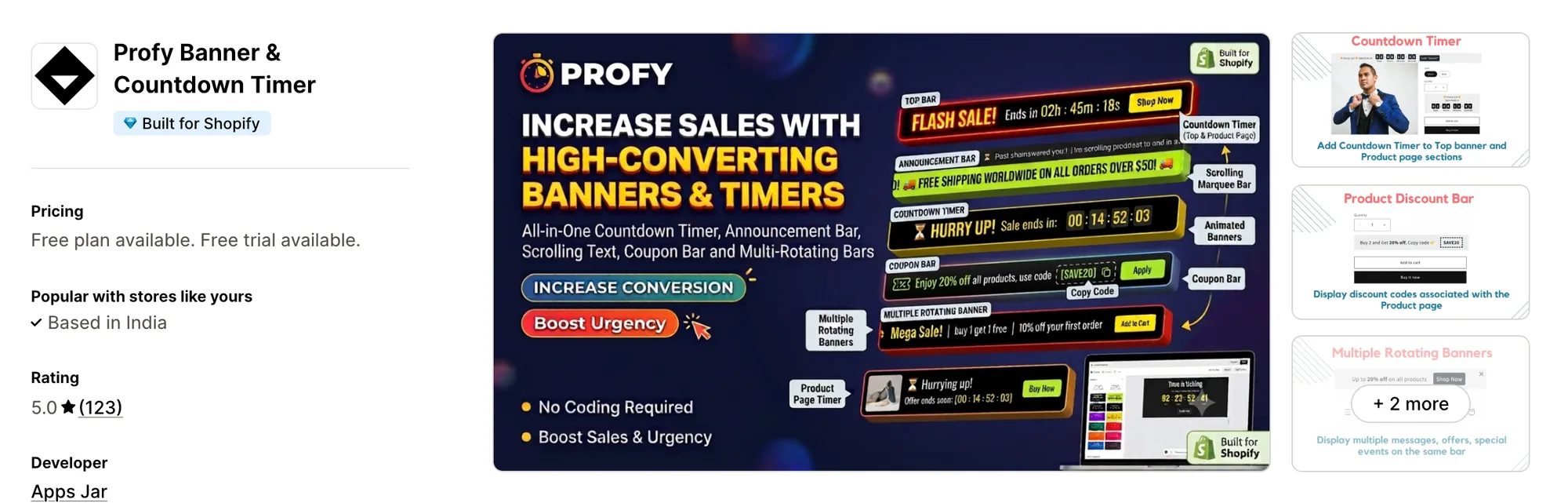
Best for: Stores that want scrolling or rotating messages in the same bar as the countdown
Rating: 5.0 (123 reviews) | App type: Standalone | Free trial: 7 days | Built for Shopify: Yes
Profy Banner & Countdown Timer from Apps Jar is a banner app first. Its countdown bar can share space with a scrolling marquee, a rotating message slider and a coupon bar, so one strip at the top can carry the deadline and several announcements.
Key features:
- Timers to an end date, for a fixed duration or inside a daily hour window
- Scrolling marquee text and a rotating slider for several messages
- A coupon bar with a copy button, a pop-up bar and a product page banner
- Targeting by URL, page type, device, collection, customer tag and visitor country
- Banner text translated automatically into the visitor's language
Pros:
- Rotating and scrolling messages next to the timer
- Country and customer tag targeting with every feature on every plan
- Its listing had no reviews below 4 stars as of October 26, 2026
Cons:
- Covers bars and banners; cart timers, product card timers and stock counters need separate apps
- The Starter plan has a limit of 15,000 banner views a month
Pricing:
Prices from the Shopify App Store listing on October 26, 2026, with a 7-day free trial.
7. Urgency Bear Countdown Timer
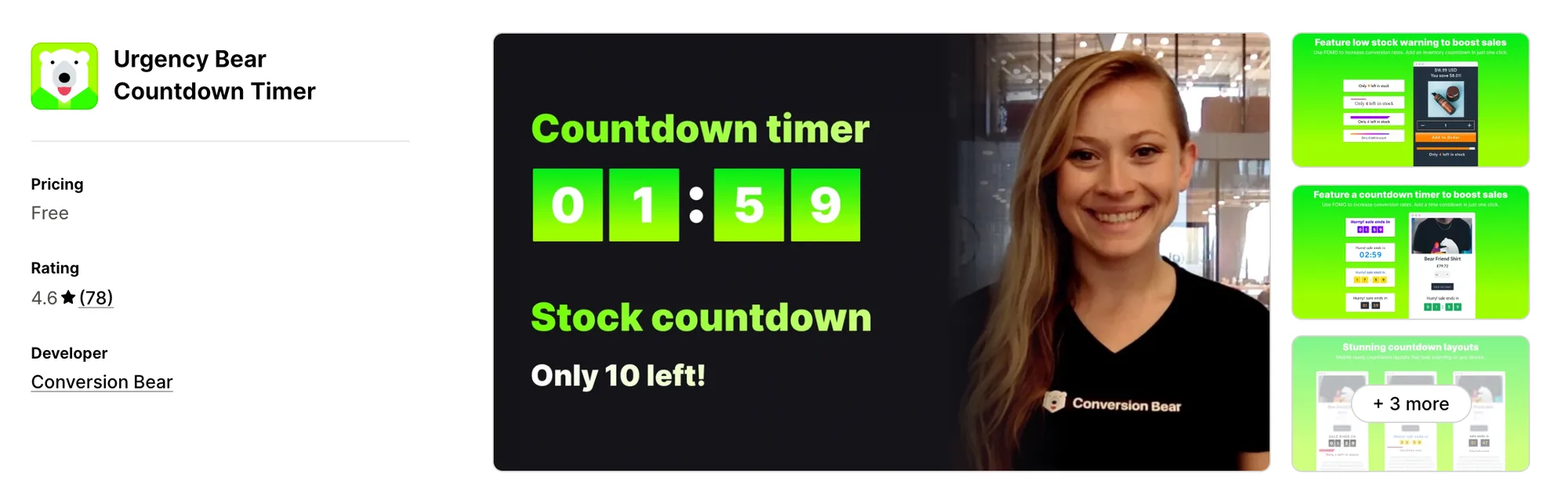
Best for: Stores that need a no-cost stock counter for each variant beside a product page timer
Rating: 4.6 (78 reviews) | App type: Standalone | Free trial: Free plan | Built for Shopify: No
Urgency Bear Countdown Timer is a free app from Conversion Bear that pairs a product page timer with real stock numbers. When a shopper switches variants, the count and its progress bar change to that variant's tracked stock.
Key features:
- A per-session countdown or a countdown between set start and end dates in the store's time zone
- A live stock count for the selected variant, with a progress bar
- Rules that hide the stock count above a set level or on chosen products
- Design presets, custom CSS, and automatic placement or a short code snippet
Pros:
- Free, with no paid plan
- Real variant stock next to the timer, which GSC doesn't show
Cons:
- Covers the product page only; a bar, cart timers and sales pop-ups need other apps
- Not Built for Shopify
- Low-star reviews from January and February 2025 say the stock count stopped changing between variants or the app stopped working
Pricing: Free, with no paid plan (Shopify App Store listing on October 26, 2026).
8. KILATECH Countdown
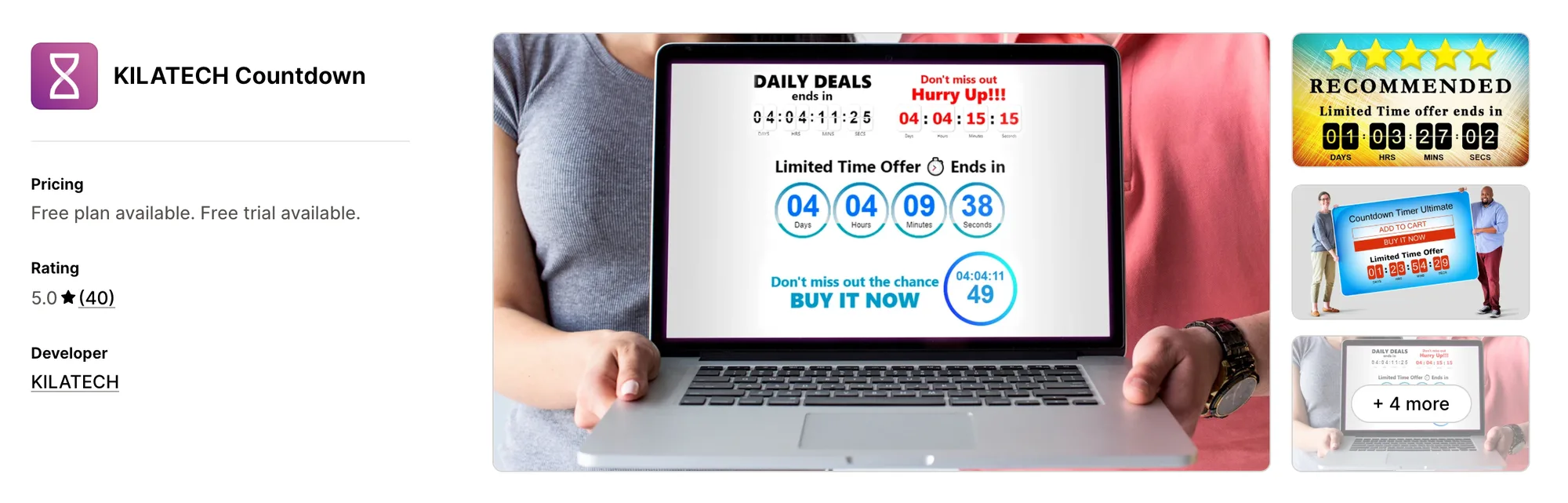
Best for: Stores that want the timer to appear only on products marked on sale or out of stock
Rating: 5.0 (40 reviews) | App type: Standalone | Free trial: 3 days | Built for Shopify: No
KILATECH Countdown, formerly KILATECH Countdown Timer, keeps to one job on the product page. Its display rules decide which products get the timer, such as only items on sale, only sold-out items or items with a chosen tag.
Key features:
- Display rules for products on sale, out-of-stock products, tagged products or all products
- Five scheduling methods, among them a weekly schedule and a fresh timer for each new visitor
- Seven designs with adjustable animations and colours
- Up to five timer campaigns live at once (Premium plan)
- A custom spot on the page, according to its listing
Pros:
- Timers tied to sale or stock status without picking products one by one
- A weekly schedule for sales that come back on the same days
- Every one of its 40 reviews gives 5 stars, as of October 26, 2026
Cons:
- Covers product pages only; a bar, cart timers and stock counts need other apps
- It has no help center, install guide or changelog
Pricing:
Prices from the Shopify App Store listing on October 26, 2026, with a 3-day free trial.
How Many Apps Each Option Replaces
Each new app can add code of its own to the storefront, and more code can mean slower pages. This table shows what each option covers by itself.
How we counted it:
- Vitals - All in One App replaces up to 40+ single-purpose apps, led by a countdown timer app, a stock counter app, an announcement bar app, a sales pop-up app and a reviews app
- Essential Countdown Timer Bar takes the place of a countdown timer app and an email timer app
- Hoppy Cart Countdown Timer Bar takes the place of a countdown timer app and, for Shopify Plus stores, a checkout timer app
- Hextom: Countdown Timer Bar replaces a single countdown bar app
- Urgency+ | All‑in‑one FOMO App takes the place of a timer app, a stock bar app, a sales pop-up app, a spin wheel app and an email timer app
- Profy Banner & Countdown Timer takes the place of a countdown bar app and an announcement or coupon bar app
- Urgency Bear Countdown Timer takes the place of a stock counter app and a product page timer app
- KILATECH Countdown stands in for one product page timer app
- GSC Countdown Timer Bar takes the place of one countdown timer app, with product card timers included
A GSC store that adds a stock counter, a sales pop-up app and a reviews app has four apps to update and four dashboards to check. Vitals puts those jobs in one subscription with one dashboard.
When Should You Stay on GSC Countdown Timer Bar
GSC Countdown Timer Bar remains a sound choice in two cases.
- You want the deadline on product cards in collection grids and on each item in the cart, placements no other app here offers
- You want a free timer app that still reports views for each widget over 7, 30 or 90 days
Switch when you want a product page countdown, a countdown bar targeted by country and a live stock count in one subscription, next to reviews and bundles.
How to Switch From GSC Countdown Timer Bar to Vitals
GSC Countdown Timer Bar holds no customer data, so there's nothing to export. Moving means rebuilding each timer and clearing the widgets out of the theme.
- Install Vitals - All in One App and turn on the Vitals Countdown Timer app, the Vitals Announcement Bars app and the Vitals Stock Scarcity app
- On a duplicate theme, recreate each sale with its start and end date as a product page timer and a countdown bar, review the pages on desktop and mobile, then publish the theme
- Uninstall GSC Countdown Timer Bar, switch off its GSC Timer Widgets app embed, and remove its app blocks and any "Get code" snippets pasted into theme files. Vitals has no evergreen, daily, product card or cart timers, so keep a separate timer app if your store depends on those
Read: Best All in One Apps for Shopify in 2026
Find the Best GSC Countdown Timer Bar Alternative for Your Store
Vitals - All in One App suits most stores best, but the right replacement depends on what your free timer setup is missing.
- Vitals, if you want a countdown timer, a live stock counter, bundles, discounts and 40+ apps in a single subscription of $29.99/month
- Essential Countdown Timer Bar, if every sale email should count down alongside the store
- Hoppy Cart Countdown Timer Bar, if your store is on Shopify Plus and the countdown should appear in checkout, still for free
- Hextom: Countdown Timer Bar, if each market, ad channel or wholesale customer should get its own bar
- Urgency+ | All‑in‑one FOMO App, if the same promotion returns on a fixed weekly, monthly or yearly cycle
- Profy Banner & Countdown Timer, if the top bar needs to rotate or scroll through several messages beside the timer
- Urgency Bear Countdown Timer, if a free variant stock count on the product page matters more than a bar
- KILATECH Countdown, if only sale or sold-out products should carry a timer
Start a 7-day free trial: Install Vitals - All in One App
Frequently Asked Questions
1. What is the best GSC Countdown Timer Bar alternative for Shopify?
Vitals - All in One App is the best GSC Countdown Timer Bar alternative for most stores. It's the only all-in-one app that includes 40+ apps, such as a countdown timer, a live stock counter, reviews and bundles, in one subscription. It's our app, so its entry names what it doesn't cover.
2. Why do merchants switch from GSC Countdown Timer Bar?
It covers timers alone, so a stock counter, sales pop-ups and reviews each mean another app. Its docs also describe no targeting by country or customer, and some low-star reviews mention an editor that won't load.
3. How do Vitals and GSC Countdown Timer Bar compare on countdown features?
Both can show a product page countdown to a fixed date and a countdown bar at the top of the store, with timer text in each store language. GSC Countdown Timer Bar adds evergreen and daily timers, product card badges, cart item timers and per-widget view counts. Vitals adds a live stock count for each variant, country targeting on the bar, recent sales pop-ups and countdowns on bundle and upsell offers.
4. Can Vitals replace GSC Countdown Timer Bar and other apps at the same time?
Mostly. The Vitals Countdown Timer app and the Vitals Announcement Bars app can take over GSC's product page and bar timers. The Vitals Stock Scarcity app and the Vitals Recent Sales Notifications app can also do the job of a stock counter app and a sales pop-up app. Vitals has no evergreen, daily, product card or cart timers, so keep a separate app for those.
5. How do these GSC Countdown Timer Bar alternatives affect store speed?
Any app on a store can load its own scripts, so the total number of apps counts as well as which ones they are. GSC Countdown Timer Bar plus a stock counter app and a sales pop-up app means three sets of scripts, while Vitals - All in One App loads its timer, bar, stock count and pop-ups from one script. We didn't speed-test these apps, so check your own pages before and after a change.
6. Which GSC Countdown Timer Bar alternatives have AI features or MCP support?
Not all of them. Vitals has Vitals MCP, which lets Claude or ChatGPT answer questions about your store's Vitals data, and Hextom has Dot, an AI assistant that edits a bar from a chat prompt. Essential, Hoppy, Urgency+, Profy, Urgency Bear and KILATECH list no AI features, and none of the alternatives besides Vitals lists MCP support. GSC Countdown Timer Bar lists no AI features either.
7. Which GSC Countdown Timer Bar alternatives can target timers by country?
Not all of them. Vitals can aim its countdown bar by country, Hextom can target by Shopify market and visitor location, and Hoppy, Profy and Urgency+ can show timers only in chosen countries. Essential offers country targeting on its Essential plan. Urgency Bear and KILATECH describe no country targeting, and neither do GSC's docs.