8 Best Hextom Countdown Timer Bar Alternatives for Shopify in 2026


Looking for a Hextom Countdown Timer Bar Alternative?
Hextom: Countdown Timer Bar is a popular Shopify app for showing a sale countdown in a bar across the top or bottom of a store. Only one of its bars can show on a page at a time, though, and stock counters or sales pop-ups mean adding other apps.
So, we compared seven alternatives on the timers they offer, the parts of the store they reach and the widgets each one adds next to the countdown. We make Vitals, so its gaps are noted here too.
What Is Hextom Countdown Timer Bar Shopify App?
Hextom: Countdown Timer Bar is a Shopify app for adding a countdown bar to a store for sales and events. Shoppers can see the bar at the top or bottom of the page or under the add-to-cart button, counting to a set date or repeating on a schedule.
Here's what you can do with Hextom: Countdown Timer Bar:
- Bar placements: Show the bar at the top or bottom of the page, under the add-to-cart button, or inside any section through an app block.
- Timer types: Count down to a date, repeat daily on chosen weekdays, switch on and off in set hour cycles with an interval timer, or start a session timer on each visitor's first visit.
- Targeting: Aim a bar by page, product, collection, device, Shopify market, visitor location, UTM or social source, customer tag, lifetime spend and B2B company.
- Design: Choose flip clock, plain number, square tile or circle tile styles, with background images, an animated button and a clickable bar.
- AI assistant and translation: Ask the Dot AI assistant to change a bar's text, style, schedule or targeting, and translate bars through Hextom: Translate & Currency.
Where Hextom: Countdown Timer Bar stands out is how precisely a bar can be aimed. One sale can show one message to shoppers in a given market, another to visitors from a social ad and a third to B2B buyers, which suits stores that sell across several countries or channels.
Reviews most often mention how reliable it has been over years of use, its flexible targeting and a bar that carries no intrusive branding.
How Much Does Hextom Countdown Timer Bar App Cost?
Prices from hextom.com on October 26, 2026, with a 7-day free trial.
Why Shopify Merchants Look for Hextom Countdown Timer Bar Alternatives
Hextom: Countdown Timer Bar has a 4.9 rating from 764 reviews and carries the Built for Shopify badge. Even so, stores that move away from it point to these limits:
- It covers the bar and the product page, so stock counters, sales pop-ups and reviews need other apps, and Hextom sells its Free Shipping Bar, Quick Announcement Bar and Email Collection Bar separately
- Only one bar shows on a page at a time, so a sale bar and a shipping message can't sit together
- Translating a bar needs a second app, Hextom: Translate & Currency
- A coupon code with a copy button needs custom code, according to its help center
- Its help center says bars don't show in checkout, and it describes no cart or cart drawer timer
Moving makes the most sense for stores that want the sale bar, the product page timer and their other conversion apps managed from one dashboard and billed once.
Read: Best Countdown Timer Apps for Shopify in 2026
How We Compared the Hextom Countdown Timer Bar Alternatives
On October 26, 2026, we read each app's live Shopify App Store listing, its help docs and its changelog, where available, and took ratings and review counts from the listing on that day.
We compared the apps on:
- App type: standalone or all-in-one
- Core countdown features: timer schedules, bar and page placements, end-of-timer behaviour, targeting and coupon or stock elements
- Store areas covered: header bar, product pages, collection pages, cart, checkout and email
- How many separate apps each one can replace
- Scripts added to the storefront and how each one fits into the theme
- AI features and MCP support
Short Answer
Vitals - All in One App is the best Hextom Countdown Timer Bar alternative for most stores.
- It offers a product page countdown, a countdown bar and recent sales pop-ups built from real orders, while Hextom: Countdown Timer Bar stops at the bar and leaves pop-ups and stock counters to other apps
- It includes 40+ apps, such as reviews, bundles and discounts, in one subscription of $29.99/month
- It replaces multiple single-purpose apps that you would otherwise install and pay for every month
Vitals costs more than Hextom: Countdown Timer Bar, at $29.99/month. In return, the same subscription covers the sales pop-ups, reviews and bundles a Hextom store would otherwise add one app at a time.
What Are the Top Hextom Countdown Timer Bar Alternatives for Shopify in 2026
The apps below take different routes to the same deadline, and the table shows which kind of store each one suits.
1. Vitals - All in One App
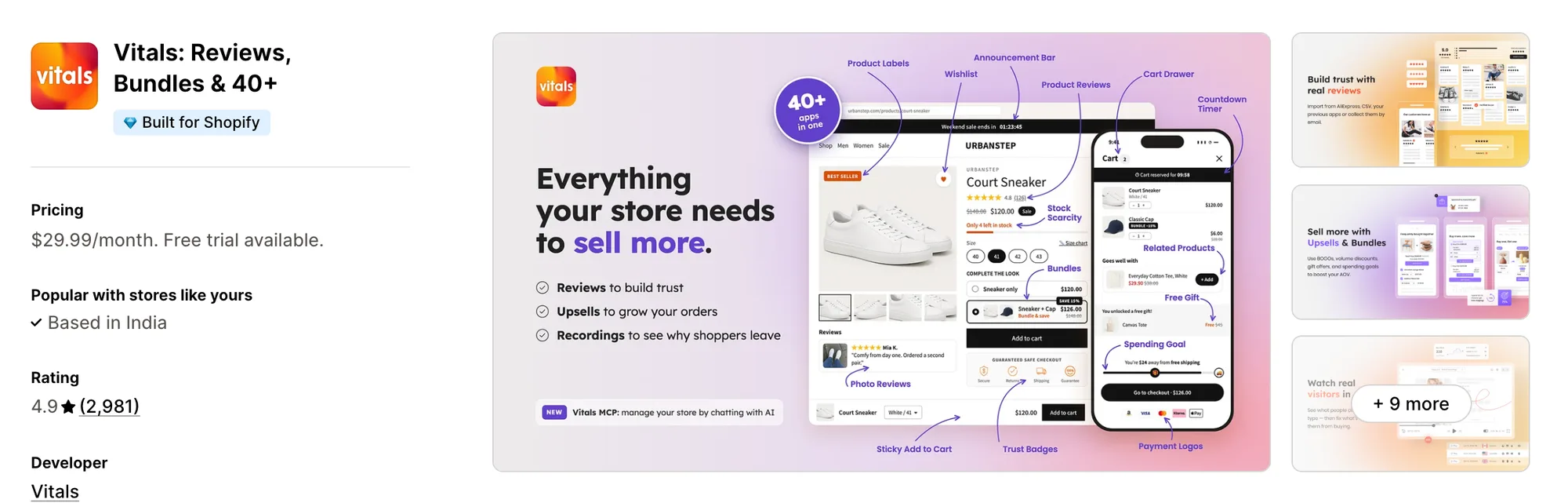
Best for: Stores that want Countdown Timer, Sales Pop-ups, Product Reviews and Bundles plus 40+ apps in one subscription
Rating: 4.9 (2,981 reviews) | App type: All-in-one | Free trial: 7 days | Built for Shopify: Yes
Vitals is our app, and its 40+ apps start with a countdown timer and go on to reviews, bundles and discounts, all in a single subscription of $29.99/month.
The Vitals Countdown Timer app adds a "sale ends in" countdown to product pages, and by default it shows on products with a compare-at price. Every shopper sees the same deadline, and the timer comes off the page as soon as the end date passes.
For the top of the store, the Vitals Announcement Bars app can show a countdown bar on every page. Next to the deadline, the Vitals Recent Sales Notifications app can show corner pop-ups built from real orders and add-to-carts, which Hextom: Countdown Timer Bar doesn't offer.
Key features:
- A product page countdown in seven styles, from Classic and Hexagon to a progress bar, with its title, colours, alignment and per-language text adjustable
- Start and end dates in the store's Shopify time zone, plus a dashboard notice when a sale expires
- Product rules by product, price range, discount percentage or stock level, with an option to keep the timer on sold-out products
- A countdown bar at the top of every page, aimed at chosen pages, countries or devices, which shoppers can close
- An email capture bar that gives shoppers a discount code once they sign up
- Recent sales pop-ups that show a buyer's first name, location and product, with a cap on how many appear per visit
- Countdowns on bundle and upsell offers that count to each offer's own end date
Pros:
- One deadline for every shopper, so the countdown doesn't reset when a visitor comes back
- The timer, the bar, the pop-ups and 40+ more apps under one plan (e.g., Little Dresser went from twenty single-purpose apps to one Vitals plan)
- One support team answers whether the issue sits in the timer, the bar or the pop-ups
- With Vitals MCP, Claude or ChatGPT can answer questions about your store's Vitals data
Cons:
- No per-visitor, daily or cart timers, and every product showing the timer counts to the same end date
- Works on Shopify only
Pricing:
Prices from the Vitals website on October 26, 2026, with a 7-day free trial.
Read: Best Shopify Apps to Increase Conversion Rate in 2026
2. GSC Countdown Timer Bar
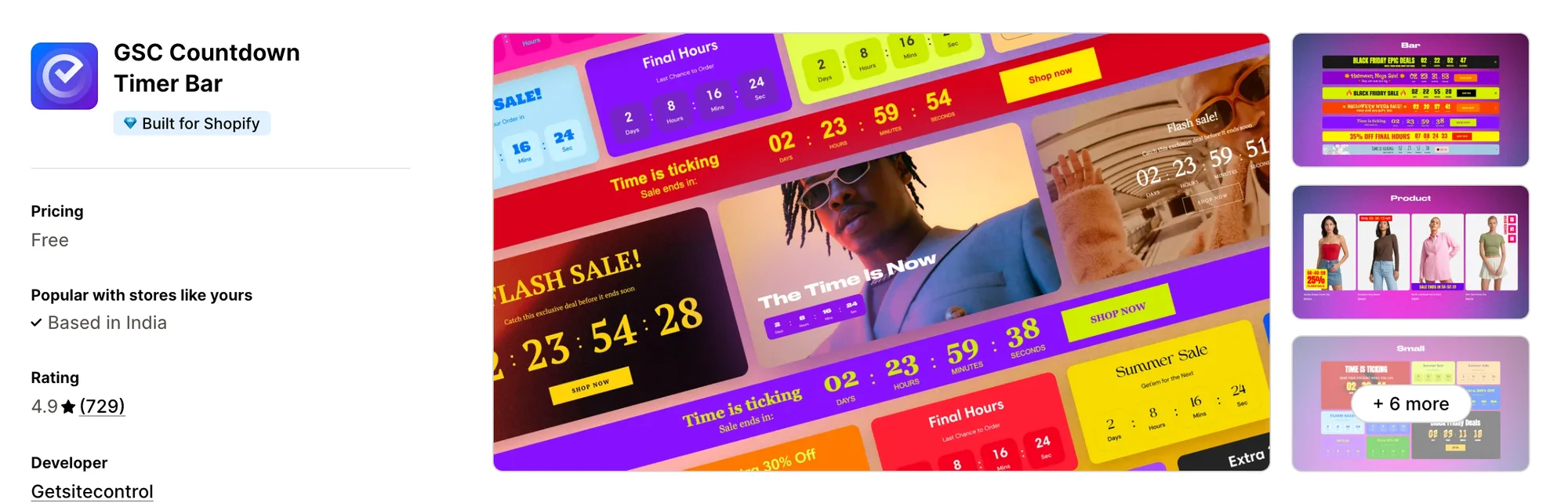
Best for: Stores that want a free countdown badge on each product card in collection pages
Rating: 4.9 (729 reviews) | App type: Standalone | Free trial: Free plan | Built for Shopify: Yes
GSC Countdown Timer Bar comes from Getsitecontrol, the maker of an email and pop-up app, and has no paid plan. Its product timer can sit as a badge on product images and on the cards in a collection grid, so the deadline shows before a shopper clicks through.
Key features:
- Six widget types, from a top or bottom bar to a product badge, a homepage banner and inline text
- Fixed-date, evergreen and daily timers, with evergreen timers that can hide, restart or reset after a day
- Timers on in-cart items and in the cart drawer
- Coupon and button elements inside a widget
- A localization tab that translates timer text, buttons and coupons for each published store language
- Product timers targeted by device, product or variant with AND/OR conditions
Pros:
- Free, with no view cap
- Several timer placements beyond the bar, including product cards and cart items
- View counts for each widget over 7, 30 or 90 days
Cons:
- Covers timers only; stock counters, sales pop-ups and reviews need separate apps
- Its docs describe no targeting by country, market, customer or traffic source
- Low-star reviews from December 2024 to January 2026 describe an editor that shows a blank screen
Pricing: Free, with no paid plan (getsitecontrol.gitbook.io on October 26, 2026).
3. Essential Countdown Timer Bar
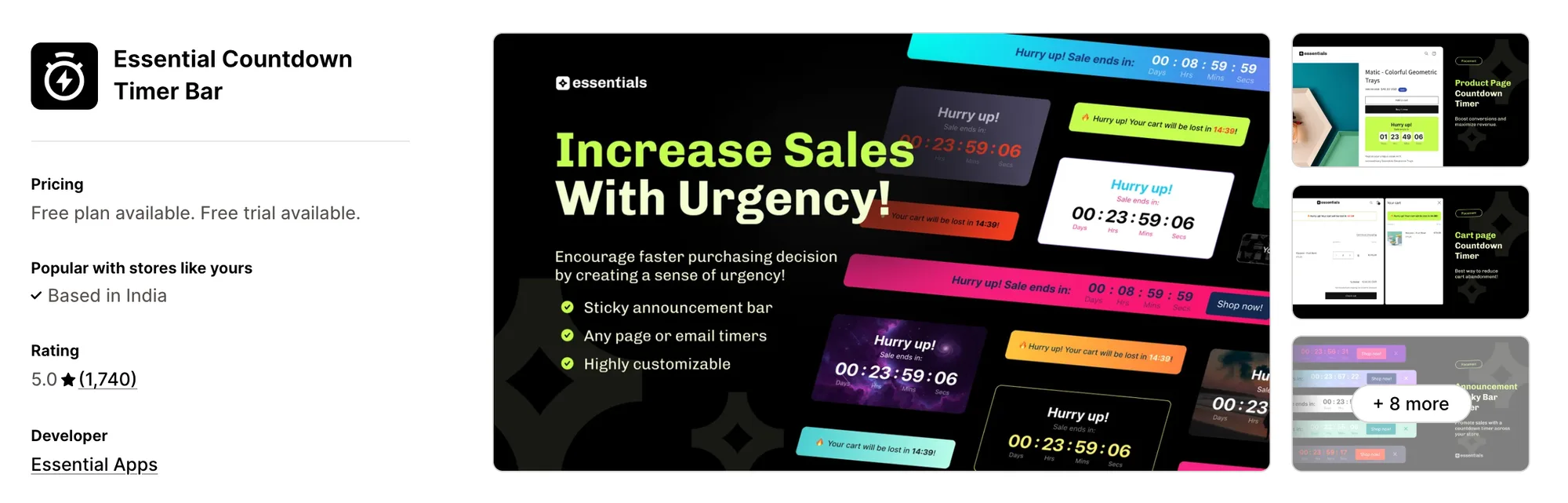
Best for: Stores that announce flash sales by email through Klaviyo, Omnisend or Shopify Email
Rating: 5.0 (1,740 reviews) | App type: Standalone | Free trial: 7 days | Built for Shopify: No
Essential Countdown Timer Bar from Essential Apps carries the same deadline from the storefront into the inbox. A live timer image can go into a Klaviyo, Omnisend or Shopify Email campaign, matching the bar and the product page timer on the site.
Key features:
- Timers to a date, fixed-minute timers for each visitor and daily timers on chosen weekdays
- A top or bottom bar, fixed or sticky, on every page or on chosen products and collections
- A product page timer below the add-to-cart button or in a custom spot through an app block
- A landing page timer block for the homepage, collection pages or the password page (Starter plan)
- Timers on the cart page and cart drawer (Essential plan)
- Email countdowns for Klaviyo, Omnisend and Shopify Email (Essential plan)
- 20 templates, image or gradient backgrounds and custom CSS
Pros:
- The same countdown in sale emails and on the store
- The most reviews in this list, at a 5.0 rating
Cons:
- Covers timers only; Essential Apps sells its trust badges, announcement bar and free shipping bar as separate apps
- Pricing is set by monthly timer views, and live timers are unpublished about three days after a store goes over its plan's limit
- Cart timers, email timers and country targeting need the Essential plan
- Not Built for Shopify
Pricing:
Prices from essential-apps.com on October 26, 2026, with a 7-day free trial.
4. Hoppy Cart Countdown Timer Bar
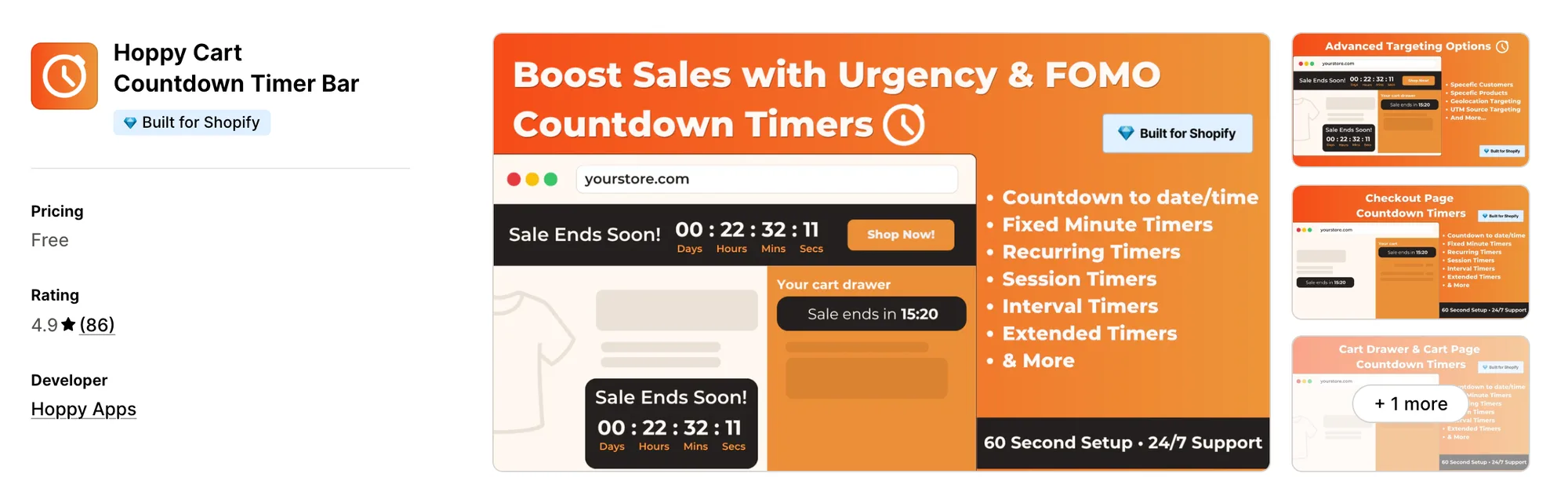
Best for: Shopify Plus stores that want the countdown to stay visible inside checkout
Rating: 4.9 (86 reviews) | App type: Standalone | Free trial: Free plan | Built for Shopify: Yes
Hoppy Cart Countdown Timer Bar, formerly Hoppy FOMO Countdown Timer Bar, is a free app from Hoppy Apps. Its timers can follow a shopper from collection pages and the cart drawer into checkout, where a Shopify Plus store can place one through a checkout extension.
Key features:
- Timers to a date, for fixed minutes, daily on chosen weekdays, across up to seven intervals, or for each browsing session
- A top or bottom bar, a product page timer, a collection page block and a password page timer
- Timers on the cart page and cart drawer that start at the first add to cart
- A checkout timer on Shopify Plus
- End actions that hide the timer, show a message, add extra seconds, restart it or empty the cart
- Targeting by product, tag, collection, customer tag, lifetime spend, country and UTM source
- A delay of up to 300 seconds on site before a timer appears
- Timer text for each store language, matched to the shopper's browser
Pros:
- Free, with UTM, customer tag and lifetime spend targeting included
- A countdown inside checkout on Shopify Plus
- Cart timers that start when a shopper adds the first item
- Extra time can be added when a timer reaches zero
Cons:
- Covers timers only; Hoppy Apps sells banners, pop-ups and trust badges as separate apps
- Its help center describes no reports on timer views or clicks
Pricing: Free, with no paid plan (hoppyapps.com on October 26, 2026).
5. Profy Banner & Countdown Timer
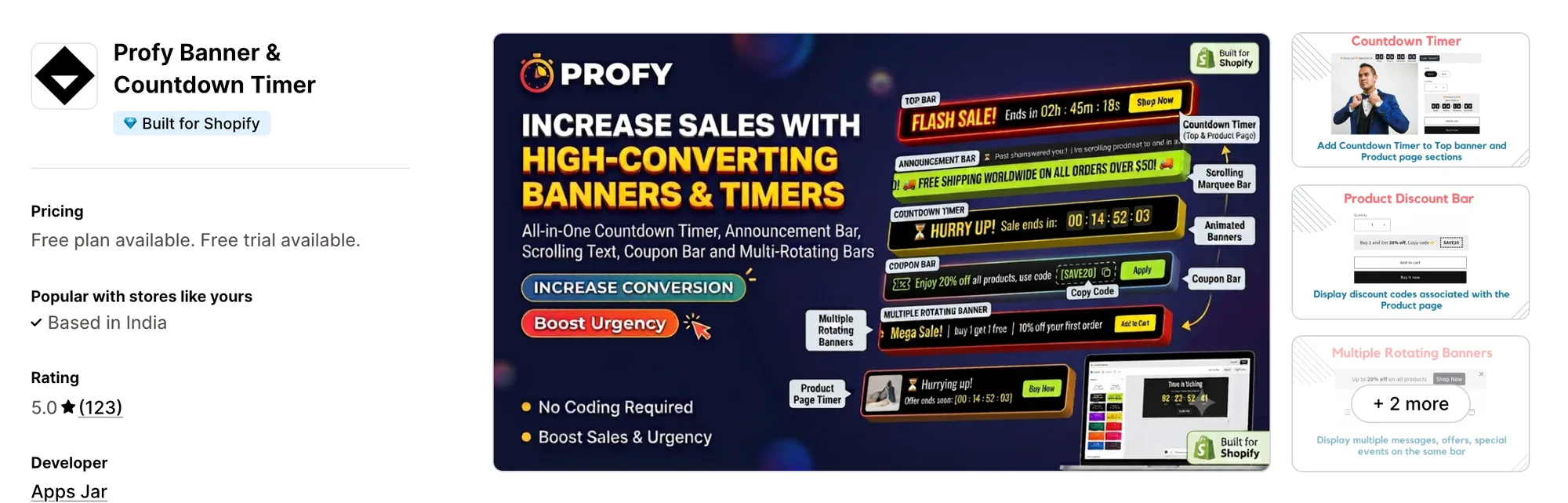
Best for: Stores that hand out a discount code with every sale and want shoppers to copy it from the bar
Rating: 5.0 (123 reviews) | App type: Standalone | Free trial: 7 days | Built for Shopify: Yes
Profy Banner & Countdown Timer from Apps Jar builds the countdown into a wider promo bar. A coupon bar with a copy button comes built in, next to scrolling text, a rotating message slider and a pop-up bar.
Key features:
- Timers to an end date, for a set duration from the banner's start, or inside a daily hour window
- A coupon code bar where shoppers can copy the code with one click
- A rotating announcement slider and scrolling marquee text
- A pop-up bar and a product page banner
- Targeting by URL, page type, device, collection, country and customer tag, with start and end dates
- Automatic translation of banner text into the visitor's language
Pros:
- A copy-button coupon bar with no custom code
- Translation built into the same app
- Every feature on every plan
Cons:
- Covers bars and banners only; cart timers, stock counters and sales pop-ups need separate apps
- No timer that starts on each visitor's first view
- The Starter plan stops at 15,000 banner views a month
Pricing:
Prices from the Shopify App Store listing on October 26, 2026, with a 7-day free trial.
6. Urgency+ | All‑in‑one FOMO App
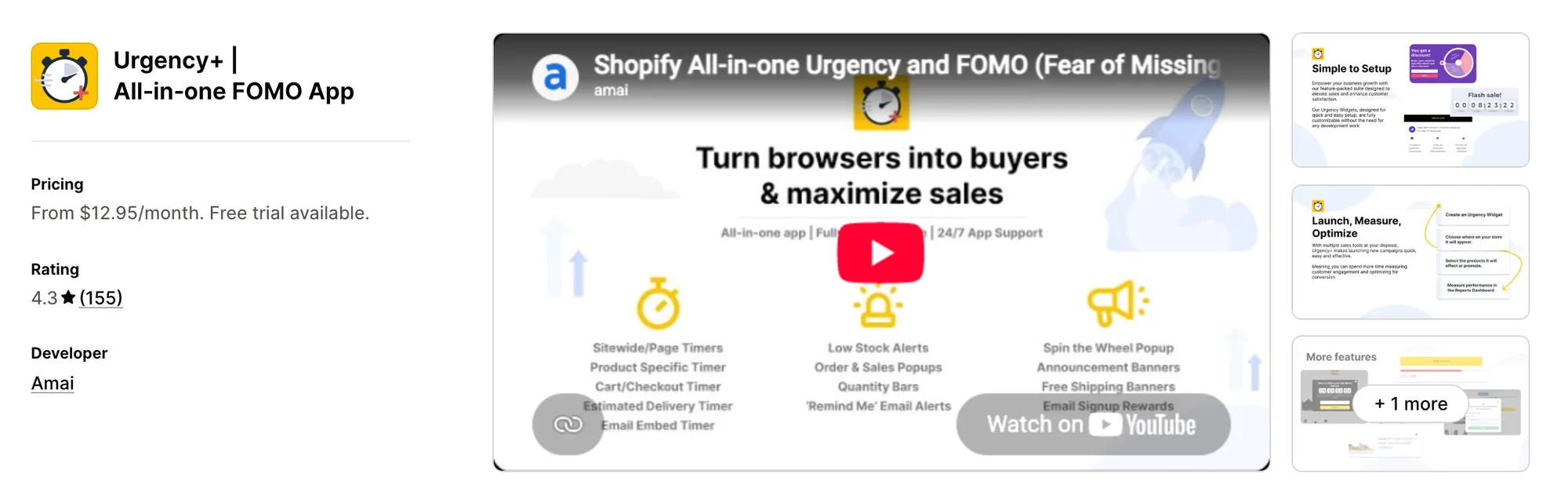
Best for: Stores whose sales return on a monthly or yearly calendar for a set number of rounds
Rating: 4.3 (155 reviews) | App type: All-in-one | Free trial: 14 days | Built for Shopify: No
Urgency+ | All‑in‑one FOMO App is Amai's urgency suite, with timers, stock bars, pop-ups and a spin wheel under one plan. A sale can repeat daily, weekly, monthly or yearly and stop after a chosen number of repeats, so a recurring event needs no new setup each time.
Key features:
- Repeating timers with a repeat limit, plus evergreen timers that start on a visitor's first visit
- A sticky banner at the top or bottom and a product page widget above or below add to cart
- A reserved cart timer that can hide, reset or clear the cart at zero, and pause while the shopper is away from the cart
- Quantity bars that hide above a set stock level
- Sales pop-ups with recent orders and low-stock alerts
- A spin wheel, plus an announcement carousel with copy-discount codes and email capture
- A delivery timer and live countdowns for Klaviyo or Mailchimp emails
Pros:
- Monthly and yearly repeats with a cap on how many times a sale returns
- No impression limits, and every plan has every feature
Cons:
- Only covers urgency widgets; reviews, bundles and upsells need other apps
- The price climbs with the store's Shopify plan, reaching $26.95 a month on Plus
- Installs a snippet in theme.liquid that its help center says to delete by hand after uninstalling
- A January 2026 low-star review says support took six days to reply
Pricing:
Prices from the Shopify App Store listing on October 26, 2026, with a 14-day free trial. The plan follows the store's Shopify plan.
7. KILATECH Countdown
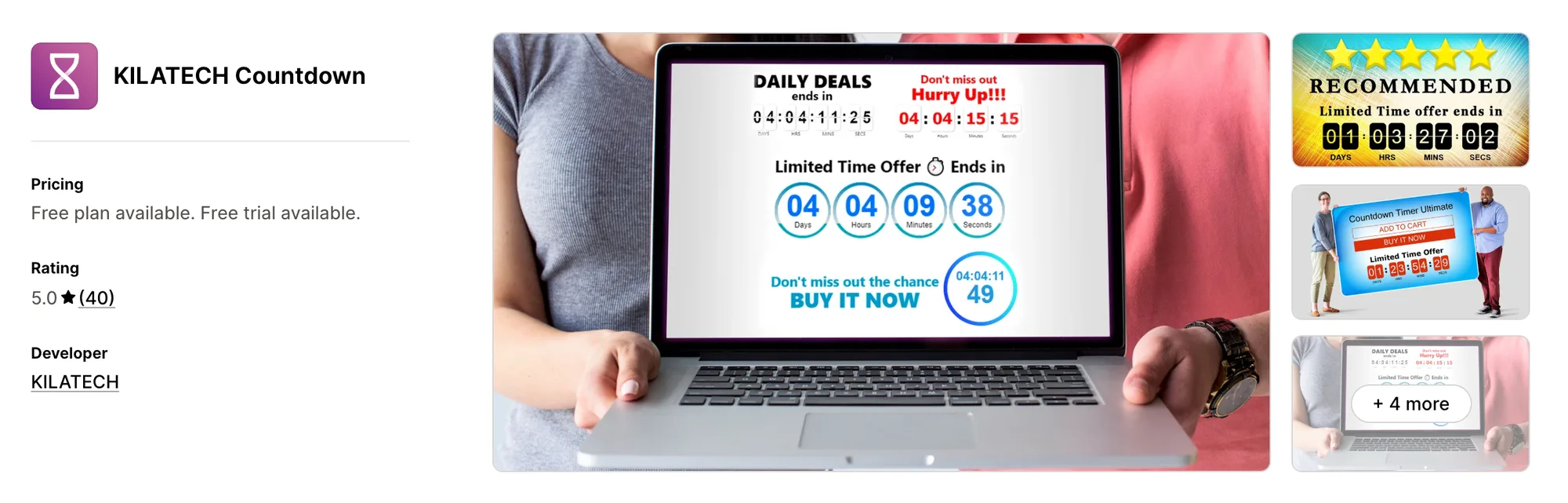
Best for: Stores that want a timer on product pages only, with no bar across the top
Rating: 5.0 (40 reviews) | App type: Standalone | Free trial: 3 days | Built for Shopify: No
KILATECH Countdown, formerly KILATECH Countdown Timer, is a small product page app from a Sri Lankan developer. It skips the header bar entirely and puts a styled timer on the products a store picks by tag, sale status or stock.
Key features:
- Five scheduling methods, including a fresh timer for each new visitor, a repeating timer, a set period and a weekly schedule
- Seven timer designs with animation types and colour controls
- Timers shown on tagged products, products on sale, sold-out products or every product
- Up to five separate timer campaigns (Premium plan)
- A custom position on the page, as its listing describes
Pros:
- All 40 reviews on its listing are 5 stars as of October 26, 2026
- Display rules for products on sale and products that are sold out
- Reviews mention quick help over WhatsApp
Cons:
- Covers product pages only; a header bar, cart timers and sales pop-ups need other apps
- No help center, install guide or changelog
- Not Built for Shopify
Pricing:
Prices from the Shopify App Store listing on October 26, 2026, with a 3-day free trial.
8. GA:Urgency Countdown Timer Bar
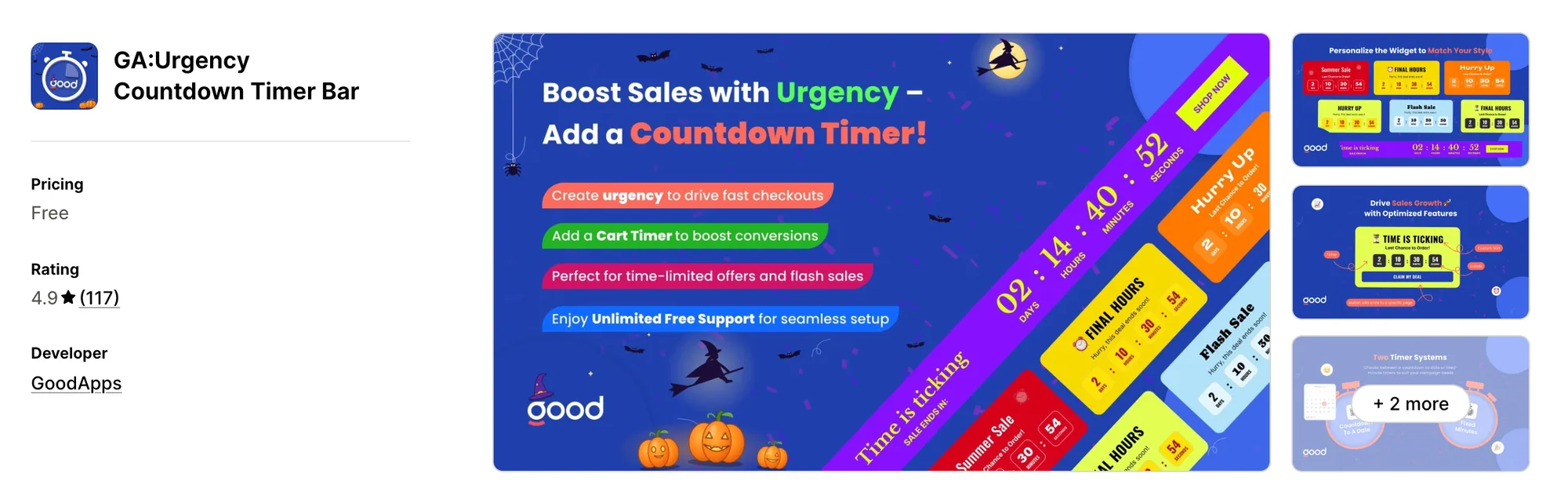
Best for: Stores that want the countdown in a side panel or a trust bar instead of the header
Rating: 4.9 (117 reviews) | App type: Standalone | Free trial: 7 days | Built for Shopify: No
GA:Urgency Countdown Timer Bar is one of the many single-job apps GoodApps sells. Besides a header bar, its countdown can sit in a trust bar, a side bar or a banner, and it clears itself from the page when time is up.
Key features:
- A countdown to a fixed date or for a set duration
- Header bar, trust bar, side bar and banner positions
- A countdown in the cart
- A promo bar and a sales counter
- A pop-up version of the sale timer
- Timers for chosen products, chosen collections or every page
Pros:
- Side bar and trust bar spots that no other app here lists
- The same features at every order band
Cons:
- Covers timers and bars; reviews, stock counts and upsells need separate apps
- It has no help center or changelog, and its listing calls the app free while good-apps.co shows paid plans
Pricing:
Prices from good-apps.co on October 26, 2026, with a 7-day free trial.
How Many Apps Each Option Replaces
Each app a store adds can bring its own code to every page, which can weigh on how fast pages load. Here's how much each option handles alone.
How we counted it:
- Vitals - All in One App replaces up to 40+ single-purpose apps, first among them a product page timer app, an announcement bar app, a sales pop-up app, a reviews app and a bundle app
- GSC Countdown Timer Bar stands in for one countdown timer app, with product card and cart timers in the same app
- Essential Countdown Timer Bar covers a countdown timer app and an email countdown app
- Hoppy Cart Countdown Timer Bar covers a countdown timer app, plus a checkout timer app for Shopify Plus stores
- Profy Banner & Countdown Timer covers a countdown bar app and a coupon or announcement bar app
- Urgency+ | All‑in‑one FOMO App covers a timer app, a stock bar app, a sales pop-up app, a spin wheel app and an email countdown app
- KILATECH Countdown stands in for a single product page timer app
- GA:Urgency Countdown Timer Bar covers a countdown timer app, a promo bar app and a pop-up timer app
- Hextom: Countdown Timer Bar stands in for one countdown bar app
A Hextom store that adds a sales pop-up app, a reviews app and a translation app ends up managing four apps. With Vitals, those jobs move to one subscription and one dashboard.
When Should You Stay on Hextom Countdown Timer Bar
Hextom: Countdown Timer Bar is still the better fit in two cases.
- You sell to B2B companies or across several Shopify markets and want each group to see its own bar, which no other app here targets
- You want an AI assistant, Dot, that can change a bar's text, schedule and targeting from a chat prompt
Switch when you want a countdown bar, a product page timer in seven styles and sales pop-ups from real orders in one subscription, next to reviews and bundles.
How to Switch From Hextom Countdown Timer Bar to Vitals
Hextom: Countdown Timer Bar stores no customer data, so nothing needs exporting. The work is rebuilding each bar and clearing the app's code from the theme.
- Install Vitals - All in One App and turn on the Vitals Countdown Timer app, the Vitals Announcement Bars app and the Vitals Recent Sales Notifications app
- On a duplicate theme, rebuild each sale as a countdown bar and a product page timer with its start and end date, check them on desktop and mobile, then publish the theme
- Uninstall Hextom: Countdown Timer Bar, switch off its CTB Core Snippet app embed and remove any CTB Custom Placement blocks or custom coupon code. Vitals has no daily, interval or session timers, so keep a separate timer app if your sales depend on them, and remove Hextom: Translate & Currency if the bar was its only use
Read: Best All in One Apps for Shopify in 2026
Find the Best Hextom Countdown Timer Bar Alternative for Your Store
For most stores, Vitals - All in One App is the strongest choice, though the right pick depends on what you need that Hextom: Countdown Timer Bar doesn't give you.
- Vitals, if you want a countdown timer, recent sales pop-ups, bundles, discounts and 40+ apps in one single subscription of $29.99/month
- GSC Countdown Timer Bar, if you'd rather pay nothing and want the deadline on every card in your collection grids
- Essential Countdown Timer Bar, if your flash sales go out by email and the campaign should count down too
- Hoppy Cart Countdown Timer Bar, if your store is on Shopify Plus and the timer should carry on into checkout
- Profy Banner & Countdown Timer, if shoppers need to copy a discount code straight from the bar
- Urgency+ | All‑in‑one FOMO App, if the same sale comes back each month or year and should stop after a set number of rounds
- KILATECH Countdown, if a timer on product pages is all you need and the header should stay clear
- GA:Urgency Countdown Timer Bar, if the countdown belongs at the side of the page or in a trust bar
Start a 7-day free trial: Install Vitals - All in One App
Frequently Asked Questions
1. What is the best Hextom Countdown Timer Bar alternative for Shopify?
Vitals - All in One App is the best Hextom Countdown Timer Bar alternative for most stores. It's the only all-in-one app that includes 40+ apps, such as a countdown timer, a countdown bar, sales pop-ups, reviews and bundles, in one subscription. It's our app, so its entry also lists what it can't do.
2. Why do merchants switch from Hextom Countdown Timer Bar?
The bar is the whole app, and only one bar can show on a page. Sales pop-ups, stock counters and reviews come from other apps, and translating a bar takes Hextom's separate Translate & Currency app.
3. How do Vitals and Hextom Countdown Timer Bar compare on countdown features?
Both can show a countdown bar at the top of the store and a timer on product pages, each counting to a set date. Hextom: Countdown Timer Bar adds a bottom bar, daily, interval and session timers, and targeting by Shopify market, UTM source, customer tag and B2B company. Vitals adds seven product page timer styles, product rules by discount and stock level, translated timer text, recent sales pop-ups and countdowns on bundle and upsell offers.
4. Can Vitals replace Hextom Countdown Timer Bar and other apps at the same time?
Mostly. The Vitals Announcement Bars app can take over the countdown bar, and the Vitals Countdown Timer app the product page timer. The Vitals Recent Sales Notifications app can also replace a sales pop-up app. Vitals has no daily, interval or session timers, so keep a separate app if your sales rely on those.
5. How do these Hextom Countdown Timer Bar alternatives affect store speed?
Every app on a store can load its own scripts, so the number of apps matters as much as which ones you pick. Hextom: Countdown Timer Bar with a sales pop-up app and a translation app adds three sets of scripts, while Vitals - All in One App loads its timer, bar and pop-ups from one script. We didn't speed-test these apps, so check your own pages before and after a change.
6. Which Hextom Countdown Timer Bar alternatives have AI features or MCP support?
Not all of them. Vitals has Vitals MCP, which lets Claude or ChatGPT answer questions about your store's Vitals data. GA:Urgency shows Open AI under "Works with" on its listing without saying what it does. GSC, Essential, Hoppy, Profy, Urgency+ and KILATECH list no AI features, and no alternative besides Vitals lists MCP support. Hextom itself has Dot, an AI assistant that edits bars from a chat prompt.
7. Which Hextom Countdown Timer Bar alternatives can show a coupon code in the bar?
Not all of them. Profy has a coupon bar with a copy button, Urgency+ has announcement bars with a copy-discount code, and GSC can add a coupon element inside its widgets. Vitals has an email capture bar that gives shoppers a discount code once they sign up. Essential, Hoppy, KILATECH and GA:Urgency describe no coupon element, and Hextom shows a copy-coupon button only through custom code.