
8 Best Tada Pop up Spin Wheel Popups Alternatives for Shopify [2026]


Looking for a Tada Pop up Spin Wheel Popups Alternative?
Tada Pop up Spin Wheel Popups is a popular Shopify app for spin wheels, pick-a-gift games, exit-intent pop-ups and email sign-ups.
However, some merchants report problems with getting help when something breaks. Recent low-star reviews, up to 2026, say support messages went unanswered. The same reviews describe an app that hasn't been updated in a long time.
To help you find the right alternative, we've compared the eight best Tada Pop up Spin Wheel Popups app alternatives based on app type, features, customization, pricing, AI capabilities, and the number of additional apps included in the same subscription.
Since Vitals is our app and one of the alternatives, we've also highlighted its limitations.
What Is the Tada Pop up Spin Wheel Popups App?
Tada Pop up Spin Wheel Popups is a Shopify app for gamified sign-up pop-ups, email capture and on-site promotions. It lets merchants reward sign-ups with a game, collect more than an email address and pass new contacts to an email app.
Here's what you can do with the Tada app:
- Spin wheel and pick-a-gift games: Show a discount wheel or a gift-box game as the reward for signing up. Shoppers enter their details to claim the prize.
- Exit-intent pop-ups: Open the game when a shopper is about to leave. It works on mobile as well as desktop.
- Detailed sign-up fields: Ask for a name, a birthday and a phone number along with the email address. An SMS consent box can go in the same form.
- Email validation: Check each address at the form. Fake or mistyped emails stay off the list.
- Banners and urgency pop-ups: Add banners, FOMO pop-ups and a countdown timer. A limited-offer progress bar comes on top (Business plan).
- List sync: Send sign-ups to Shopify Email, Klaviyo and Mailchimp. HubSpot, Mailerlite and Omnisend connect through Zapier.
How Much Does the Tada Pop up Spin Wheel Popups App Cost?
Prices from the Shopify App Store listing on Oct 27, 2026, with a 7-day free trial. Plans also limit how many impressions you get each month and how often sign-ups reach your email app.
Why Shopify Merchants Look for Tada Pop up Spin Wheel Popups Alternatives
The Tada app holds a 4.8 rating from 164 reviews. Still, some merchants switch to another app for these reasons:
- Small impression allowances: Starter and Premium include 1,000 and 2,000 impressions a month. Above that, the next step is the Business plan.
- Delayed list sync: New sign-ups reach the email app every 24 hours on Starter and every 8 hours on Premium. Hourly sync needs the Business plan.
- No emails of its own: The app sends no emails or texts. The welcome message depends on a separate email app.
- Unanswered support: Support messages can go without a reply. Recent low-star reviews, up to 2026, also say the app hasn't changed in a long time.
If any of these sound familiar, an all-in-one app alternative may suit your store better.
Read: The Best Spin the Wheel Apps for Shopify in 2026
How We Compared the Tada Pop up Spin Wheel Popups Alternatives
We reviewed each app's Shopify App Store listing, help docs and changelog (where available) on October 27, 2026. All ratings and review counts come from the listings on that day.
We compared the apps on:
- App type: standalone or all-in-one
- Features: sign-up games, triggers, discount codes, list sync and code emails
- Customization: which pages the game or pop-up shows on, when it opens and how it looks
- Pricing: plan prices, free trial length and any usage charges
- AI capabilities: AI tools and MCP support
- Additional apps: how many additional apps each one includes in the same subscription
Short Answer
Vitals - All in One App is the best Tada Pop up Spin Wheel Popups alternative for most stores.
- It offers a spin wheel, sign-up pop-ups and welcome emails for new subscribers, while the Tada app focuses on spin-to-win and pick-a-gift sign-up games
- It includes 40+ apps, such as bundles, discounts and reviews, in one subscription from $29.99/month
- It replaces multiple single-purpose apps you'd otherwise install and pay for one by one each month
What Are the Top Tada Pop up Spin Wheel Popups Alternatives for Shopify in 2026?
Here's a quick overview of each app. You'll find what each one can and can't do in the reviews below.
1. Vitals - All in One App
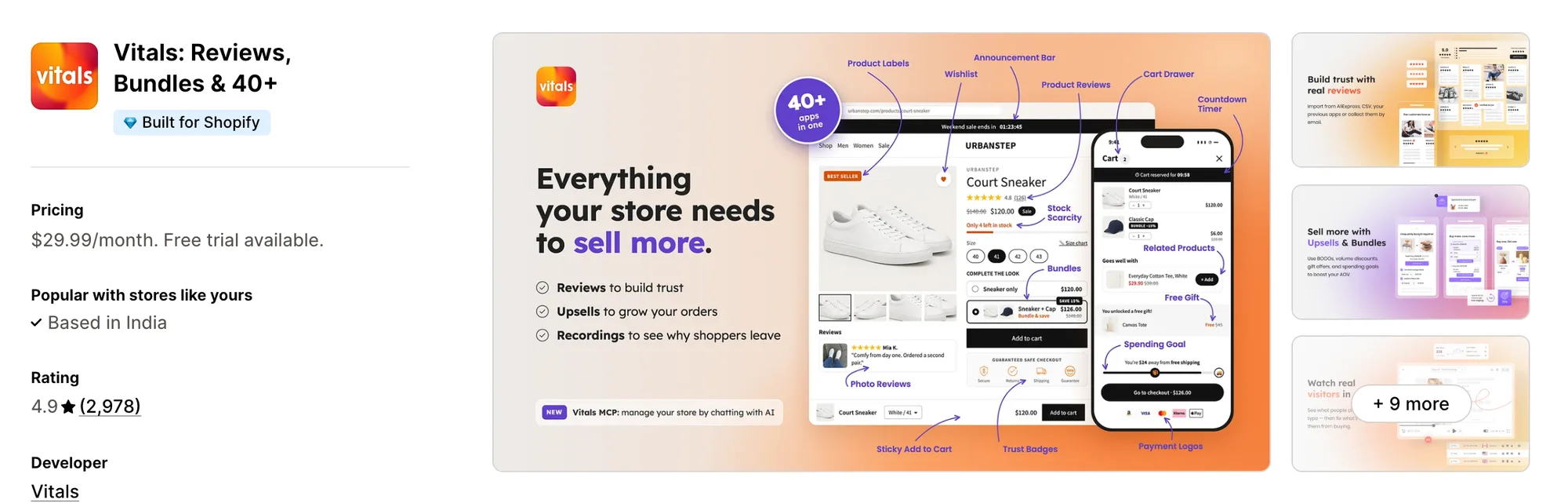
Best for: Stores that want 40+ apps, including Spin the Wheel, Pop-ups, Email and Push Marketing and Product Reviews, in one subscription
Rating: 4.9 (2,978 reviews) | App type: All-in-one | Free trial: 7 days | Built for Shopify: Yes
Vitals is an all-in-one Shopify app that offers a spin-to-win wheel and pop-ups plus 40+ apps under one subscription, starting at $29.99/month.
With the Vitals Spin the Wheel App, you can show a spin-to-win pop-up where shoppers enter their email or phone number for a chance to win a discount. You can also write each of the 12 slices, mark which ones win and attach a discount code to each winner. Shoppers can spin for a prize instead of filling in a plain form.
Beyond the spin-to-win wheel, Vitals offers email marketing, product reviews, a cart drawer and 40+ apps in one subscription, so you don't have to install and pay for each app separately.
Key features:
- A spin-to-win wheel with up to 12 slices, each marked as a win or a loss
- Shopify discount codes generated in one click, or your own codes pasted in
- Every sign-up added to your Shopify customers the moment it's made, tagged VITALS
- Email, phone or either-one entry, with an SMS consent line for phone numbers
- A delay, exit intent (scroll up on phones) or a click on the opener to show the wheel
- 13 colour themes, plus your own text, button and background colours
- A CAPTCHA check that stops bots from spinning
- Sign-up and discount pop-ups with combined cart and page-view rules
- Orders and sales credited to the wheel and to each pop-up
- Welcome, abandoned checkout and thank-you emails, plus campaigns to Shopify segments
Pros:
- One dashboard for the wheel, the sign-up pop-ups and the emails new subscribers get
- Sign-ups with an email also reach Klaviyo, Mailchimp or Omnisend once you connect them under Integrations
- Vitals MCP, which lets you connect Claude or ChatGPT to Vitals and ask about your campaigns, opens, clicks and revenue in plain language
- 40+ apps in one subscription. Little Dresser moved from a stack of single-purpose apps to one Vitals plan
Cons:
- One game only, a spin wheel, with no pick-a-gift box or scratch card
- Every winner of the same slice gets the same code, not a unique one
- Email automations are fixed to Welcome, Abandoned Checkout and Thank You, so you can't build your own
Pricing:
Prices from vitals.app/pricing on October 31, 2026, with a 7-day free trial and no metered fees on any plan.
Read: Best Email Marketing Apps for Shopify in 2026
2. 1CP: Email Popup & Spin Wheel
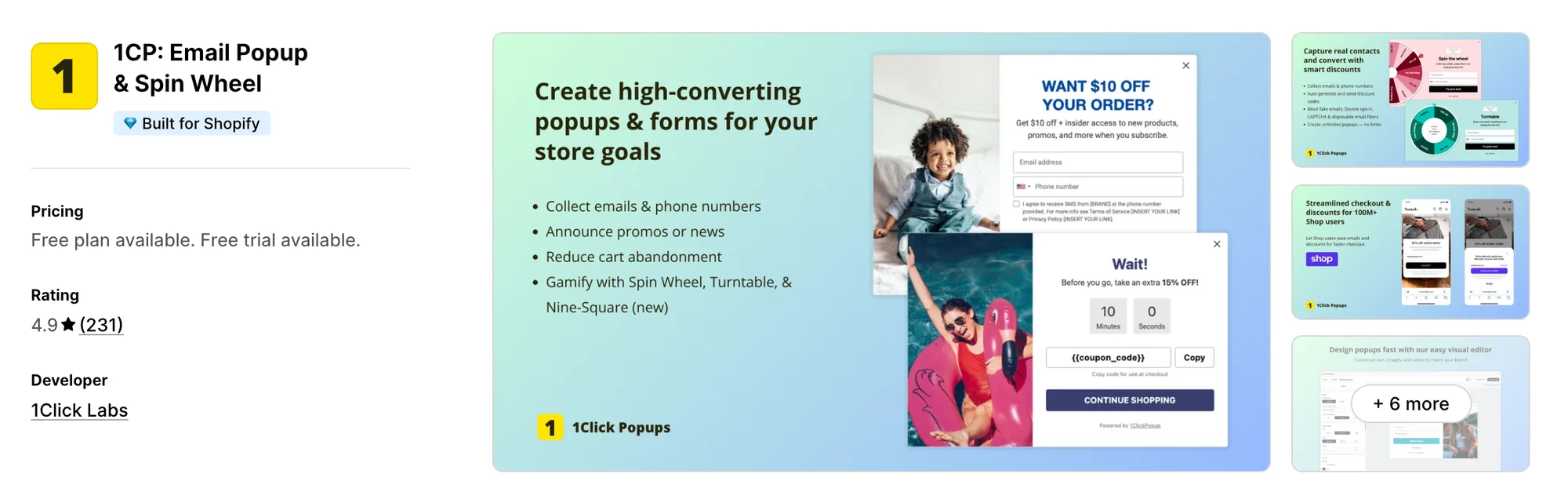
Best for: Stores that want sign-up forms inside the page and Shop users joining in one tap
Rating: 4.9 (231 reviews) | App type: Standalone | Free trial: 7 days | Built for Shopify: Yes
1CP: Email Popup & Spin Wheel is a Shopify app from 1Click Labs, sold as 1ClickPopup, for sign-up pop-ups, embedded forms and three games. Its biggest strength is the discount code itself. Codes are single-use and can expire within minutes, so a prize gets used now instead of shared or saved for later. Plans are set by pop-up views, with the same features on every paid tier. It's a strong choice if you want urgency built into every code.
Key features:
- Pop-ups for opt-ins, announcements, exits and cart saving
- Forms embedded in the page
- A spin wheel, a three-colour turntable and a nine-square grid game
- Single-use percentage, fixed amount, free shipping and buy X get Y codes
- Codes with an expiry time
- One-tap sign-ups through a Continue with Shop button
- A/B tests on Pro plans
- Revenue per campaign on Pro plans
- Follow-up emails that send the code and a reminder
Pros:
- Sign-ups reach Shopify Customers live, not on a schedule
- Used or expired codes can be cleared from Shopify Discounts automatically
- Three games to choose from
Cons:
- Sends no newsletters or email flows beyond the code and a reminder
- Pop-ups stop for the rest of the month once a plan's views are used up
- Focuses on sign-ups. 1Click Labs sells referrals as a separate app
Pricing:
Prices from 1clicklabs.io on Oct 27, 2026, with a 7-day free trial.
3. CrazyRocket • Spin Wheel PopUp
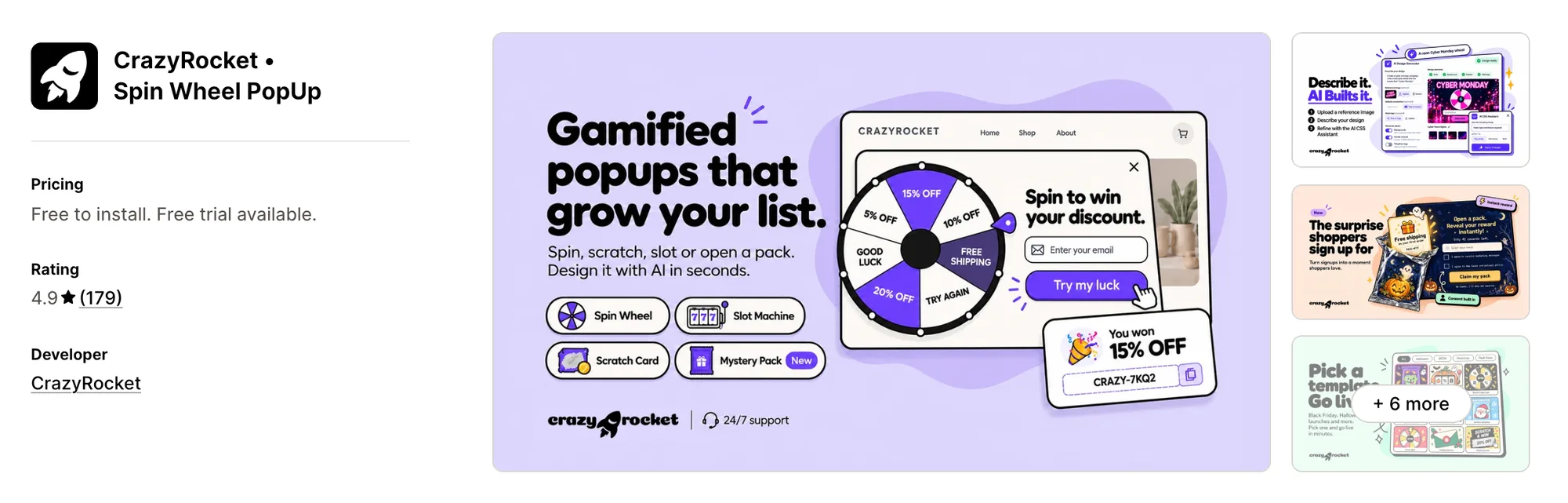
Best for: Stores that switch between a wheel, a slot machine and a scratch card across campaigns
Rating: 4.9 (179 reviews) | App type: Standalone | Free trial: 7 days | Built for Shopify: No
CrazyRocket • Spin Wheel PopUp is a Shopify app for gamified sign-ups, with four games and about 46 templates between them. What sets it apart is where a game can appear. Each one can show as a pop-up, a sidebar, a launch icon or a block on a page, so the same game can greet shoppers in a different spot each campaign. Paid plans also include monthly AI credits for designing a game from a prompt. Pick it if you like to change the game from one promotion to the next.
Key features:
- Four games: a spin wheel, a slot machine, a scratch card and a mystery pack
- Sidebar, notification, full screen and launch icon formats beside the pop-up
- Games embedded in a page on Grow
- Separate desktop and mobile rules for exit intent, time on site, pages visited and scroll
- Rules by country, referrer, query string and returning visitor
- Prize odds per slice
- Codes created in Shopify, with unique codes on Grow
- A/B test groups from the Start plan
- An AI Design Generator and AI CSS Assistant, paid for with credits
- Every game label editable in any language
Pros:
- Four games to rotate between campaigns
- Each lead arrives with its UTM source, referrer, country and device
- Integrations with Klaviyo, Omnisend, Brevo, Mailerlite and Shopify Flow
- No Crazy Rocket branding from the first paid plan
Cons:
- Sends the won coupon by email, with no campaigns or welcome series
- Focuses on sign-up games
- AI credit top-ups cost extra
Pricing:
Prices from crazyrocket.io on Oct 27, 2026, with a 7-day free trial. AI credit top-ups cost extra.
4. Promolayer popups for pros
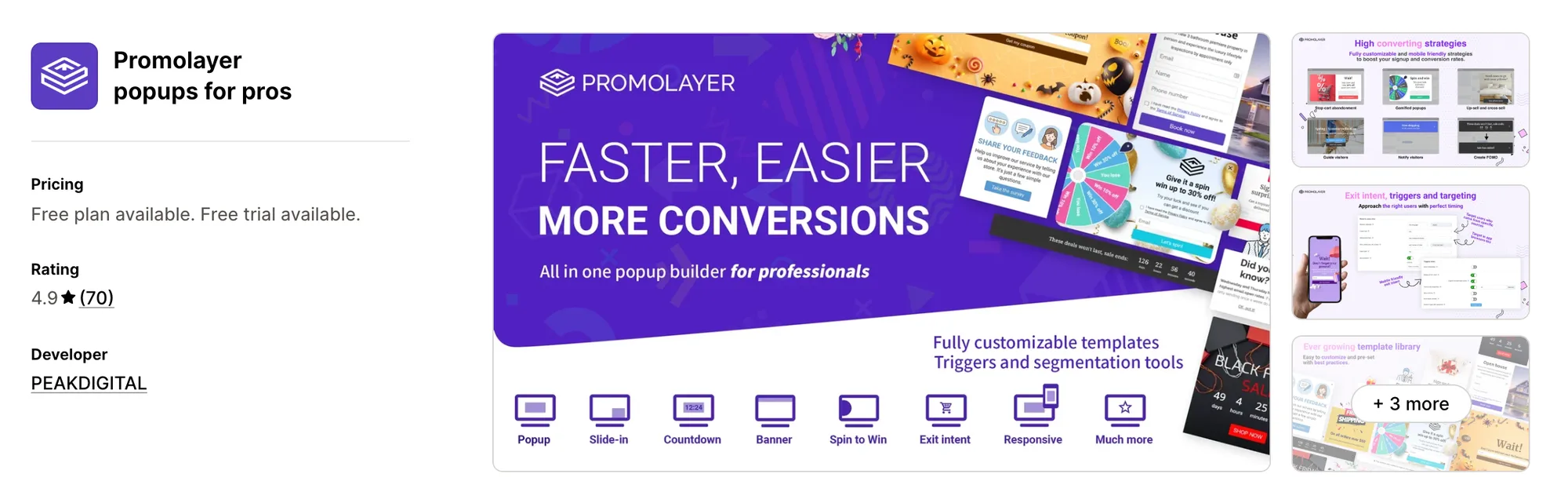
Best for: Stores that want each pop-up to respond to the referrer, a back-button tap or past browsing
Rating: 4.9 (70 reviews) | App type: Standalone | Free trial: 7 days | Built for Shopify: No
Promolayer popups for pros is a Shopify app from PEAKDIGITAL in Tokyo for targeted pop-ups, bars and a spin-to-win format. Where it stands out is deciding who sees which pop-up. Rules can read the referrer, browsing history, cart and customer tags, so a returning buyer and a first-time visitor can get different offers. The wheel is one format among lightboxes, slide-ins and bars. It suits stores that segment their visitors closely.
Key features:
- Lightbox, fullscreen, slide-in, floating bar, teaser and spin-to-win formats
- Exit intent on phones, with back button and swipe capture
- Rules by browsing history, referrer, IP, country, inactivity and customer tags
- Cart item and cart value targeting
- Shopify discount codes created and applied at checkout automatically
- Countdown and evergreen timers
- A/B testing from Basic
- Custom CSS and JavaScript (Professional plan)
Pros:
- More targeting rules than any other app in this list
- A teaser tab that brings back a pop-up the shopper closed
- No cap on stored contacts on any plan
Cons:
- Emails stop at auto-replies and coupon follow-ups, with no newsletters
- Pop-ups pause once a plan's monthly impressions are used
- Focuses on pop-ups and bars
Pricing:
Prices from promolayer.io on Oct 27, 2026, with a 7-day free trial.
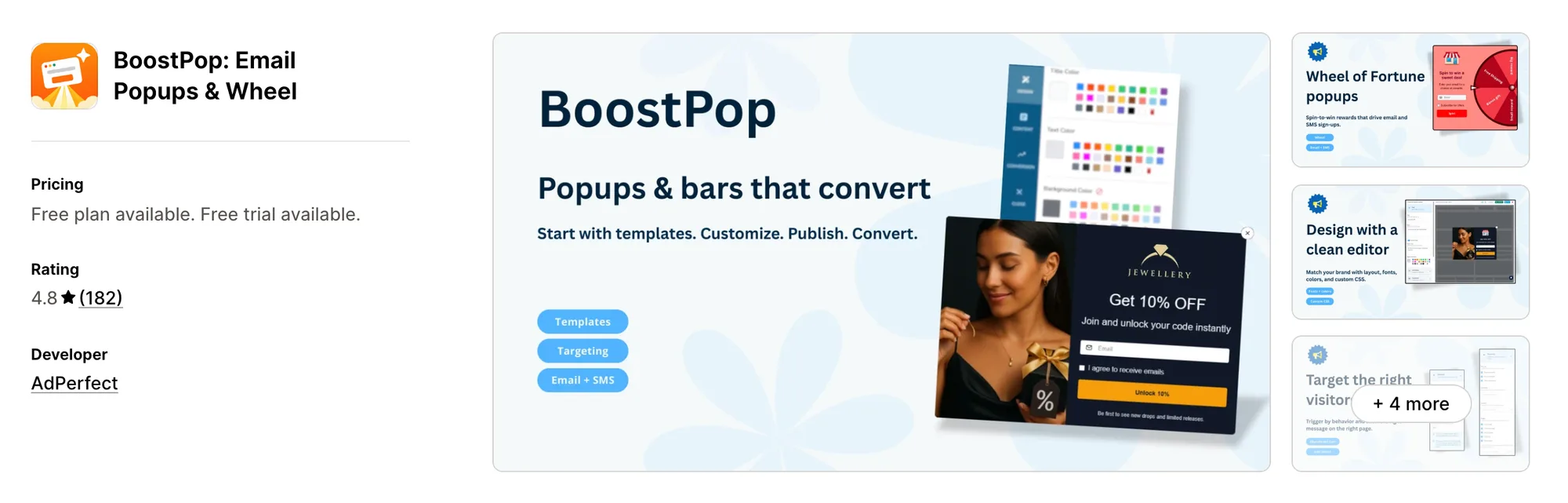
5. BoostPop: Email Popups & Wheel
Best for: Stores that want a free shipping bar and live sales notifications in their sign-up app
Rating: 4.8 (182 reviews) | App type: Standalone | Free trial: 14 days | Built for Shopify: No
BoostPop: Email Popups & Wheel is a Shopify app, once called BoostPop: Sales Popups & Bars, for email pop-ups, a spin wheel, bars and sales notifications. Its main draw is range. Bars and notifications drawn from real orders and visits show next to the wheel, so sign-ups and on-site promotions come from one app. One paid plan has every feature, priced by the store's Shopify plan. If you want a free shipping bar beside your sign-up wheel, it's a good fit.
Key features:
- Email and SMS pop-ups
- A spin-to-win wheel
- Exit-intent and cart pop-ups
- Product picks inside a pop-up, chosen by hand or by AI
- Announcement, free shipping progress and countdown bars
- Sales notifications such as recent orders, items in carts and low stock
- Rules by traffic channel, customer tags, country, device and page type
- An app embed, so uninstalling leaves no code in the theme
Pros:
- Bars and sales notifications in the same app as the wheel
- Unlimited widget views on the paid plan
- The wheel's code also reaches the shopper by email
- Sign-ups go to Klaviyo, Mailchimp, Omnisend or Seguno
Cons:
- No A/B testing in its listing or docs
- The monthly price climbs with the Shopify plan, reaching $99 on Plus
Pricing:
Prices from boostpop.app on Oct 27, 2026, with a 14-day free trial.
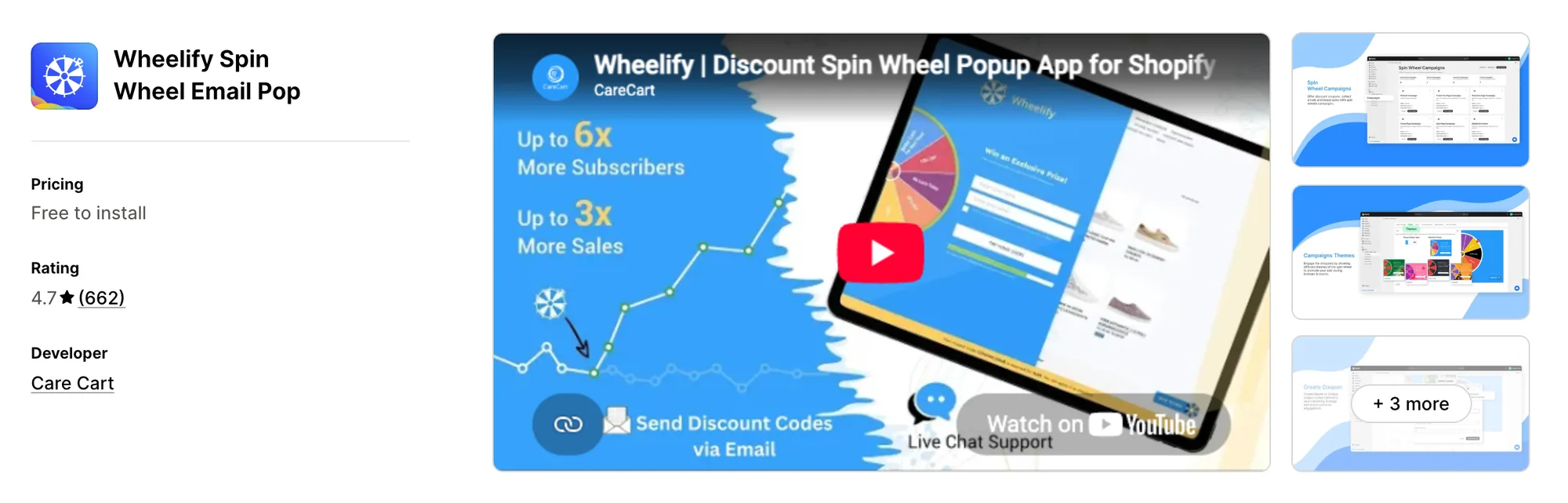
6. Wheelify Spin Wheel Email Pop
Best for: Stores whose traffic is too high for a monthly impressions limit
Rating: 4.7 (662 reviews) | App type: Standalone | Free trial: Free plan | Built for Shopify: No
Wheelify Spin Wheel Email Pop is Care Cart's Shopify app for spin-to-win sign-ups, listed before as Wheelify Spin Wheel Discount. It's strongest on traffic headroom. Every paid plan has unlimited impressions, so a busy sale month never switches the wheel off. The prize code goes out by email with a follow-up. It works well for stores with large or spiky traffic.
Key features:
- A wheel shown as a pop-up or placed inside any page
- Exit-intent and scroll triggers
- Several wheel campaigns live at once
- A/B tests on every plan
- Black Friday, flash sale and giveaway campaigns ready to use
- A shield that limits each shopper to one win
Pros:
- No impressions cap on any paid plan
- Prize codes sent by email with a follow-up
- The most reviews of the standalone apps here
Cons:
- Pricing tracks the store's Shopify plan, reaching $39.99 a month on Advanced
- Live chat starts on Grow
- Low-star reviews describe codes that never reached shoppers
- Other low-star reviews mention charges merchants didn't expect
- Focuses on the spin wheel. Sales pop-ups and abandoned cart emails are separate Care Cart apps
Pricing:
Prices from the Shopify App Store listing on Oct 27, 2026. Each plan matches the Shopify plan of the same name.
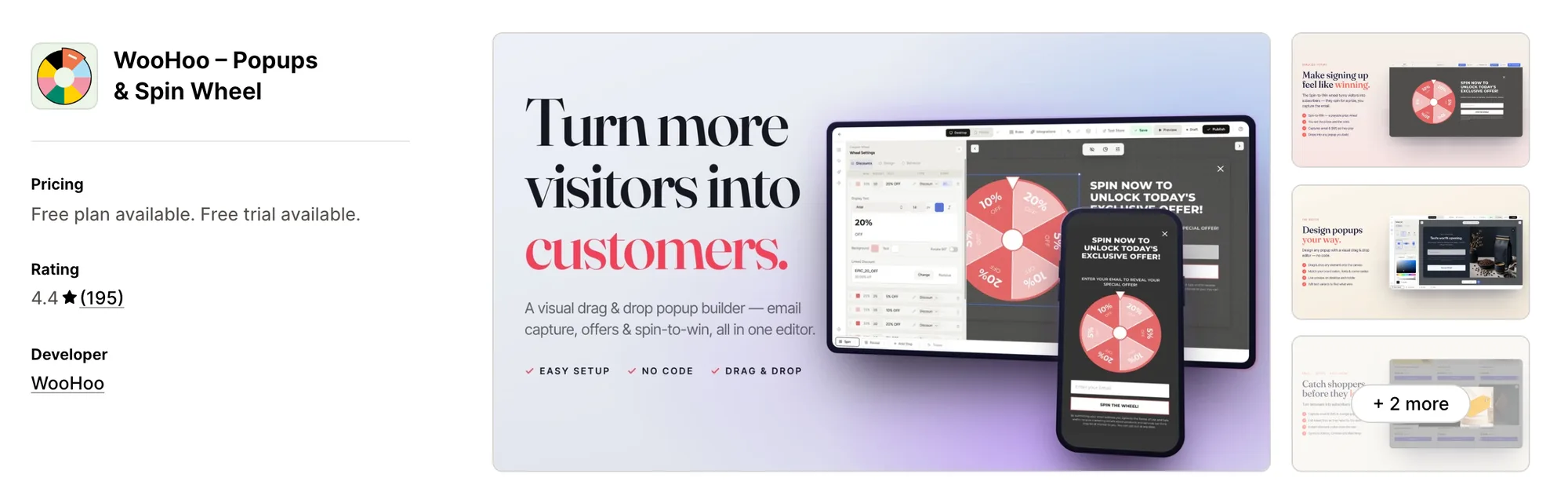
7. WooHoo – Popups & Spin Wheel
Best for: Stores that want a product quiz to come before the discount code
Rating: 4.4 (195 reviews) | App type: Standalone | Free trial: 14 days | Built for Shopify: No
WooHoo – Popups & Spin Wheel, formerly WooHoo – Spin Popups Email SMS, is a Shopify app for gamified pop-ups, quizzes and multi-step forms. The headline feature is the product quiz. Shoppers answer a few questions and get a product suggestion along with the code, so the sign-up also points them to something to buy. Every plan has the same features, priced by monthly visitors. Choose it when you want sign-ups to double as product guidance.
Key features:
- Spin-to-win with weighted odds for each prize
- Templates for a product quiz, multi-step forms and a mystery offer
- An announcement bar
- Pop-ups for email, SMS, exit coupons and cart saving
- IP fingerprinting, email checks and attempt limits against repeat plays
- Separate desktop and mobile designs in a drag-and-drop builder
- Campaigns sent to its own contacts, or contacts passed to an email app
- A/B tests on every plan
Pros:
- A quiz that recommends a product and collects the email in one step
- Newsletters to the contacts it gathers
Cons:
- Its website still marks pick-a-gift, scratch card and slot games as coming soon
- Recent low-star reviews, up to 2026, mention a wheel that disappeared
- The same reviews mention slow replies from support
- Its help center and changelog didn't turn up in our search
Pricing:
Prices from getwoohoo.com on Oct 27, 2026, with a 14-day free trial.
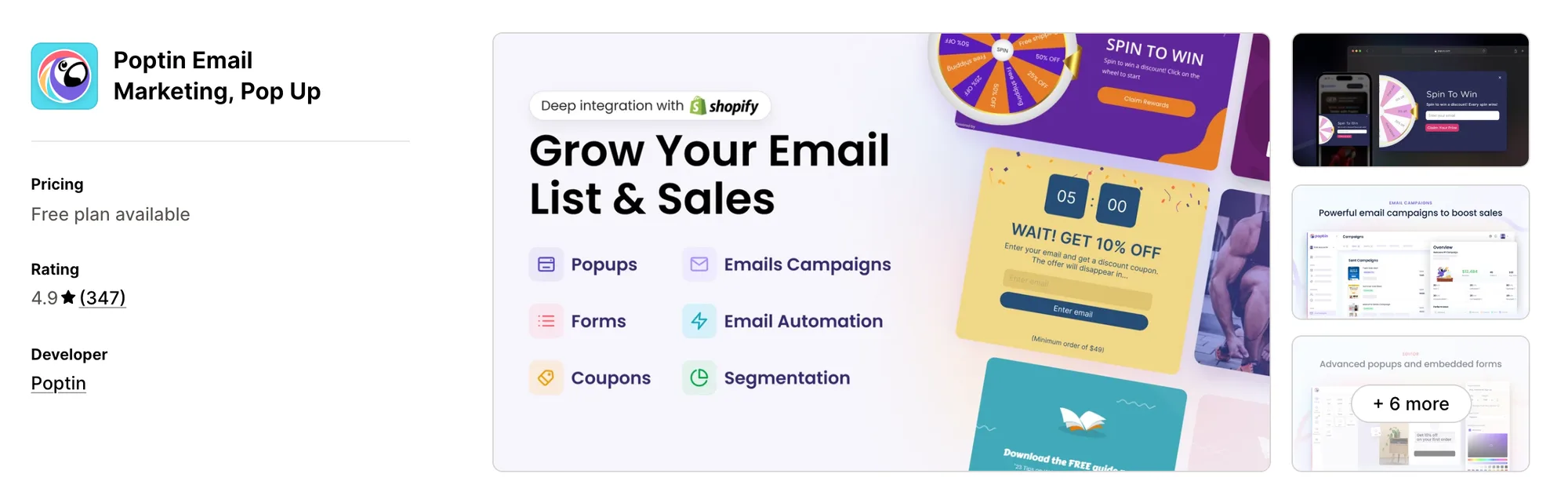
8. Poptin Email Marketing, Pop Up
Best for: Stores with a blog or shop on another platform that want one sign-up account for both
Rating: 4.9 (347 reviews) | App type: Standalone | Free trial: Free plan | Built for Shopify: No
Poptin Email Marketing, Pop Up, previously Poptin Exit Popup Email Pop Up, is a Shopify app for pop-ups, forms and email marketing. Its biggest draw is reach beyond Shopify. One Poptin account works on Shopify, WordPress, Wix and other sites, so a store with a separate blog can collect sign-ups everywhere in one place. A wheel is one of its pop-up types, next to coupons, bars and upsells. It's made for brands that sell or publish on more than one platform.
Key features:
- Lightbox, coupon, exit-intent, upsell and spin wheel pop-ups
- Embedded forms
- Notification bars
- SMS sign-up pop-ups
- Newsletters and email sequences
- Autoresponders and workflows
- Cart triggers down to a Shopify collection
- Rules for visitors from ChatGPT, Perplexity and other AI engines
- A/B testing for pop-ups and forms
Pros:
- The welcome email and later campaigns come from the same account as the wheel
- Unlimited domains and emails on paid plans
Cons:
- Plans count both monthly visitors and active contacts
- Placing a form inside a Shopify page means adding code to the theme
Pricing:
Prices from the Shopify App Store listing on Oct 27, 2026.
How Many Apps Each Option Replaces
Every app you install can add its own code to your storefront, and that code affects load time. The table below shows how many separate apps each option replaces, based on our count.
Here's what each option replaces:
- Vitals - All in One App: 40+ apps, including a spin wheel app, a pop-up app, an email and push marketing app, a wishlist app and a back-in-stock app
- 1CP: Email Popup & Spin Wheel: a sign-up pop-up app plus a game app with three games
- CrazyRocket • Spin Wheel PopUp: a game-based sign-up app
- Promolayer popups for pros: a rules-based pop-up app plus a floating bar app
- BoostPop: Email Popups & Wheel: an email pop-up app, a shipping bar app and a sales pop-up app
- Wheelify Spin Wheel Email Pop: one spin-to-win app
- WooHoo – Popups & Spin Wheel: a gamified pop-up app and a basic email sender
- Poptin Email Marketing, Pop Up: a pop-up and form app plus an email marketing app
- Tada Pop up Spin Wheel Popups: one sign-up game app
Say you use the Tada app with an email marketing app, a wishlist app and a back-in-stock app. That's four apps loading four scripts. With Vitals, you can replace all four apps with one subscription.
When Should You Stay on Tada Pop up Spin Wheel Popups?
The Tada app is still the better choice if:
- You want a pick-a-gift game, which none of the other apps here offer as a live feature
- You plan birthday offers and want the birthday asked for in the sign-up form
- You want every email address checked before it joins your list
On the other hand, switch to Vitals if you want every sign-up in your Shopify customers the moment it's made and a welcome email that goes out without a second app. You also get sign-up pop-ups and a wishlist in the same subscription.
How to Migrate From Tada Pop up Spin Wheel Popups
The Tada app holds your contact list, your wheel prizes and your sync settings. Save the list first, then rebuild the wheel in Vitals before you remove the old one, so no sign-up slips through the gap.
- Wait for the last sync to Shopify Email, Klaviyo or Mailchimp to finish, since Starter and Premium send new sign-ups on a delay
- Export the contact list with its birthday and phone fields, so that data stays with you
- Write down each wheel's prizes, odds, triggers and discount codes, so you can rebuild them as they were
- Install Vitals - All in One App and rebuild the wheel in Vitals Spin the Wheel App, with any plain discount pop-ups in Vitals Pop-ups App
- Turn a pick-a-gift prize into a winning slice on the wheel, since Vitals has no pick-a-gift game
- Switch on a welcome series in Vitals Email and Push Marketing App, or connect Klaviyo, Mailchimp or Omnisend under Integrations if your birthday emails live there
- Test the new wheel on a duplicate theme, so the live store stays untouched while you check it
- Turn off the Tada app in the theme editor and uninstall it last. Codes already handed out keep working, because they live in Shopify Discounts
Where Each Tada Feature Goes in Vitals
For example, Stock Supplier went from 15 single-purpose apps to one Vitals plan.
Read: Best All in One Apps for Shopify in 2026
Find the Best Tada Pop up Spin Wheel Popups Alternative for Your Store
Vitals - All in One App is the best fit for most stores, but the right pick depends on why you're leaving the Tada app.
- Vitals - All in One App, if you want a spin wheel, sign-up pop-ups, welcome emails, and 40+ apps in one subscription from $29.99/month
- 1CP: Email Popup & Spin Wheel, if prize codes should expire fast and Shop users should join in one tap
- CrazyRocket • Spin Wheel PopUp, if some campaigns call for a slot machine or scratch card in place of the wheel
- Promolayer popups for pros, if each traffic source or browsing pattern should get its own pop-up
- BoostPop: Email Popups & Wheel, if your free shipping bar and order notifications should live in the wheel's app
- Wheelify Spin Wheel Email Pop, if your traffic would hit a monthly impressions cap in a busy month
- WooHoo – Popups & Spin Wheel, if shoppers should take a short quiz before they get a code
- Poptin Email Marketing, Pop Up, if your sign-up forms also need to work on a site outside Shopify
Frequently Asked Questions
1. What is the best Tada Pop up Spin Wheel Popups alternative for Shopify?
Vitals - All in One App is the best Tada Pop up Spin Wheel Popups alternative for most stores. It's the only all-in-one app here with 40+ apps, such as a spin wheel, sign-up pop-ups, welcome emails and product reviews, in one subscription. Since Vitals is our app, we've listed its limitations in its review above.
2. Why do merchants switch from Tada Pop up Spin Wheel Popups?
The Tada app focuses on spin-to-win and pick-a-gift sign-up games. If you want welcome emails, a wishlist or back-in-stock alerts, you need to install other apps. Lower-rated reviews also mention unanswered support messages and an app that hasn't changed in a long time. Its Starter and Premium plans also sync new sign-ups on a delay.
3. How does Vitals compare with Tada Pop up Spin Wheel Popups on features?
Both offer a spin wheel, exit intent, phone number capture and syncing to Klaviyo or Mailchimp. The Tada app also has a pick-a-gift game, a birthday field and email validation. Vitals, on the other hand, includes instant sign-up sync to Shopify, discount pop-ups with combined triggers, orders credited to the wheel and a welcome email series.
4. Can Vitals replace Tada and my email app at the same time?
Yes, for most stores. Vitals can replace the Tada app's spin wheel, exit-intent pop-ups and list sync. It can also replace separate apps for welcome emails, email campaigns and push notifications. The one exception is the pick-a-gift game, which Vitals doesn't offer.
5. How do these alternatives affect store speed?
Each app you install can add its own scripts to your storefront. That means speed depends on how many apps you have, not just which ones. Vitals - All in One App serves its spin wheel, pop-ups and emails from one script. If you use several single-purpose apps instead, each one loads its own script. We didn't speed-test these apps, so check your own pages before and after a change.
6. Which Tada alternatives have AI features or MCP support?
Not all of them. With Vitals MCP, you can connect Claude or ChatGPT to Vitals and ask about your campaigns, opens, clicks and revenue in plain language. CrazyRocket's AI can design a game from a prompt. BoostPop can let AI pick the products shown in a pop-up. 1CP, Promolayer, Wheelify, WooHoo and Poptin list no AI features or MCP support.
7. Which alternatives can email the people who spin the wheel?
Not all of them. Vitals, Poptin and WooHoo can send campaigns to the contacts they collect. 1CP, CrazyRocket, BoostPop, Wheelify and Promolayer send only the prize code or a short follow-up. They don't offer email campaigns, and neither does the Tada app.
8. How do I move my contacts from Tada Pop up Spin Wheel Popups?
Wait for the last sync to your email app to finish. Export the contact list with its birthday and phone fields. Rebuild the wheel in Vitals Spin the Wheel App on a duplicate theme. Test it, then uninstall the Tada app last.