How to Calculate Break-Even ROAS for Shopify Ads


Break-even ROAS is your selling price divided by what's left of that price after product cost, shipping and payment fees. The quickest way to get it is the free Vitals ROAS calculator, which works it out from your price and costs and shows it next to the ROAS your ads are likely to reach.
ROAS (return on ad spend) on its own doesn't tell you if an ad makes money. A 2x ROAS is a profit on a product with wide margins and a loss on a product with thin ones, because ROAS only compares sales with ad spend and leaves out everything the sale costs you.
Break-even ROAS is the line between the two. Above it, every ad sale leaves you something. Below it, every ad sale costs you money, even when the sales report looks busy.
Here are the three ways to calculate break-even ROAS for a Shopify store: with a free ROAS calculator, by hand with the formula, or in a spreadsheet for every product.
What Is Break-Even ROAS?
Break-even ROAS is the return on ad spend at which your ads neither make nor lose money. At that ROAS, the ad spend for each sale eats exactly what the sale leaves after product cost, shipping and fees.
The formula is:
Break-even ROAS = selling price ÷ (selling price − product and shipping cost − payment fee)
The part in brackets is the most you can spend on ads to win one sale. Divide the price by it and you get the ROAS you need to hit just to stay even.
A good break-even ROAS calculation includes:
- Selling price: what the shopper pays for the product, before discounts you don't run on every order.
- Product cost: what you pay your supplier per unit, including the freight to get it to you.
- Shipping cost: what you pay to send one order, whether or not you charge the shopper for it.
- Payment fee: the card fee on each order, such as 2.9% + 30¢ on Shopify Payments' Basic plan in the US.
A cost you pay on every order belongs in the formula, even a small one like the 30¢.
What's the Quickest Way to Calculate Break-Even ROAS?
- The free Vitals ROAS calculator is the quickest way to calculate break-even ROAS for most stores
- Vitals - All in One App also offers 40+ apps, such as product reviews, upsells and trust badges, in one subscription from $29.99/month, so you don't have to install and pay for each app separately
Here's how the three methods compare. If you also want your margin per product, the profit margin calculator does that part.
How to Calculate Break-Even ROAS With a Free ROAS Calculator?
Open the ROAS calculator, type in your daily ad budget, selling price and product plus shipping cost, and it shows your break-even ROAS at once. The steps below also set the ad assumptions, so you see your likely ROAS next to it.
Step 1: Enter Your Daily Ad Budget
Type what you spend on ads per day. The calculator multiplies it by 30 to get a month of ad spend. The default is $30 a day, which is $900 a month.
Step 2: Enter Your Selling Price and Costs
Enter the selling price, then the product plus shipping cost for one order. The calculator adds the payment fee by itself: 2.9% + $0.30, the Shopify Payments Basic rate in the US.
Step 3: Set Your Ad Assumptions
Change CPM (what 1,000 ad views cost), click-through rate and conversion rate to match your own ads. The defaults are a $12 CPM, a 1.5% click-through rate and a 2.5% conversion rate. If you don't have your own numbers yet, start with the defaults and change them once your ads have run for a week or two.
Step 4: Read Your ROAS Against Break-Even
The calculator shows your ROAS next to your break-even ROAS, what each sale costs you in ads and your net profit for the month.
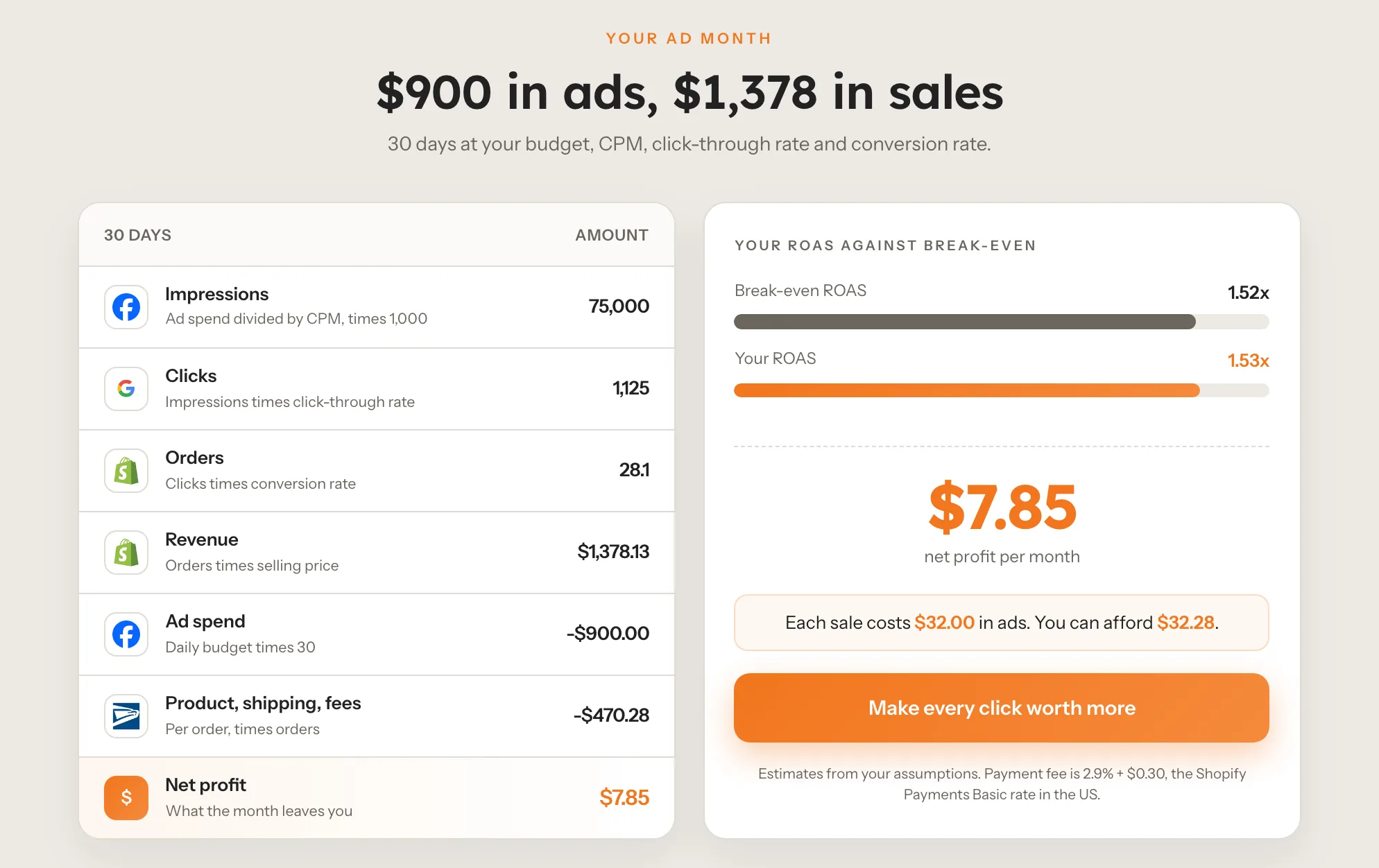
With the default numbers, $900 of ads bring 75,000 impressions, 1,125 clicks and about 28 orders worth $1,378. That's a 1.53x ROAS against a 1.52x break-even ROAS. Each sale costs $32 in ads, and the most you can afford is $32.28, so the month leaves about $8.
How to Calculate Break-Even ROAS by Hand?
Subtract product cost, shipping and the payment fee from the selling price, then divide the selling price by what's left. Here's the same $49 product worked out by hand:
- Payment fee: 2.9% of $49 is $1.42, plus $0.30, which makes $1.72
- What's left per sale: $49 − $15 − $1.72 = $32.28
- Break-even ROAS: $49 ÷ $32.28 = 1.52
That $32.28 is also your break-even ad cost per sale: the most you can pay in ads for one order before the order loses money. Some guides write the same formula as 1 ÷ margin. On this product the margin after costs is $32.28 ÷ $49, about 66%, and 1 ÷ 0.66 gives the same 1.52.
For a store with many products, put the same formula in a spreadsheet: one column each for price, product cost, shipping and fee, then a column with price ÷ (price − cost − shipping − fee). Products with thin margins jump out, because their break-even ROAS is far higher than the rest.
Which Costs Go Into Break-Even ROAS?
Every cost that comes with one more order goes in. Costs you pay whether or not the ad sells stay out.
- Product cost, plus the freight to get stock to you
- Packaging and shipping for each order
- The payment fee
- Discounts you run on most orders, because they lower the price you really get
- Refunds, as a share of the price, if your category has a lot of returns
Your Shopify plan, app subscriptions and other monthly costs stay out. They come out of the profit your ads leave, not out of each sale.
The more of these costs you include, the higher your break-even ROAS gets. That's the point: a break-even ROAS that leaves out real costs makes a losing ad look like a winner.
How Do You Compare Your ROAS With Break-Even ROAS?
Divide the sales your ads brought by what you spent on them over the same days, then put that number next to your break-even ROAS. If your ROAS is higher, the ads make money on the first order. If it's lower, they lose money on the first order.
Ad cost per sale gives you the same answer in dollars. Divide ad spend by the number of orders the ads brought, and compare it with your break-even ad cost per sale ($32.28 in the example). A $32 ad cost per sale on that product is a sale that only just pays for itself.
A ROAS just above break-even is a thin result. In the example, a 1.53x ROAS against a 1.52x break-even leaves about $8 a month on $900 of ads, before your other monthly costs.
How to Increase Sales Above Your Break-Even ROAS?
You beat your break-even ROAS by turning more of the same clicks into orders, or by making each order bigger. Both raise ROAS without a bigger budget. The ROAS calculator's what-if shows it on your own numbers: on the default example, a 20% better conversion rate and a 10% bigger order value take ROAS from 1.53x to 2.02x and monthly profit from $8 to $299 on the same $900.
- Show reviews on every product page. The Vitals Product Reviews app shows reviews with photos and videos, plus star ratings, so more of the visitors you paid for trust the product enough to buy.
- Answer doubts at the Add to Cart button. The Vitals Trust Seals & Badges app shows seals such as Secure ordering, Money back guarantee and Free shipping next to the buy button, where shoppers check for safe payment and returns.
- Give the offer a deadline. The Vitals Countdown Timer app shows a countdown to your sale's real end date on product pages, for ads that promote a sale.
- Make each order bigger. The Vitals Upsell Builder app creates volume discounts, bundles, buy X get Y, free gifts and one-click post-purchase offers, so each sale you paid for brings more revenue.
Upsells already move real orders. In our data from 6,484 Shopify stores using the Vitals Upsell Builder app, an upsell offer is part of 4.8% of orders at the median store with 1,000+ offer views and 26.2% in the top 10%. These figures are attribution, not a controlled test: they show how often an offer is part of an order, not how many orders the offer created.
For more ways to turn ad clicks into orders, see our list of the best Shopify apps to increase conversion rate.
Why Does My ROAS Look Profitable but I Still Lose Money?
Most of the time, the break-even ROAS you compare against is too low, or the ROAS you read is too high. These four cause it most often:
- Costs are missing. Shipping, packaging or the payment fee was left out, so the break-even ROAS is lower than it really is. Add every per-order cost and work it out again.
- Revenue includes refunds. Returned orders still count as ad sales in most ad reports. Take your refund rate off the price before you calculate.
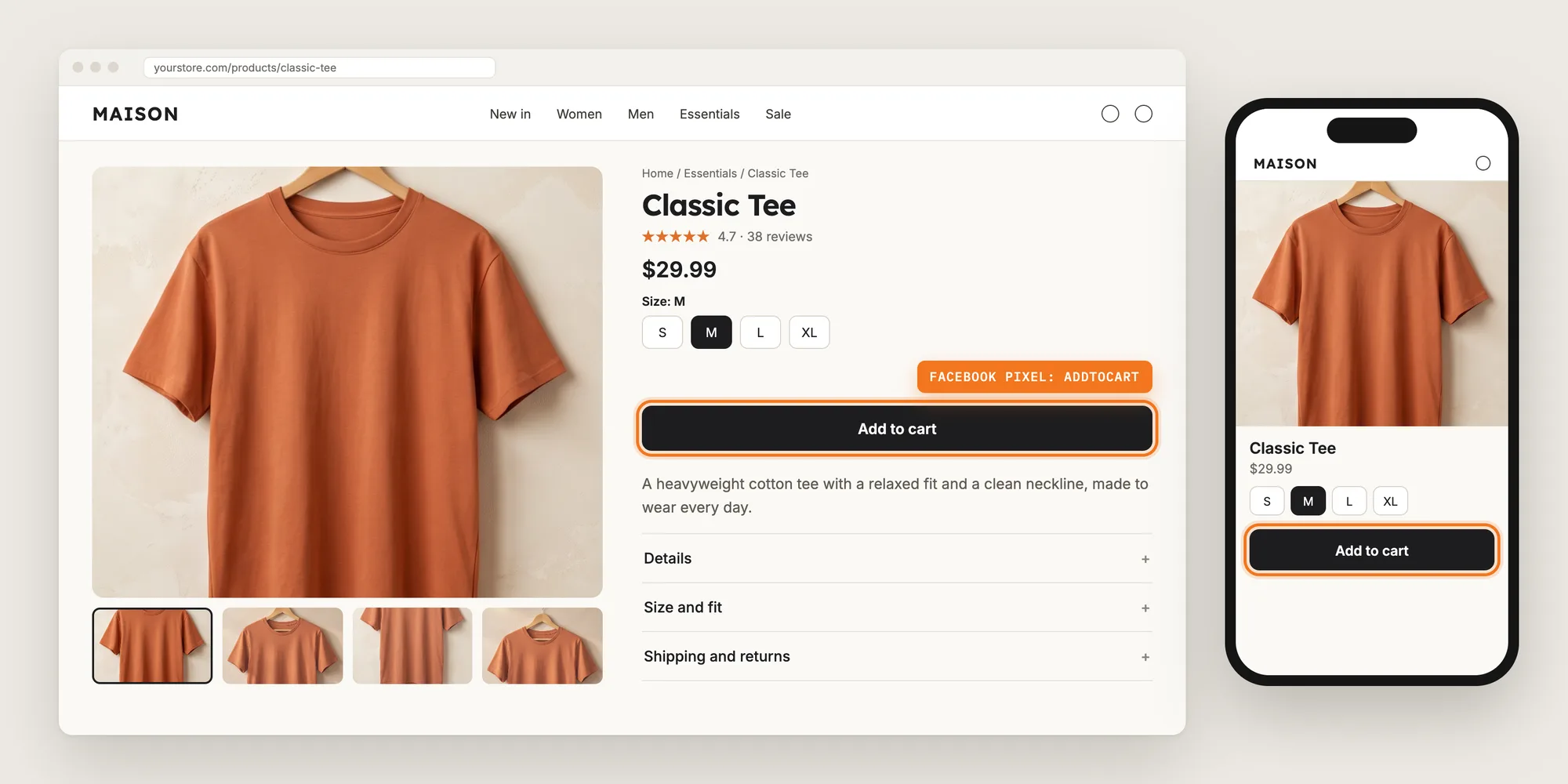
- Ads Manager and Shopify disagree. The ad platform and Shopify count sales differently, so their ROAS numbers rarely match. Compare both over the same dates, and use Shopify's orders to check the total. A Facebook Pixel set up on Shopify that sends every purchase makes the ad platform's count closer to your orders.
- The comparison uses the wrong product. A store-wide ROAS hides a product that loses money on every sale. Work out break-even ROAS per product, or at least per price range.
Which Break-Even ROAS Method Should You Choose?
Use the method that fits how many products you advertise and how often you check.
- Choose the free ROAS calculator if you want break-even ROAS, ad cost per sale and monthly profit for one product in a minute
- Choose the formula by hand if you're checking one product before you launch an ad and already know your costs
- Choose a spreadsheet if you advertise many products at different margins and want to compare them side by side
Start your free trial: Install the Vitals - All in One App from the Shopify App Store
Frequently Asked Questions
1. What is the best way to calculate break-even ROAS for Shopify ads?
Vitals' free ROAS calculator is the best way for most stores. It takes your selling price, product and shipping cost and adds the Shopify Payments fee, then shows your break-even ROAS next to your likely ROAS and your monthly profit.
2. What is the break-even ROAS formula?
Break-even ROAS = selling price ÷ (selling price − product and shipping cost − payment fee). For a $49 product with $15 of costs and a $1.72 fee, that's $49 ÷ $32.28, or 1.52.
3. Is break-even ROAS the same as 1 divided by margin?
Yes, when the margin includes every per-order cost. 1 ÷ margin and price ÷ what's left give the same number. The mistake is to use a gross margin that leaves out shipping and payment fees, which makes break-even ROAS look lower than it is.
4. What is a good ROAS for Shopify ads?
A good ROAS is one clearly above your own break-even ROAS. If half of your price is left after product, shipping and fees, you break even at 2x. If a third is left, you need 3x. The same ROAS can be a profit for one store and a loss for another. Our guide on what a good ROAS for Facebook ads is compares this with published benchmarks.
5. Should I include shipping in break-even ROAS?
Yes. Shipping is a cost of each order, whether you charge the shopper for it or offer free shipping. Leaving it out makes every ad look more profitable than it is.
6. Why is my break-even ROAS so high?
A high break-even ROAS means little is left of each sale after costs. A $30 product with $18 of product and shipping cost keeps about $10.83 after the payment fee, so it needs about 2.77x to break even. Raising the price or the order value lowers it more than any ad setting can.
7. Does break-even ROAS count repeat purchases?
No. Break-even ROAS covers the first order only. If many customers come back and buy again, a first order that only breaks even can still pay off over time, but that's a separate calculation from the one in this guide.