7 Best Hoppy Trust Badges & Icons Alternatives for Shopify in 2026


Looking for a Hoppy Trust Badges Alternative?
Hoppy Trust Badges & Icons is a popular Shopify app for adding trust badges, payment icons and guarantee icons to product pages, the cart and the footer. It offers badges and icons only, though, and Hoppy Apps sells pop-ups, bundles and countdown timers as separate apps.
So, we compared six other apps on what their badges can show, which store pages they reach and how many other store jobs each one takes on. Vitals is our app, so we name its gaps here too.
What Is Hoppy Trust Badges Shopify App?
Hoppy Trust Badges & Icons is a free Shopify app from Hoppy Apps for adding trust and payment badges to a store. Merchants can pick a badge type, choose where it appears and style it to match the theme, with icons for payments, security, shipping, guarantees, social media and country flags.
Here's what you can do with Hoppy Trust Badges:
- Badge types: Build single banners, icon blocks, payment icon rows and social or brand icons from a large icon library, or upload your own icons.
- Placements: Show badges on product pages, the cart page, the cart drawer, the footer or as floating icons, and add them inside checkout on Shopify Plus. An app block with a Badge ID places badges in custom spots.
- Design: Start from a template, set horizontal or vertical layouts for desktop and mobile, and add entry animations, tooltips, backgrounds, borders or custom CSS.
- Targeting and scheduling: Show a badge by product, collection or product tag, or by customer tag, lifetime spend, country or UTM source, between set start and end dates.
- Translations: Translate badge headings and subtitles into each language the store has set up in Shopify.
Where Hoppy Trust Badges stands out is control over who sees each badge. Its rules can reach logged-in customers, big spenders or visitors from one ad campaign, which suits stores that aim offers at specific audiences and don't want to pay for a badge app.
Reviews most often praise brand styling on a free app and support staff who place badges for merchants.
How Much Does Hoppy Trust Badges App Cost?
Pricing: Free, with no paid plan (hoppyapps.com on October 27, 2026).
Why Shopify Merchants Look for Hoppy Trust Badges Alternatives
Hoppy Trust Badges & Icons has a 4.9 rating from 876 reviews and carries the Built for Shopify badge. Even so, stores moving away from it name these reasons:
- It offers badges and icons only, and Hoppy Apps sells pop-ups, bundles, announcement bars, countdown timers, free shipping bars and more as 12 other separate apps
- Badges inside checkout need Shopify Plus
- There are no stats for badge views or clicks
- Low-star reviews from July 2025 to October 2026 say badges didn't show after setup, or a Badge ID placeholder appeared on the live page
- A June 2026 reviewer was asked to leave a review before using the app
Switching makes the most sense for stores that want badges, pop-ups and bundles under one developer instead of adding a separate app for each job.
Read: Best Trust Badges Apps for Shopify in 2026
How We Compared the Hoppy Trust Badges Alternatives
On October 27, 2026, we went through each app's live Shopify App Store listing, along with its help docs and changelog where available, and took every rating and review count from the listing on that day.
We compared the apps on:
- App type: standalone or all-in-one
- Core trust badge features: badge types, uploads, styling, placements, targeting and third-party verification
- Store areas included: product pages, the cart page, the cart drawer, checkout and the pages after purchase
- How many separate apps each one replaces
- Scripts added to the storefront and theme integration
- AI features and MCP support
Short Answer
Vitals - All in One App is the best Hoppy Trust Badges & Icons alternative for most stores.
- It offers trust seals, payment logos and pop-ups in one subscription, while Hoppy Trust Badges & Icons offers badges only and Hoppy Apps sells pop-ups and bundles as separate apps
- It includes 40+ apps, such as reviews, bundles and discounts, in one subscription of $29.99/month
- It replaces multiple single-purpose apps that you would otherwise install and pay for every month
Hoppy Trust Badges & Icons is free, and Vitals costs more at $29.99/month. In return, the same subscription includes the pop-ups, bundles, announcement bars and countdown timers that a Hoppy store would add as separate apps.
What Are the Top Hoppy Trust Badges Alternatives for Shopify in 2026
Each row below pairs an app with the store it fits, and the full entries follow in the same order.
1. Vitals - All in One App
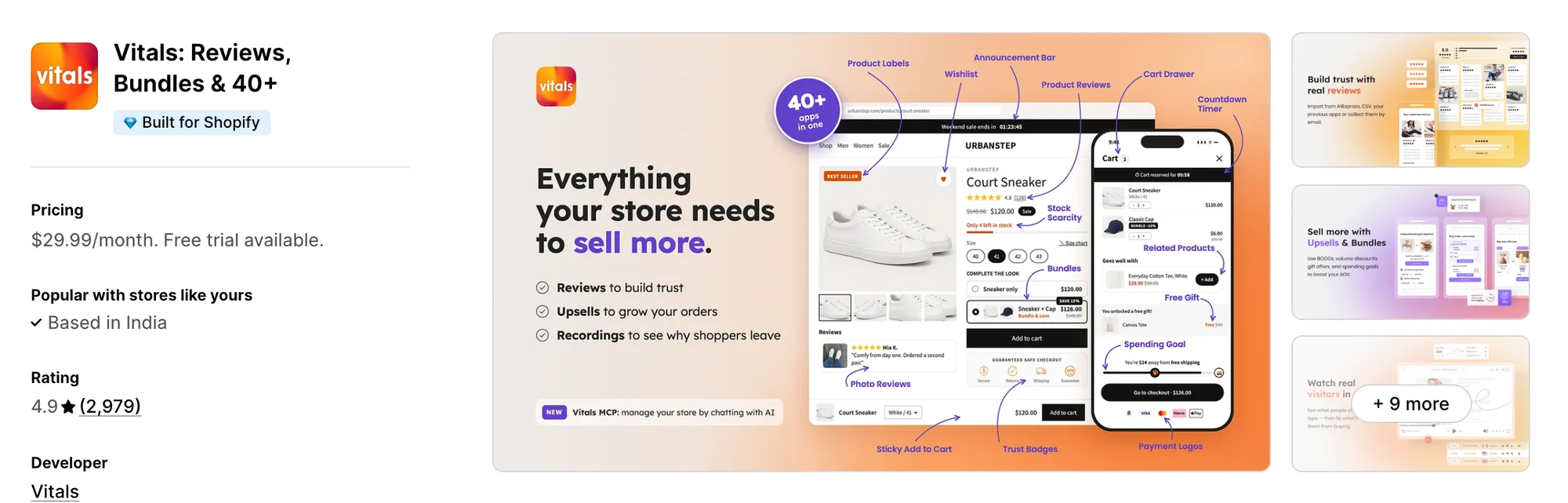
Best for: Stores that want Trust Seals and Badges, Payment Logos, Product Reviews and Bundles plus 40+ apps in one subscription
Rating: 4.9 (2,979 reviews) | App type: All-in-one | Free trial: 7 days | Built for Shopify: Yes
Vitals is our app. In a single subscription of $29.99/month, it brings together 40+ apps, from trust badges and reviews to bundles and discounts.
The Vitals Trust Seals and Badges app places a row of seals, such as secure checkout, free shipping or a money-back guarantee, beside the product page's buy buttons. Merchants can choose from 28 seals in eight styles, reorder them by dragging and add a line of text above the row.
Display rules can show or hide that row by price range, discount, stock level or chosen products, and a theme app block can add it to the cart page or homepage. Card brands and wallets sit in a second app, the Vitals Payment Logos app, and the Vitals Cart Drawer app can repeat those logos in the slide-out cart.
Key features:
- 28 seals, such as secure checkout, free shipping and money-back guarantee, in eight styles from a plain icon to a stamp
- Badge color, text color, size from 75% to 150%, margin and alignment settings
- Product page placement near the description, the buy buttons or the add-to-cart button, above, below or inside it
- A theme app block that repeats the seal row on the cart page or homepage
- Show or hide rules by price range, discount range, stock level or specific products
- 48 payment icons in color or black, up to 10 uploaded logos, and the same logos in the slide-out cart of the Vitals Cart Drawer app
Pros:
- Each seal has an accessible name that screen readers can announce
- Payment methods the library lacks, such as Vipps or Bizum, can be uploaded as logos
- Pop-ups, bundles, announcement bars and countdown timers sit in the same subscription (e.g., Strapsology swapped its single-purpose apps for one Vitals plan)
- Vitals MCP lets you ask Claude or ChatGPT questions about your store's Vitals data
Cons:
- Seals and logos can't be shown or hidden by customer tag, country or ad source
- Works on Shopify only
Pricing:
Prices from the Vitals website on October 27, 2026, with a 7-day free trial.
Read: Best Shopify Apps to Increase Conversion Rate in 2026
2. SEOWILL ‑ Trust Badges & Icon
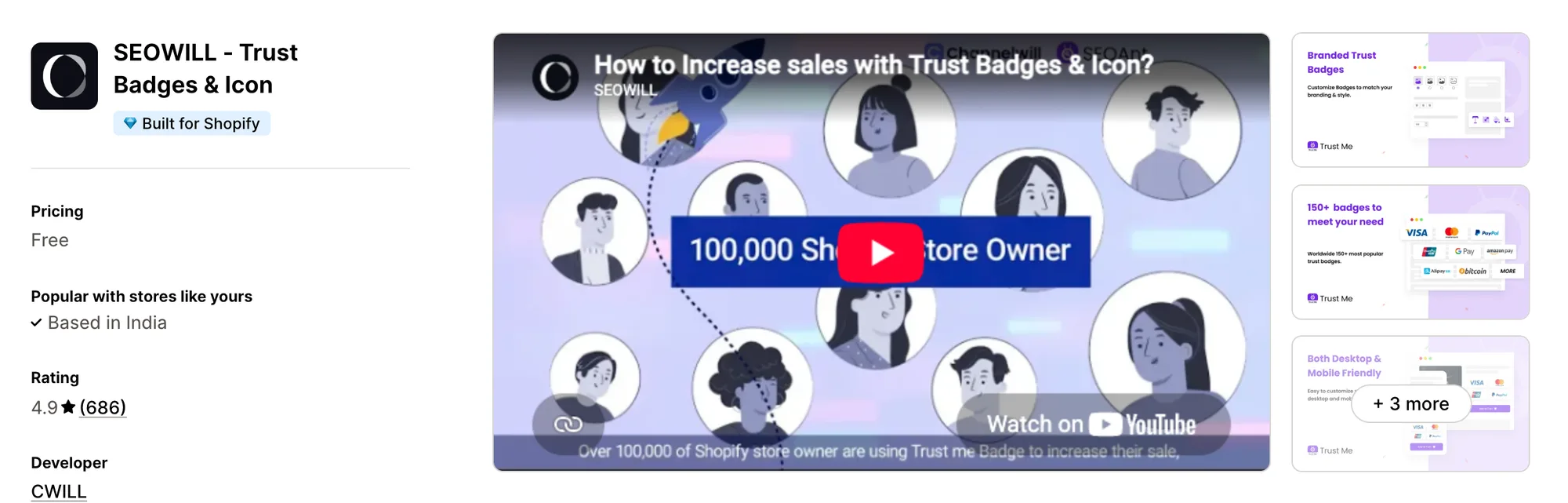
Best for: Food, beauty or eco stores that want free, animated badges for claims like organic or gluten free
Rating: 4.9 (686 reviews) | App type: Standalone | Free trial: Free plan | Built for Shopify: Yes
SEOWILL ‑ Trust Badges & Icon, formerly SEOAnt ‑ Trust Badges & Icon, is a free app from CWILL, the developer of the SEOWILL SEO apps. Next to payment and shipping badges, it has product-value badges such as organic, gluten free and no animal testing, and they can be animated.
Key features:
- Payment, shipping, trust and product-value badge types
- Animation effects, plus color, font, size, background, border and header text settings
- Icon sizes set for each screen, with a mobile and desktop preview
- Automatic positioning on product pages and the homepage
- Listed as working with Loox, PageFly and Spocket
Pros:
- Ready-made badges for product claims such as organic or no animal testing
- Badges can move with animation effects
- Free, with no paid plan and no view cap
Cons:
- Offers badges alone, and CWILL sells its sticky add-to-cart bar as a separate app
- A July 2025 reviewer couldn't choose which products show badges, so they appeared on every product page
- It has no help center or changelog, so we couldn't confirm cart or checkout placement
- Low-star reviews from 2024 say menus, search or page scrolling broke until the app was removed
Pricing: Free, with no paid plan (seowill.com on October 27, 2026).
3. Essential Trust Badges & Icons
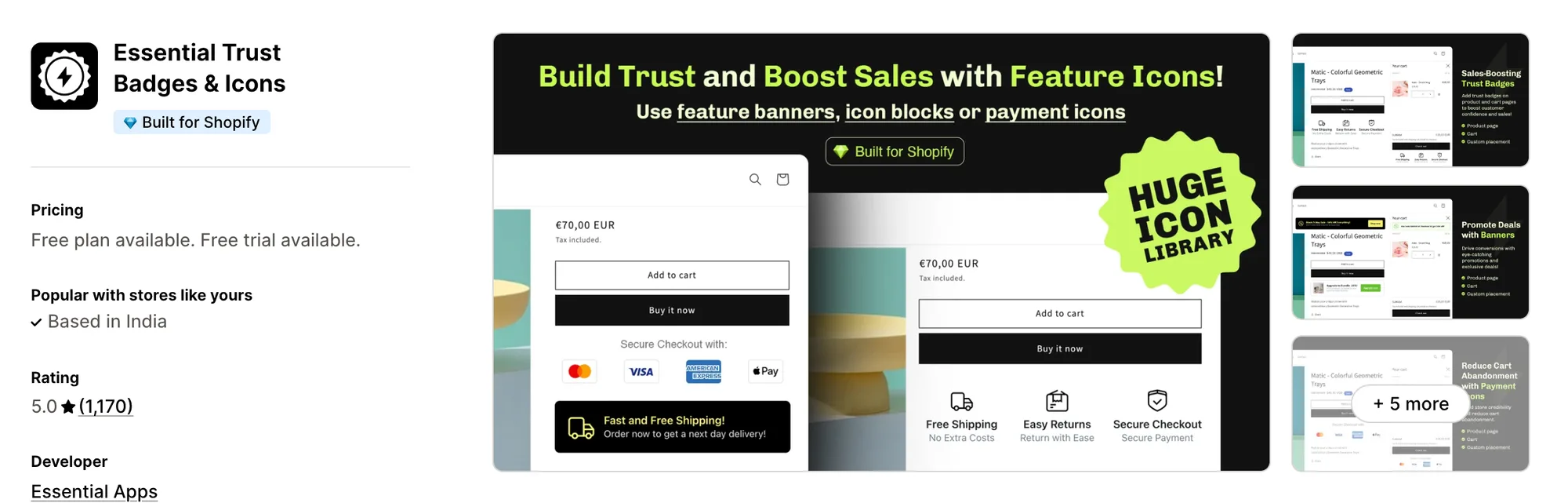
Best for: Stores that want feature icons and promo banners with a button alongside their payment badges
Rating: 5.0 (1,170 reviews) | App type: Standalone | Free trial: 7 days | Built for Shopify: Yes
Essential Trust Badges & Icons, formerly Essential Icon & Badge Banners, is built by Essential Apps around four layouts. Its single banner pairs a short message and an optional icon with a button, which leaves room for a promo next to the usual payment icons.
Key features:
- Single banners, icon blocks, minimal icons and payment icons, with six pre-made styles
- Icon collections from ecommerce and payments to seasonal sets, plus uploads of your own (Starter plan)
- Font, size, color, background, border, emoji, button and custom CSS settings
- Placement under Add to cart for every product, chosen products or tagged products, with an app block for other spots
- Cart page and cart drawer badges (Essential plan)
- Country and tag targeting for products and customers (Essential plan)
- Badge text for each store language, and start and end dates (Essential plan)
Pros:
- Banners can carry a button that links to a promo or another page
- A 5.0 score across 1,170 reviews, the top rating in this list
- Its help docs say uninstalling removes the app embed and app blocks automatically
- Cart drawer badges can be limited by product or customer tag
Cons:
- Nothing for checkout or the thank-you page, and Essential Apps sells announcement bars and countdown timers as separate installs
- Every widget load counts toward the plan's views, and badges are unpublished three days after the limit is passed
- Cart placement, targeting, translations and scheduling start on the Essential plan
Pricing:
Prices from the Shopify App Store listing on October 27, 2026, with a 7-day free trial.
4. TrustedSite ‑ Trust Badges
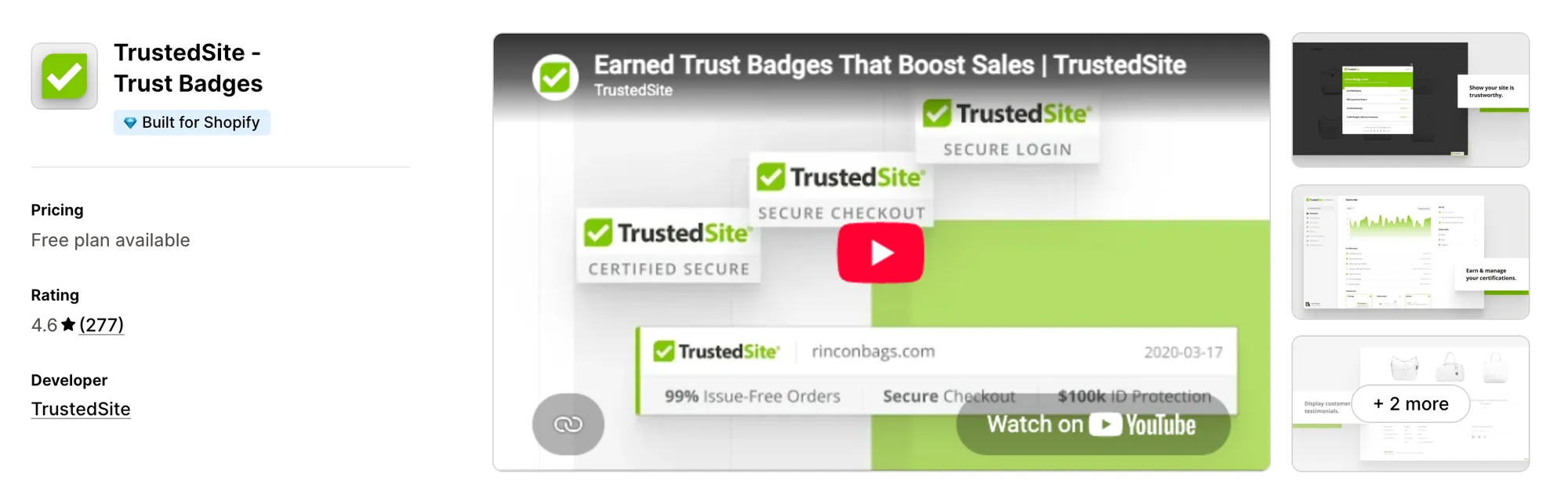
Best for: Stores that want a seal shoppers can click to see a third-party security and business check
Rating: 4.6 (277 reviews) | App type: Standalone | Free trial: No | Built for Shopify: Yes
TrustedSite ‑ Trust Badges, formerly McAfee SECURE, hands out badges a store has to earn. It scans the store for malware and blacklisting every day and verifies the business's contact details. A click on a badge opens the certificate behind it.
Key features:
- Daily malware, blacklist and phishing scans behind the Certified Secure badge, with TrustedSite features turned off if a scan fails
- A Verified Business certification based on the store's email, address, phone and contact form
- A floating badge on every page, plus inline badges on any template through app blocks (Pro plans)
- Checkout badges through a checkout extension (Shopify Plus and a Pro plan), and a thank-you page opt-in block
- Verified testimonials collected after purchase, and identity theft protection shoppers can add to an order (Pro plans)
- Badges and certificate pages translated into 31 languages
Pros:
- Badges backed by an outside security and business check, where Hoppy's badges are decorative
- Shoppers can click a badge and read the certificate
- Integrations with REVIEWS.io, Sitejabber and Verified Reviews by Skeepers
Cons:
- Only TrustedSite's own certification seals, with no payment, shipping or guarantee icon library and no uploads
- Its help docs don't mention the cart drawer, and checkout badges need both Shopify Plus and a Pro plan
- The monthly price climbs with store visits
- Low-star reviews from June and October 2026 report visit counts above the store's real traffic
Pricing:
Prices from trustedsite.com on October 27, 2026. TrustedSite lists no free trial, every Pro plan has the same features, and visits over the allowance are billed per extra 1,000.
5. Conversion Bear Trust Badges
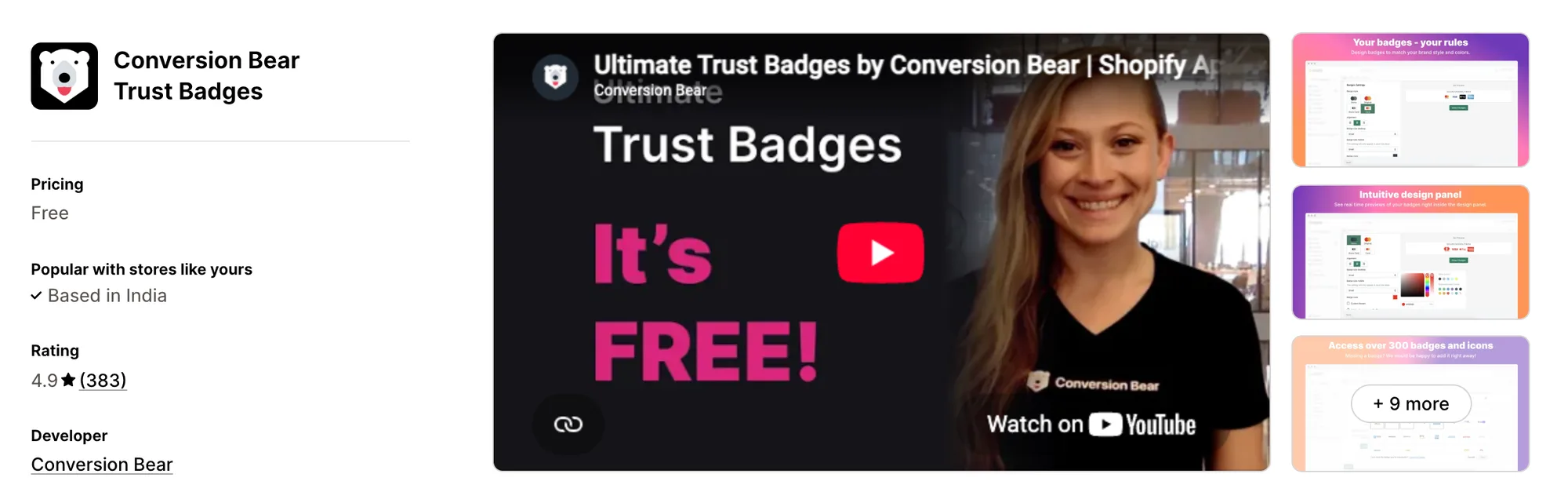
Best for: Stores that want a free badge row under Add to cart, with support adding any badge the library lacks
Rating: 4.9 (383 reviews) | App type: Standalone | Free trial: Free plan | Built for Shopify: No
Conversion Bear's free badge bar, Conversion Bear Trust Badges, was formerly called Ultimate Trust Badges. A single toggle puts its payment, bank and trust badges under the Add to cart button, and its support team adds a badge to the library when a merchant asks.
Key features:
- 300+ payment, bank, currency and trust badges
- Full-color or one-color badges, shown as icons or as cards
- A tagline above the row, with color, alignment and size settings
- Badge size set separately for desktop and mobile
- Placement under Add to cart, plus a code snippet for the cart page or footer
Pros:
- Free, with no paid plan and no view limit
- Missing badges are added by support on request, at no cost
Cons:
- One badge bar per page, so a bar placed in the footer shows nowhere else
- No cart drawer, checkout or thank-you page placement, and the cart page and footer need a snippet pasted into theme files
- Not Built for Shopify, and Conversion Bear sells sticky add to cart, sales pop-ups and countdown timers as separate apps
Pricing: Free, with no paid plan (conversionbear.com on October 27, 2026).
6. Iconito ‑ Trust badges & icons
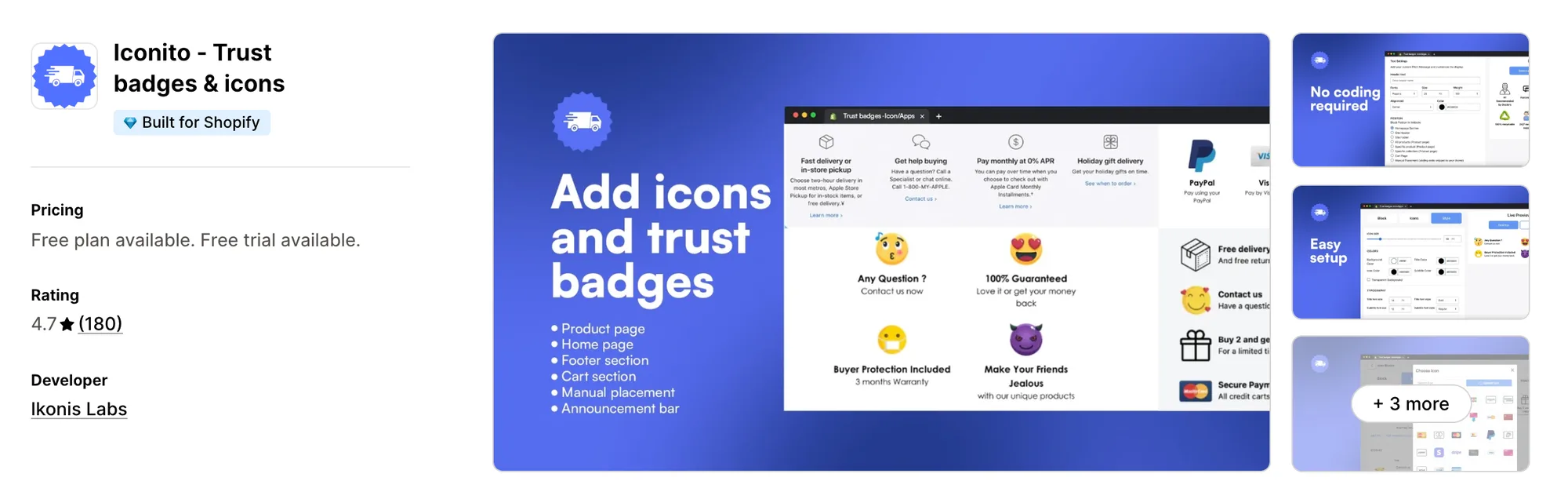
Best for: Stores that want trust icons on the thank-you and order status pages as well as before the sale
Rating: 4.7 (180 reviews) | App type: Standalone | Free trial: 3 days | Built for Shopify: Yes
Iconito ‑ Trust badges & icons comes from Ikonis Labs, a developer based in France. It builds icon blocks from a library of 6,000+ icons, and its MVP Plan carries them past the storefront to checkout, the Thank You page and the Order Status page.
Key features:
- 6,000+ icons for payment methods, shipping, guarantees and social media
- Blocks on product pages, the cart, the footer or a custom location, placed automatically or by hand
- Badges on checkout, the Thank You page and the Order Status page (MVP Plan)
- Icon uploads and a custom link on each icon (MVP Plan)
- Color, font, size and layout settings
- Blocks triggered by product tags (VIP Plan)
Pros:
- Badges on the Thank You and Order Status pages, which Hoppy's help docs don't mention
- Icons can link to another page, such as a returns policy
- Works with customer accounts, GemPages and PageFly
Cons:
- Icon blocks are its only job, and Ikonis Labs sells timers and a shipping bar in a separate app
- Its listing doesn't state whether checkout placement needs Shopify Plus
- There's no help center or changelog, and the website link on its listing doesn't resolve
- Reviews from August and November 2025 report icons not appearing on the live store
Pricing:
Prices from the Shopify App Store listing on October 27, 2026, with a 3-day free trial.
7. ShopClimb ‑ Trust Badges
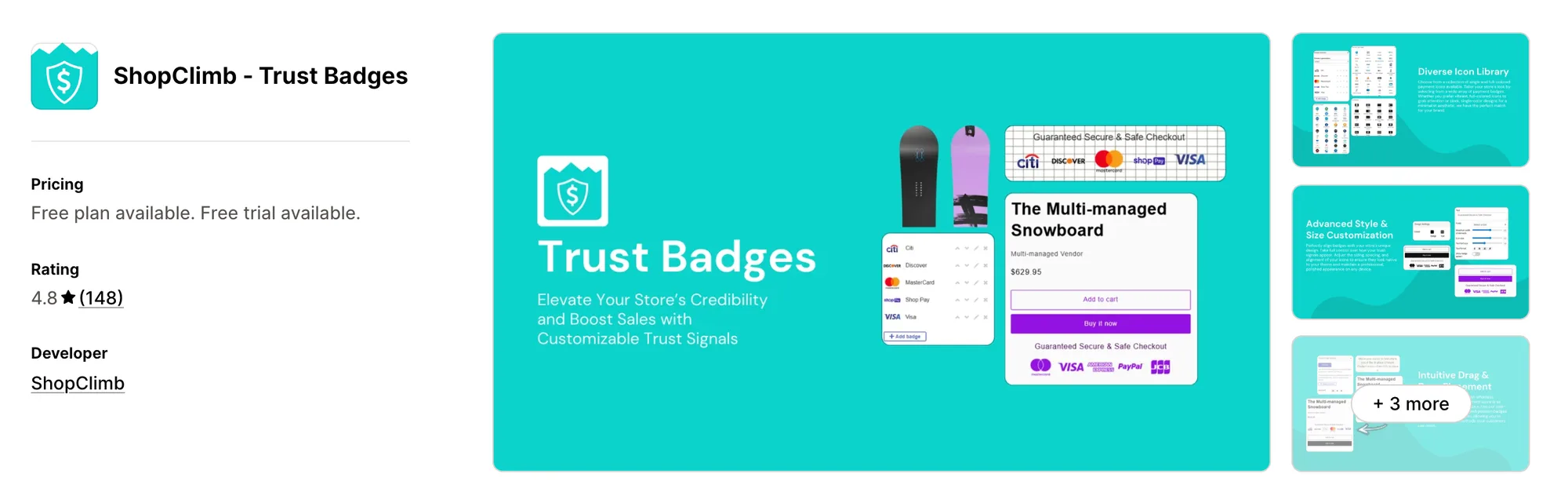
Best for: Stores selling in several countries that want shoppers to see the payment methods common where they live
Rating: 4.8 (148 reviews) | App type: Standalone | Free trial: 14 days | Built for Shopify: No
ShopClimb ‑ Trust Badges has been on the Shopify App Store since 2017 and sticks to payment badges. Its Premium plan reads each shopper's location and swaps in the payment methods common in that country.
Key features:
- 145 payment badges, or 670+ designs on the Premium plan
- Drag-and-drop placement, clicking where badges should go
- Geolocation badges that show local payment methods (Premium plan)
- Homepage badges and custom CSS (Premium plan)
- Checkout badges for Shopify Plus stores, with priority support and concierge setup (Plus plan)
Pros:
- Payment badges that change with the shopper's country
- Over 670 payment badges across five designs on the Premium plan
Cons:
- Payment badges only, with guarantee and feature icons in a separate ShopClimb app and no cart or thank-you page placement documented
- Not Built for Shopify, and the support link on its listing returns a "not found" page
- Its newest listing review dates from May 2024
Pricing:
Prices from the Shopify App Store listing on October 27, 2026, with a 14-day free trial.
How Many Apps Each Option Replaces
Each extra app can load more code on every page, and that code adds weight to the store. This table shows how much each option handles on its own.
How we counted it:
- Vitals - All in One App replaces up to 40+ single-purpose apps, beginning with a trust badge app, a payment icon app, a cart drawer app and a pop-up app
- SEOWILL ‑ Trust Badges & Icon stands in for one badge app
- Essential Trust Badges & Icons handles the work of a trust badge app and a feature icon app
- TrustedSite ‑ Trust Badges stands in for a security seal service and a testimonial app
- Conversion Bear Trust Badges fills the place of one payment badge app
- Iconito ‑ Trust badges & icons takes over from a trust badge app and a thank-you page badge add-on
- ShopClimb ‑ Trust Badges takes the place of one payment badge app
- Hoppy Trust Badges & Icons handles a trust badge app and a simple banner app
A store using Hoppy's badges next to its pop-up and bundle apps has three apps to set up and keep in step. Moved to one Vitals subscription, those jobs share a dashboard and one support team.
When Should You Stay on Hoppy Trust Badges
Hoppy Trust Badges & Icons is still the better fit in two situations.
- You show different badges to different shoppers by lifetime spend or UTM source, rules none of the other apps here document
- You want badges in the cart drawer, and inside checkout on Shopify Plus, from an app that costs nothing
Switch when you want trust seals and payment logos on product pages, the cart page and the slide-out cart, in one subscription that also includes pop-ups, bundles and countdown timers.
How to Switch From Hoppy Trust Badges to Vitals
Hoppy Trust Badges & Icons stores badge setups and targeting rules, not order or customer data, so there's nothing to export. The work is rebuilding the badges and clearing Hoppy's blocks out of the theme and checkout.
- Install Vitals - All in One App, switch on the Vitals Trust Seals and Badges app and the Vitals Payment Logos app, and upload any payment logos the library lacks
- On a duplicate theme, place the seals and logos on the product page and add the app blocks to the cart page or homepage. Turn on payment logos in the Vitals Cart Drawer app, set any price, discount, stock or product rules, then publish the theme
- In the theme editor, switch off the "Badges & Icons" app embed and delete any "Hoppy Trust Badge" app blocks or snippets placed with a Badge ID. On Shopify Plus, remove Hoppy's block in the checkout editor, then uninstall Hoppy Trust Badges & Icons. Vitals doesn't add badges inside checkout, so a Plus store that wants them there can use ShopClimb's Plus plan or TrustedSite for that spot
Read: Best All in One Apps for Shopify in 2026
Find the Best Hoppy Trust Badges Alternative for Your Store
Vitals - All in One App is the right choice for most stores, though the best pick depends on what you want next to your badges.
- Vitals, if you want trust seals, payment logos in the slide-out cart, bundles, discounts and 40+ apps in one single subscription of $29.99/month
- SEOWILL ‑ Trust Badges & Icon, if your labels promise organic, gluten free or no animal testing and you'd like those claims as free badges that move
- Essential Trust Badges & Icons, if a product page needs feature icons and a clickable promo banner as much as payment icons
- TrustedSite ‑ Trust Badges, if shoppers should be able to check an outside security scan and business verification for themselves
- Conversion Bear Trust Badges, if one free row under Add to cart is enough and you'd rather ask support for a missing badge than upload it
- Iconito ‑ Trust badges & icons, if you want reassurance to continue after payment, on the Thank You and Order Status pages
- ShopClimb ‑ Trust Badges, if buyers from different countries rely on different local payment methods
Start a 7-day free trial: Install Vitals - All in One App
Frequently Asked Questions
1. What is the best Hoppy Trust Badges & Icons alternative for Shopify?
Vitals - All in One App is the best Hoppy Trust Badges & Icons alternative for most stores. It's the only all-in-one app that includes 40+ apps, such as trust seals, payment logos, pop-ups and bundles, in one subscription. It's our app, and its entry sets out what it doesn't include.
2. Why do merchants switch from Hoppy Trust Badges & Icons?
The app offers badges and icons only, so pop-ups, bundles and countdown timers mean installing more Hoppy apps. Checkout badges need Shopify Plus, and the app has no stats for badge views or clicks. Some low-star reviews also describe badges that didn't show or a Badge ID placeholder on the live page.
3. How do Vitals and Hoppy Trust Badges & Icons compare on trust badge features?
Both apps can place badges on product pages and the cart page, style them to the store and upload payment logos. Hoppy adds uploads for every badge type, floating icons, Plus checkout badges and rules by customer tag, lifetime spend, country or UTM source. Vitals offers 28 seals with accessible names, 48 payment logos with uploads, rules by price, discount, stock or product, and payment logos in its own slide-out cart.
4. Can Vitals replace Hoppy Trust Badges & Icons and other apps at the same time?
Yes. The Vitals Trust Seals and Badges app and the Vitals Payment Logos app take over the badges, and the Vitals Cart Drawer app shows payment logos in the slide-out cart. The same subscription includes the Vitals Pop-ups app, the Vitals Product Bundles app, the Vitals Announcement Bars app and the Vitals Countdown Timer app, which Hoppy Apps sells as separate apps.
5. How do these Hoppy Trust Badges alternatives affect store speed?
Every app on a store can add its own scripts, so the size of the app stack matters. Vitals - All in One App loads its badges, cart drawer, pop-ups and bundles from one script, while Hoppy's badge, pop-up and bundle apps are three separate installs. We didn't speed-test these apps, so check your own pages before and after a change.
6. Which Hoppy Trust Badges alternatives have AI features or MCP support?
Not all of them. With Vitals MCP, Claude or ChatGPT can look into a store's Vitals data and answer questions about it. SEOWILL, Essential, TrustedSite, Conversion Bear, Iconito and ShopClimb list no AI features or MCP support, and Hoppy Trust Badges & Icons doesn't either.
7. Which Hoppy Trust Badges alternatives can show badges in checkout or after purchase?
Not all of them. TrustedSite can add badges to checkout for Shopify Plus stores on a Pro plan, and it has a thank-you page opt-in block. ShopClimb's Plus plan includes checkout for Shopify Plus stores, and Iconito's MVP Plan reaches checkout, the Thank You page and the Order Status page, though its listing doesn't say if checkout needs Shopify Plus. Essential, Conversion Bear and Vitals don't place badges in checkout, and SEOWILL's checkout support is unconfirmed.
8. How do I switch from Hoppy Trust Badges & Icons to Vitals?
Rebuild the badges in the Vitals Trust Seals and Badges app and the Vitals Payment Logos app on a duplicate theme, then publish it. Before uninstalling Hoppy, switch off its "Badges & Icons" app embed and remove any custom-position app blocks, plus the checkout block if your store is on Shopify Plus.