7 Best BUCKS Currency Converter Alternatives for Shopify [2026]

![7 Best BUCKS Currency Converter Alternatives for Shopify [2026]](/assets/blog/bucks-currency-converter-alternatives/banner.avif)
Looking for a BUCKS Currency Converter Alternative?
BUCKS Currency Converter PRO++ is a popular Shopify app for showing every price in a shopper's local currency. Its low-star reviews, though, describe converted prices far above the real amount on stores that use comma decimals, and themes or cart drawers where prices don't convert.
So, we compared seven alternatives on how they convert prices, what they show at the cart and checkout, and what else they cover on the store. Vitals is our app, and we've listed where it falls short.
What Is BUCKS Currency Converter Shopify App?
BUCKS Currency Converter PRO++ is a Shopify app for showing prices in the shopper's own currency. It detects where each visitor browses from, switches every price on the store to the matching currency, and lets shoppers pick another one from a flag drop-down.
Here's what you can do with BUCKS:
- Automatic conversion by location: Convert prices into 160+ currencies based on the visitor's country, and keep chosen countries on the store currency.
- Currency switcher: Style a drop-down with flags, hide it and convert in the background, or place it anywhere on the page on the Plus plan.
- Price formatting and rounding: Round converted prices to a set decimal, drop decimals, and set custom currency formats and manual rates on Plus.
- Cart notice and checkout: Tell shoppers which currency they'll pay in, and let them check out in local currency when Shopify Payments and Markets are on.
- Currency analytics: See currency switches, revenue by currency and sales by country, with suggested next steps, on the Pro plan.
Where BUCKS stands out is how much its free plan already covers. Unlimited currencies, automatic switching by location, switcher styling and the cart notice are all there before a store pays anything.
Reviews often praise its support team as fast and hands-on, and many merchants mention that geolocation picks the right currency.
How Much Does BUCKS Currency Converter App Cost?
Prices from docs.helixo.co on Oct 22, 2026, with a 7-day free trial.
Why Shopify Merchants Look for BUCKS Currency Converter Alternatives
BUCKS Currency Converter PRO++ holds a 5.0 rating from 1,287 reviews and is Built for Shopify. Still, merchants who've moved on from it list these reasons:
- Converted prices that come out far too high on stores with comma decimals, or that don't reach some product sections
- Conflicts with themes and cart drawers, including code left in the theme
- Manual exchange rates, custom placement and support for other apps' prices need the Plus plan
- Currency conversion is all it does, so cart drawers, upsells and free gifts are separate Helixo apps, each with its own plan
Switching makes the most sense for stores that already pay for several storefront apps and would rather keep them under one bill.
Read: Best Currency Converter Apps for Shopify in 2026
How We Compared the BUCKS Currency Converter Alternatives
We read each app's live Shopify App Store listing, its help docs and its changelog, where available, on the day of writing, and took ratings and review counts from the listings.
We compared the apps on:
- App type, standalone or all-in-one, checked against each listing
- Core currency features: automatic conversion by location, the switcher, rounding, exchange rates and the cart notice
- The store areas each app covers, from product page and cart to checkout and post-purchase
- How many single-purpose apps each one could replace
- What each app loads on the storefront and how it joins the theme
- AI features and MCP support for AI assistants
Short Answer
Vitals - All in One App is the best BUCKS Currency Converter alternative for most stores.
- It offers location-based conversion, rounding and a cart notice, with one support team answering for the converter and the cart, while some BUCKS reviews describe theme and cart drawer conflicts that left prices unconverted
- It includes 40+ apps, such as reviews, bundles and discounts, in one subscription of $29.99/month
- It replaces multiple single-purpose apps that you would otherwise install and pay for every month
BUCKS has a free plan and a $9.99 paid plan, so Vitals costs more. Vitals has a flat base price, with a usage fee only once sales from its conversion apps pass $1K a month, and it covers reviews, bundles and upsells beside the converter.
What Are the Top BUCKS Currency Converter Alternatives for Shopify in 2026
Here's how the seven apps compare at a glance, with full entries below.
1. Vitals - All in One App
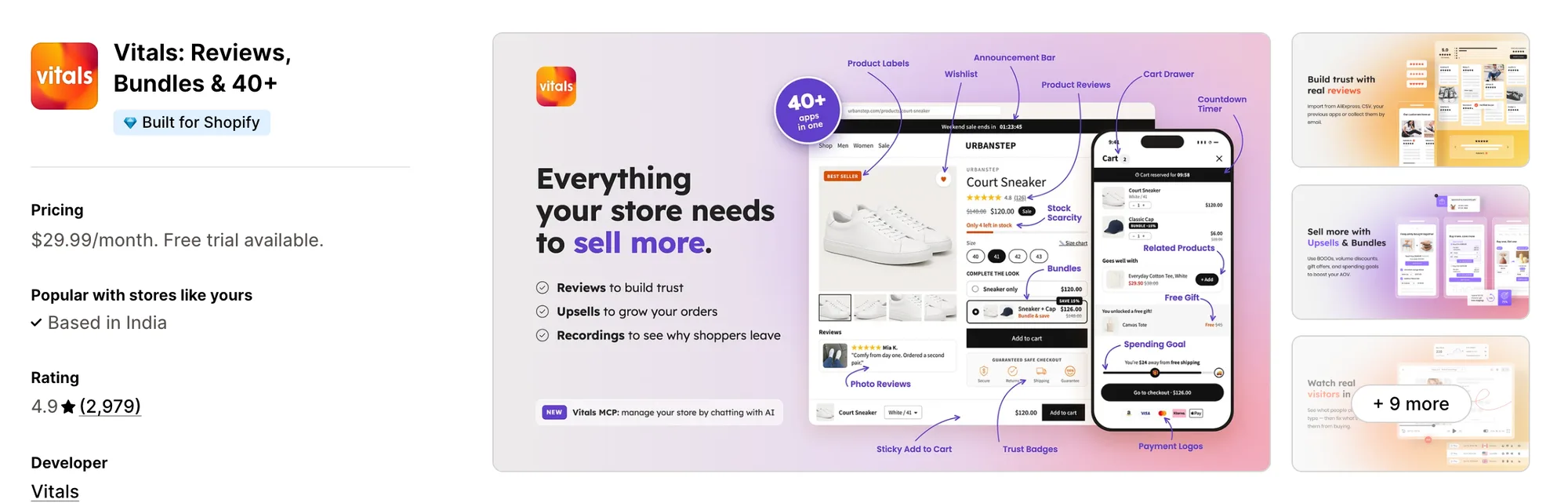
Best for: Stores that want Currency Converter, Offers by Market, Product Reviews and Bundles plus 40+ apps in one subscription
Rating: 4.9 (2,979 reviews) | App type: All-in-one | Free trial: 7 days | Built for Shopify: Yes
Vitals is our app. Its currency converter is one of 40+ apps it offers, together with reviews, bundles and discounts, in a single subscription of $29.99/month.
The Vitals Currency Converter app switches prices to the shopper's currency based on where they browse from. Shoppers can still pick another currency from the switcher, and hovering over a price shows it in the store's own currency.
It takes Shopify's exchange rates where the store exposes them, so currencies set up in Shopify Payments check out in local currency. Once prices are local, another Vitals app, Upsell Builder, can show each bundle, volume discount or free gift in every market, in chosen markets only, or everywhere except some.
Key features:
- Automatic conversion by visitor location, with an option to convert only into currencies the store lists
- A switcher with its own desktop and mobile positions, flags, currency names and colors
- Rounding of converted prices, with whole numbers kept for currencies like the yen
- A cart notice that tells shoppers which currency the order will be paid in
- Shopify's exchange rates where available, so Shopify Payments currencies check out in local currency
- Bundles, volume discounts and free gifts that can show only in the Shopify Markets a store picks
- Reviews that can be translated automatically into each visitor's language
Pros:
- Local prices, market-specific offers and a cart drawer managed from one admin
- When a converted price and a bundle clash in the cart, one support team looks at both
- 40+ apps under a single plan (e.g., Little Dresser shows UK and US shoppers their own currency and moved its single-purpose apps to one Vitals plan)
- Vitals MCP for Claude and ChatGPT, plus an AI Offer Generator that builds an offer from a sentence
Cons:
- No manual exchange rates or markup on a currency
- Works on Shopify only
Pricing:
Prices from the Vitals website on Oct 22, 2026, with a 7-day free trial.
Read: Currency Converter for Shopify Multi-Currency: How It Works
2. BEAST Currency Converter
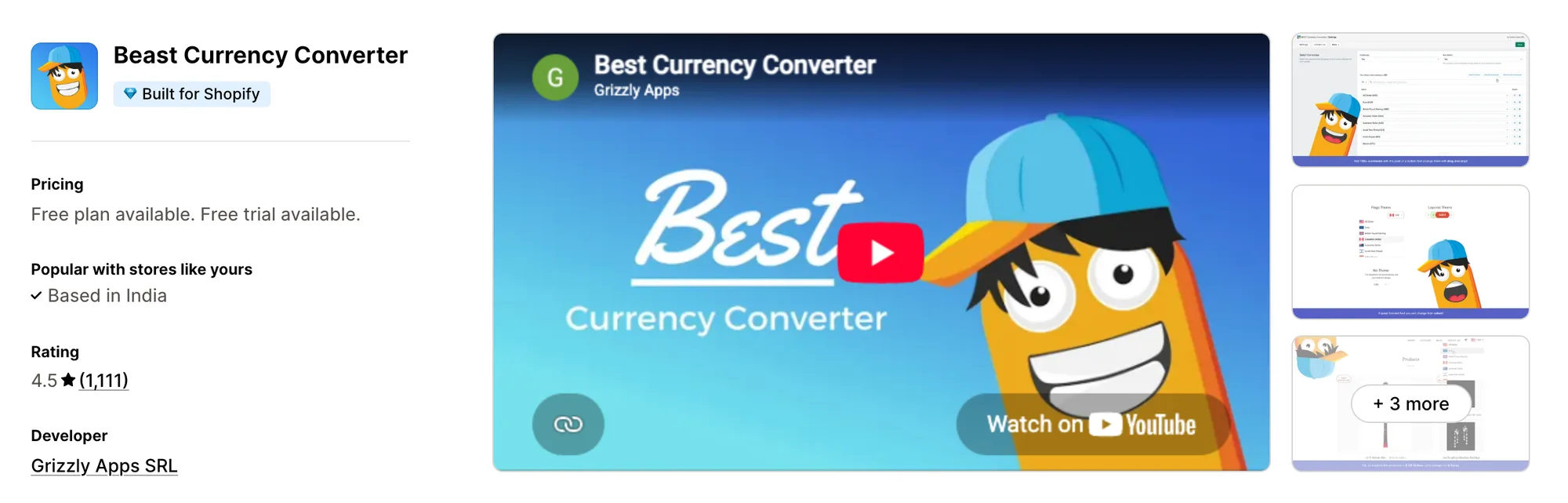
Best for: Stores that want the developer's team to place and style the switcher for them
Rating: 4.5 (1,111 reviews) | App type: Standalone | Free trial: 30 days | Built for Shopify: Yes
BEAST Currency Converter, once called Doubly, has been on the App Store since 2016. It drops a switcher into the theme header or a floating corner, and on its paid plan the Grizzly Apps team will move it next to the cart or match it to the store's design. It suits stores that would rather hand the placement over than edit theme code.
Key features:
- All 164 currencies on every plan
- Switcher placed in the header automatically, with flags and design themes
- Automatic currency by location and a currency set for each country (Elite plan)
- Custom placement and design matched to the store, done by its team (Elite plan)
- Rounding, decimals and currency codes (Elite plan)
- Cart notice plus the original price on hover (Elite plan)
Pros:
- The longest free trial here, at 30 days
- Its team handles placement and styling on request
- Its one paid plan holds every feature
Cons:
- Converts prices only; translation, offers and reviews each need another app
- Checkout stays in the store's currency
- No manual exchange rates
- Low-star reviews from 2024–2026 describe wrong converted prices and slow replies
Pricing:
Prices from currency.grizzlyapps.com on Oct 22, 2026, with a 30-day free trial.
3. CVC ‑ Multi Currency Converter
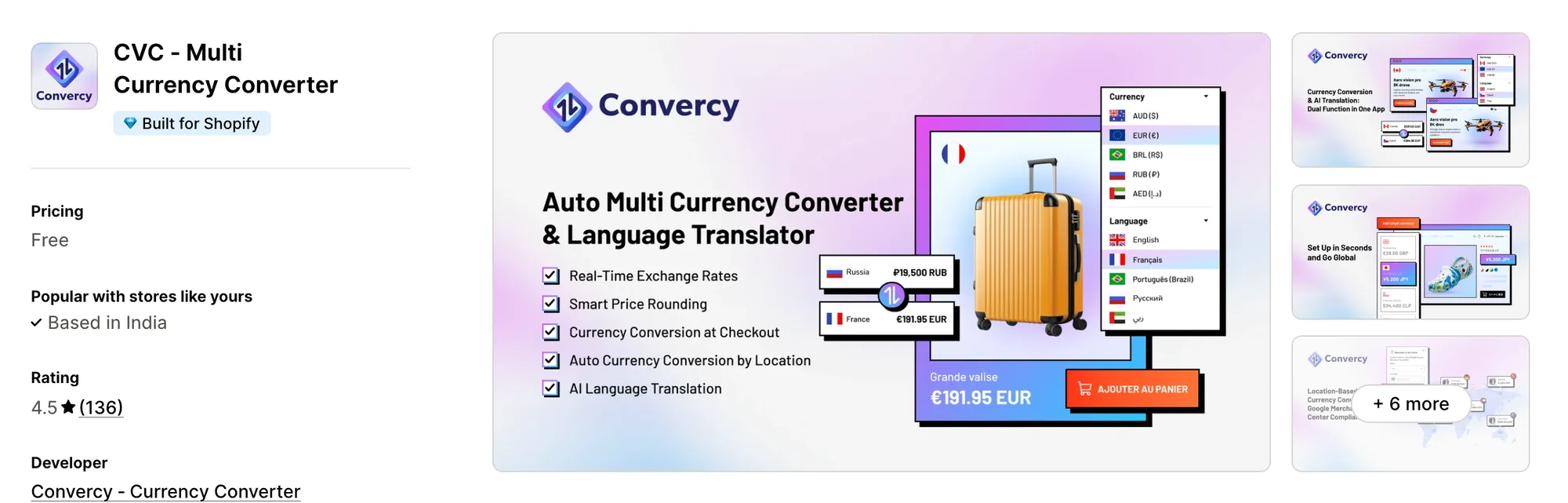
Best for: Stores that sell to one country in two currencies, such as CAD and USD in Canada
Rating: 4.5 (136 reviews) | App type: Standalone | Free trial: Free plan | Built for Shopify: Yes
CVC ‑ Multi Currency Converter, from Convercy, converts prices, shipping fees and discounts, and adds AI translation on top. It can offer more than one currency inside a single country or market, which Shopify Markets alone doesn't allow. That fits stores near a border, where shoppers often pay in a neighbor's currency.
Key features:
- Prices, shipping fees and discounts converted on the storefront
- More than one currency offered within a single market
- IP geolocation as an automatic switch or a pop-up suggestion, with region detection
- Rounding rules set for each currency, such as .99 endings
- Floating or embedded switcher, with separate desktop and mobile placement
- AI translation with a glossary for key terms
- Local-currency checkout with Shopify Payments
Pros:
- Two currencies in one country, which BUCKS doesn't list
- Translation and currency handled by the same app
Cons:
- The free plan allows one language and one currency, and paid prices appear only after install
- Automatic translations aren't saved to Shopify, so product feeds don't receive them
- Covers currency and language only; offers, reviews and cart features need separate apps
Pricing:
CVC doesn't list its paid prices on the Shopify App Store listing or on convercy.app (checked Oct 22, 2026).
4. Currency Converter Plus
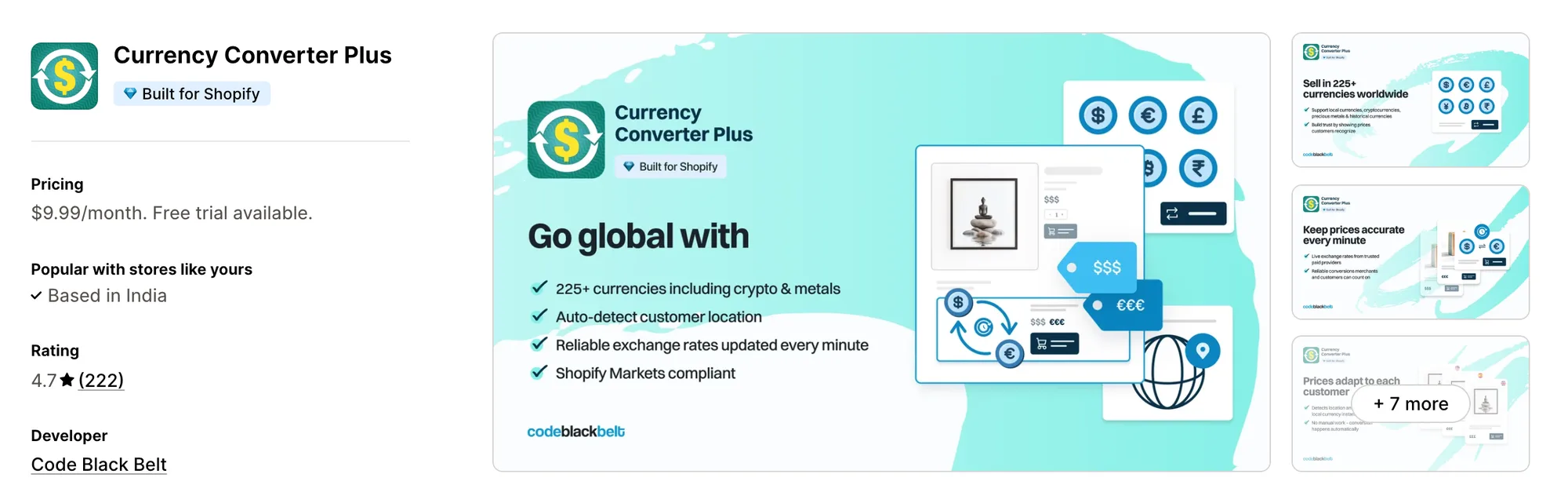
Best for: Stores whose shoppers compare prices in crypto or precious metals
Rating: 4.7 (222 reviews) | App type: Standalone | Free trial: 14 days | Built for Shopify: Yes
Currency Converter Plus comes from Code Black Belt, part of Shop Circle. Its list of 222 currencies includes Bitcoin, Ethereum and gold, with rates refreshed every minute. Shoppers can click any price on the page to change currency, which suits stores with a technical or collector audience.
Key features:
- 222 currencies, crypto and precious metals included
- Exchange rates updated every minute from paid providers
- IP geolocation to pick each visitor's currency
- A price drop-down, so shoppers can click any price to switch
- Menu button placed by a theme element or floating, set apart for desktop and mobile
- Rounding to whole numbers or .99 endings
- A cart note when the shopper's currency differs from the checkout currency
- The shopper's currency and rate recorded on the Shopify order
Pros:
- The longest currency list here
- Single plan with the same features for every Shopify plan, Plus included
- Specific prices, such as shipping, can be left unconverted
Cons:
- Only part of Shopify Markets is supported, and thank-you and order status pages stay unconverted
- No manual exchange rates or translation
- Currency only, so bundles, reviews and cart offers need separate Code Black Belt or other apps
- Chat starts with a bot, which a recent low review criticizes
Pricing:
Prices from the Shopify App Store listing on Oct 22, 2026, with a 14-day free trial.
5. Nova: Multi Currency Converter
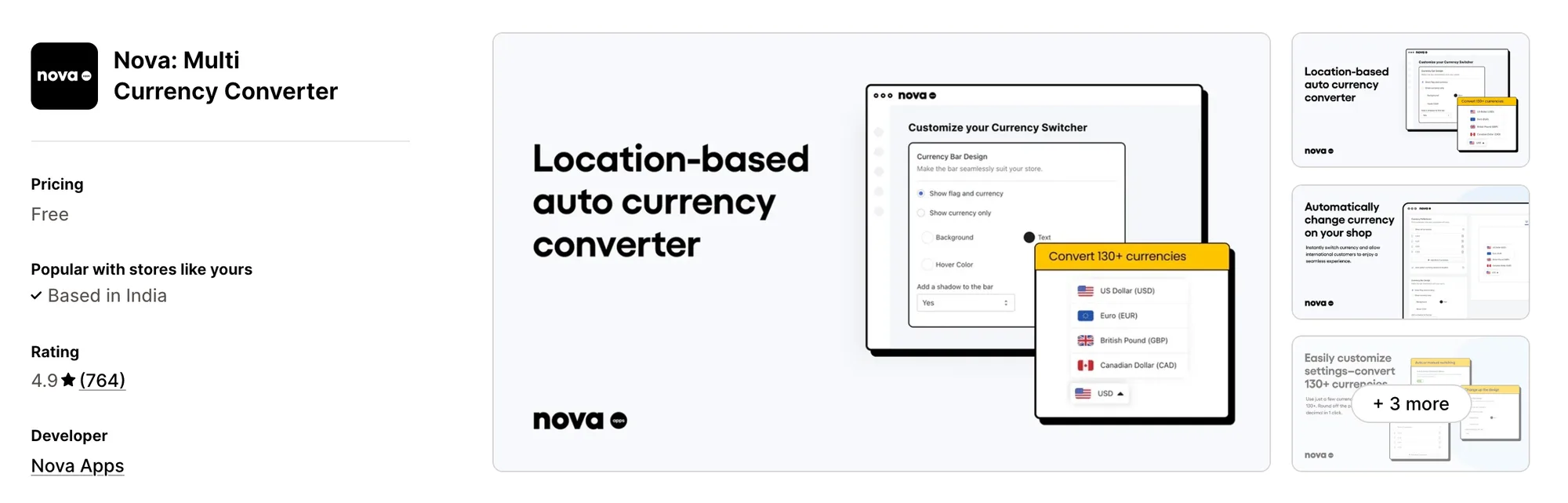
Best for: New stores that want a converter with no paid plan at all
Rating: 4.9 (764 reviews) | App type: Standalone | Free trial: Free plan | Built for Shopify: No
Nova: Multi Currency Converter is a free floating currency bar that switches prices by location, using Shopify's exchange rates. Every setting is free, from rounding to the cart notice, and support comes from a 24/7 live chat. It's a starting point for stores testing their first international sales.
Key features:
- 130+ currencies, added a few at a time or all at once
- Automatic currency by location, or manual switching
- Floating bar with its own desktop and mobile settings and colors
- Rounding style and decimals
- Editable cart notice before checkout
Pros:
- No paid plan, so every feature costs nothing
- Reviews often mention its 24/7 live chat
Cons:
- The bar can't sit in the header or footer, and currencies can't be reordered
- Checkout always stays in the store's currency
- Without the Built for Shopify badge
Pricing:
Nova is free, with no paid plans, per its Shopify App Store listing on Oct 22, 2026.
6. TS ‑ AI Language Translate
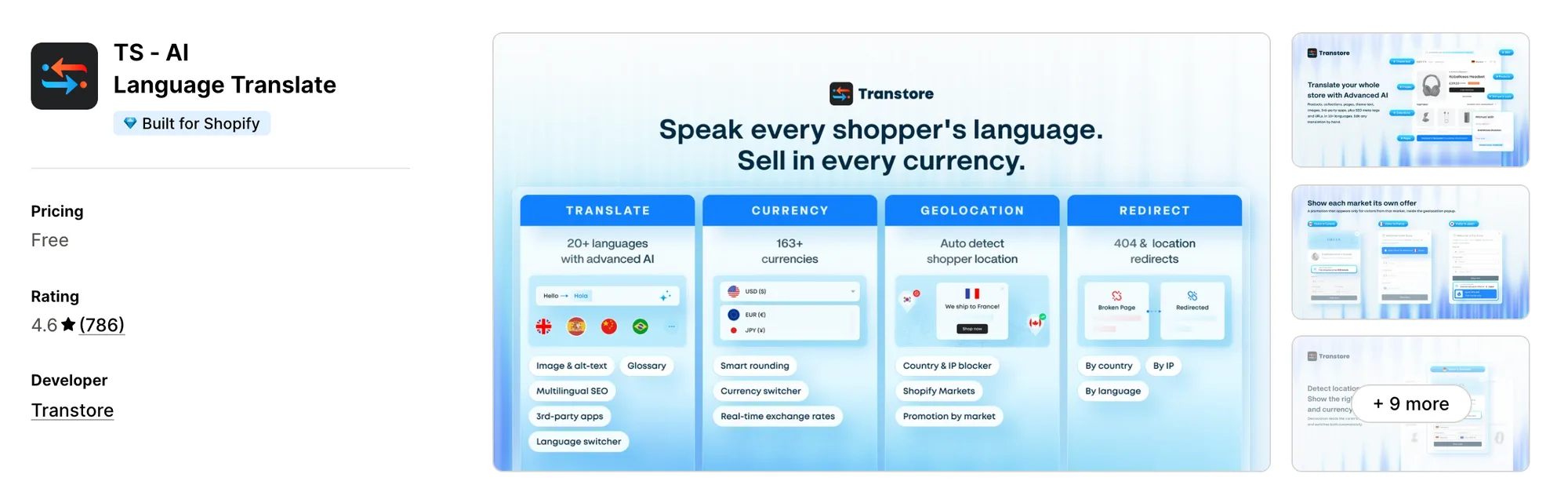
Best for: Stores that need their pages translated as well as their prices converted
Rating: 4.6 (786 reviews) | App type: Standalone | Free trial: 7 days | Built for Shopify: Yes
TS ‑ AI Language Translate, formerly Transtore ‑ Language Translate, handles translation, currency and geolocation for each market. It translates pages, theme text and images into up to 20 languages, converts prices into 163+ currencies, and can redirect visitors to their market. It fits stores entering countries where English won't do.
Key features:
- Translation of products, pages, theme text and app content into up to 20 languages
- AI translation through OpenAI GPT or DeepSeek, saved to Shopify, with a glossary
- 163+ currencies, each set to live or manual rates
- Rounding rules applied to prices and shipping rates
- Geolocation as an automatic switch or a recommendation pop-up
- Promotion messages shown to each market in the geolocation pop-up
- Market redirects, 404 redirects and a country or IP blocker
- Translated meta titles, descriptions and URL handles
- Language and currency switchers in the menu, header or footer
Pros:
- Translation and currency in one app, which BUCKS doesn't offer
- Manual exchange rates on any currency
- AI translations sync with Shopify's Translate & Adapt
- Translates text inside many other apps, such as cart drawers and review widgets
Cons:
- Listed as free, but most stores are moved to a paid plan after install
- Low-star reviews describe manual translations overwritten or deleted
- Only localization is covered; reviews, bundles and cart offers need other apps
- Paid prices for plans above Shopify Basic aren't published
Pricing:
Prices from transtore.app on Oct 22, 2026, with a 7-day free trial. Its blog gives the Shopify Basic price only and says the price rises on larger Shopify plans.
7. Currency Converter Bear
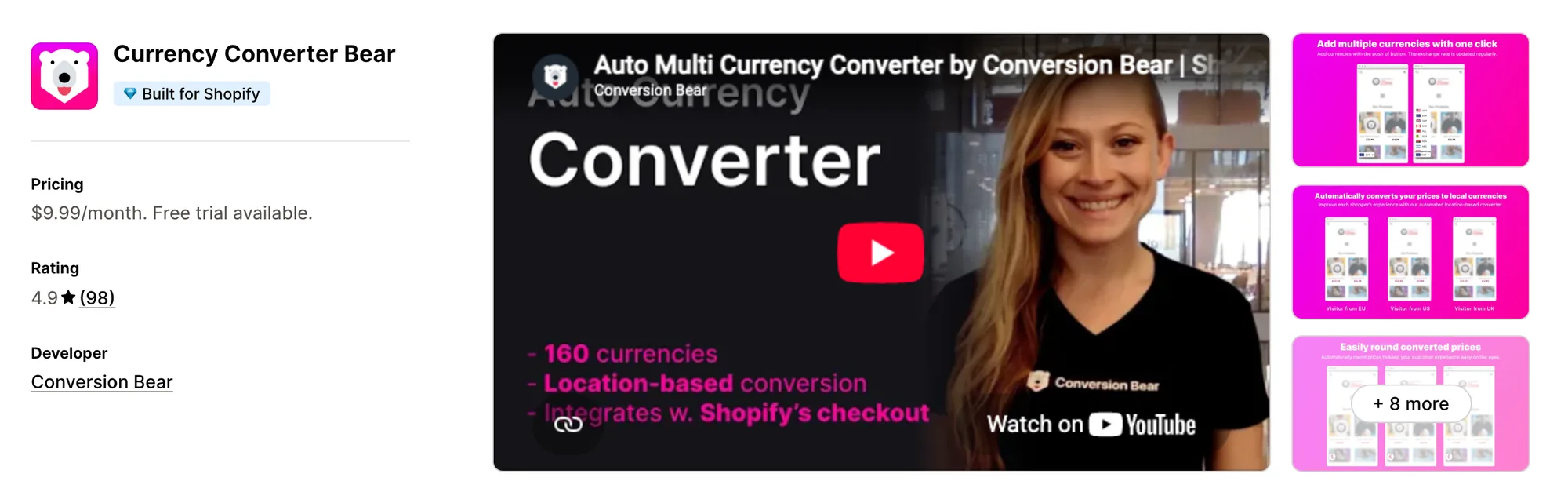
Best for: Stores that want a single plan with every feature from day one
Rating: 4.9 (98 reviews) | App type: Standalone | Free trial: 14 days | Built for Shopify: Yes
Currency Converter Bear, from Conversion Bear, converts prices by location with rates refreshed several times a day. It comes as one plan that includes a hidden mode, rounding and a cart notice, and it works with Shopify Markets so Shopify Payments currencies check out locally. It suits stores that want every setting available without choosing a tier.
Key features:
- 160+ currencies with automatic conversion by location
- Exchange rates updated several times a day
- Switcher with full design control, or a hidden mode with no switcher
- Rounding that removes decimals or ends prices on a set number
- Cart notice on the cart page or in the cart drawer
- Local-currency checkout for Shopify Payments currencies
Pros:
- Every feature on its one plan
- 96 of its 98 reviews give five stars
- A JavaScript API for themes that reset prices on variant change
Cons:
- Its docs list conflicts with language apps such as Weglot and Langify, and with GemPages
- Upsells, bundles and trust badges come as separate Conversion Bear apps
Pricing:
Prices from the Shopify App Store listing on Oct 22, 2026, with a 14-day free trial.
How Many Apps Each Option Replaces
A store that adds one app per job also adds one script per job, as our guide to speeding up a Shopify store covers. This is our count of what each option takes over.
How we counted it:
- Vitals - All in One App replaces up to 40+ single-purpose apps, among them a currency converter, a bundles app, a volume discount app, a free gift app, a reviews app and a cart drawer
- BEAST Currency Converter stands in for one currency app
- CVC ‑ Multi Currency Converter replaces a currency app and a basic translation app
- Currency Converter Plus covers a single currency app, crypto prices included
- Nova: Multi Currency Converter takes the place of one currency app at no cost
- TS ‑ AI Language Translate replaces a translation app, a currency app and, for some stores, a redirect app
- Currency Converter Bear does the job of one currency app
- BUCKS Currency Converter PRO++ fills the role of a currency app with its own reporting
Picture a store with BUCKS, a Helixo cart drawer, a free gift app and a reviews app. That's four plans and four scripts, and with Vitals those jobs sit in one subscription.
When Should You Stay on BUCKS Currency Converter
BUCKS Currency Converter PRO++ is still the better choice in two cases.
- You want revenue split by currency and by country, which no other app here reports
- You rely on its free plan for unlimited currencies, geolocation and the cart notice
Switch when you want local prices, offers that can differ by market, reviews and bundles under one subscription.
How to Switch From BUCKS Currency Converter to Vitals
BUCKS keeps no customer data, so switching means rebuilding a few settings by hand.
- Note your currency list, any manual exchange rates, rounding and restricted countries, then install Vitals and turn on the Vitals Currency Converter app
- Add the same currencies, rounding and cart notice text on a duplicate theme, and turn off any currency switcher built into the theme
- Turn off the BUCKS app embed, uninstall BUCKS Currency Converter PRO++, and remove any placement code or `bucksCC.reConvert()` calls added to the theme or other apps
Vitals has no manual rates, so a store that sets its own rates in BUCKS can set them in Shopify Markets instead.
Read: Best All in One Apps for Shopify in 2026
Find the Best BUCKS Currency Converter Alternative for Your Store
Vitals - All in One App is the right pick for most stores, but the best fit depends on why you're moving on from BUCKS.
- Vitals, if you want local prices, offers by market, bundles, discounts and 40+ apps in one single subscription of $29.99/month
- BEAST Currency Converter, if you'd like someone else to fit the switcher into your theme
- CVC ‑ Multi Currency Converter, if your shoppers in one country split between two currencies
- Currency Converter Plus, if your buyers think in Bitcoin, Ethereum or gold
- Nova: Multi Currency Converter, if you're not ready to pay for currency conversion yet
- TS ‑ AI Language Translate, if your next market needs translated pages and redirects too
- Currency Converter Bear, if you'd rather not compare plans and gated features
Start a 7-day free trial: Install Vitals - All in One App
Frequently Asked Questions
1. What is the best BUCKS Currency Converter alternative for Shopify?
Vitals - All in One App is the best BUCKS Currency Converter alternative for most stores. It's the only all-in-one app that includes 40+ apps, such as a currency converter, reviews, bundles and discounts, in one subscription. Vitals is our app, and its entry says where it falls short.
2. Why do merchants switch from BUCKS Currency Converter?
Lower-rated reviews mention prices that convert wrongly on stores with comma decimals, conflicts with some themes and cart drawers, and code left in the theme. Others leave because manual rates and custom placement need the Plus plan, and offers sit in other Helixo apps.
3. How do Vitals and BUCKS Currency Converter compare on currency features?
Both convert prices by location, round them, show a cart notice and support local-currency checkout through Shopify Payments. BUCKS adds manual rates, custom formats and analytics by country on its paid plans. Vitals adds offers limited to chosen markets and translated reviews in the same subscription.
4. Can Vitals replace BUCKS Currency Converter and other apps at the same time?
Yes. Vitals can replace BUCKS along with separate apps for bundles, volume discounts, free gifts, reviews and a cart drawer.
5. How do these BUCKS Currency Converter alternatives affect store speed?
Each app a store adds can load scripts of its own. Vitals loads its currency converter and its other apps from one script, while a converter beside several single-purpose apps loads one each. We haven't put these apps through a speed test, so check your own pages before and after a change.
6. Which BUCKS Currency Converter alternatives have AI features or MCP support?
Not all of them. Vitals is the only one here with MCP, and its AI Offer Generator builds an offer from a sentence. CVC ‑ Multi Currency Converter uses AI to translate the store, and TS ‑ AI Language Translate improves translations with GPT or DeepSeek. BUCKS itself lists AI revenue insights on its Pro plan, while BEAST, Currency Converter Plus, Nova and Currency Converter Bear list none.
7. Which BUCKS Currency Converter alternatives let shoppers check out in their own currency?
Not all of them. Vitals, CVC ‑ Multi Currency Converter, TS ‑ AI Language Translate, Currency Converter Bear and Currency Converter Plus support local-currency checkout when the store uses Shopify Payments. BEAST Currency Converter and Nova: Multi Currency Converter keep checkout in the store's currency.
8. How do I switch from BUCKS Currency Converter to Vitals?
Write down your currencies, rates and rounding, turn on the Vitals Currency Converter app and recreate them on a duplicate theme. Then turn off the BUCKS app embed, uninstall it and remove any placement code left behind.