How to Hide Your Best Sellers on Shopify From Spy Tools

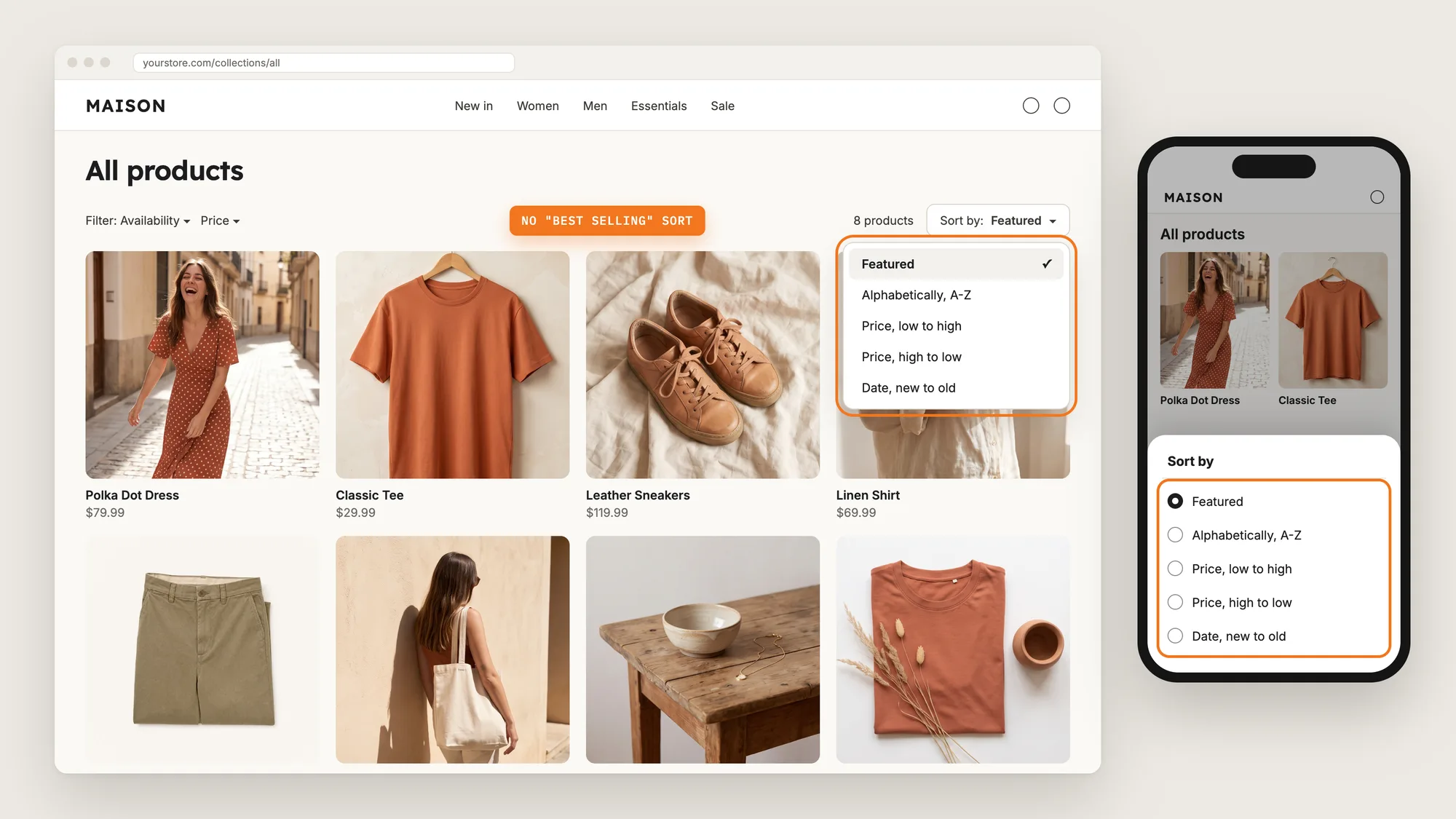
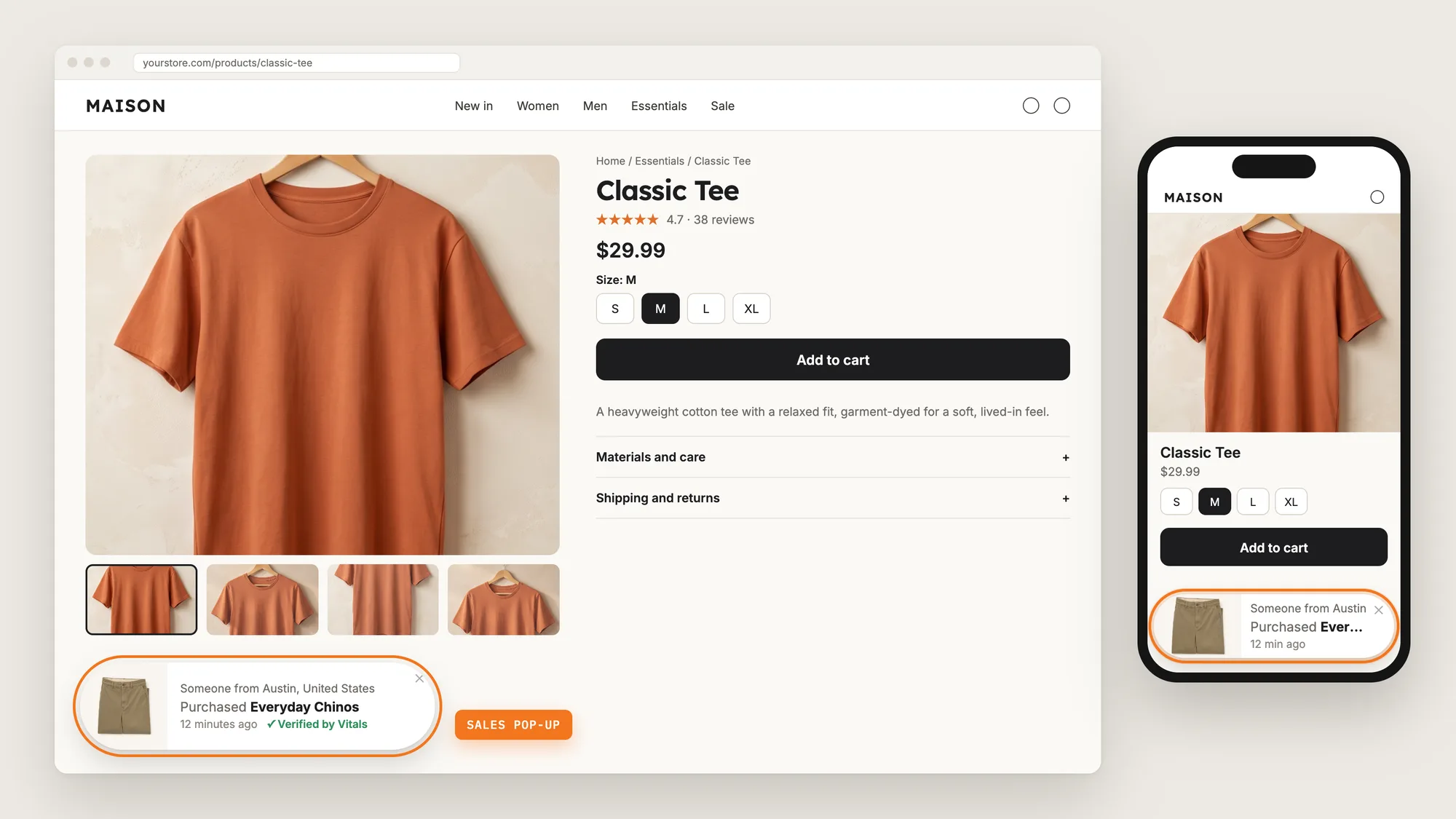
Every Shopify store comes with a Best selling sort on its collection pages. Anyone who opens that sort, or adds ?sort_by=best-selling to a collection link, sees your products ranked by sales, with your winners at the top.
Competitors and spy tools use that ranked list to find the products worth copying. Hiding the Best selling sort takes the ready-made list off your store, while shoppers keep every other way to sort.
Here are the three ways to hide your best sellers on a Shopify store: with a Best Sellers Protection app, from your theme settings, or with custom code.
What Is Best Sellers Protection?
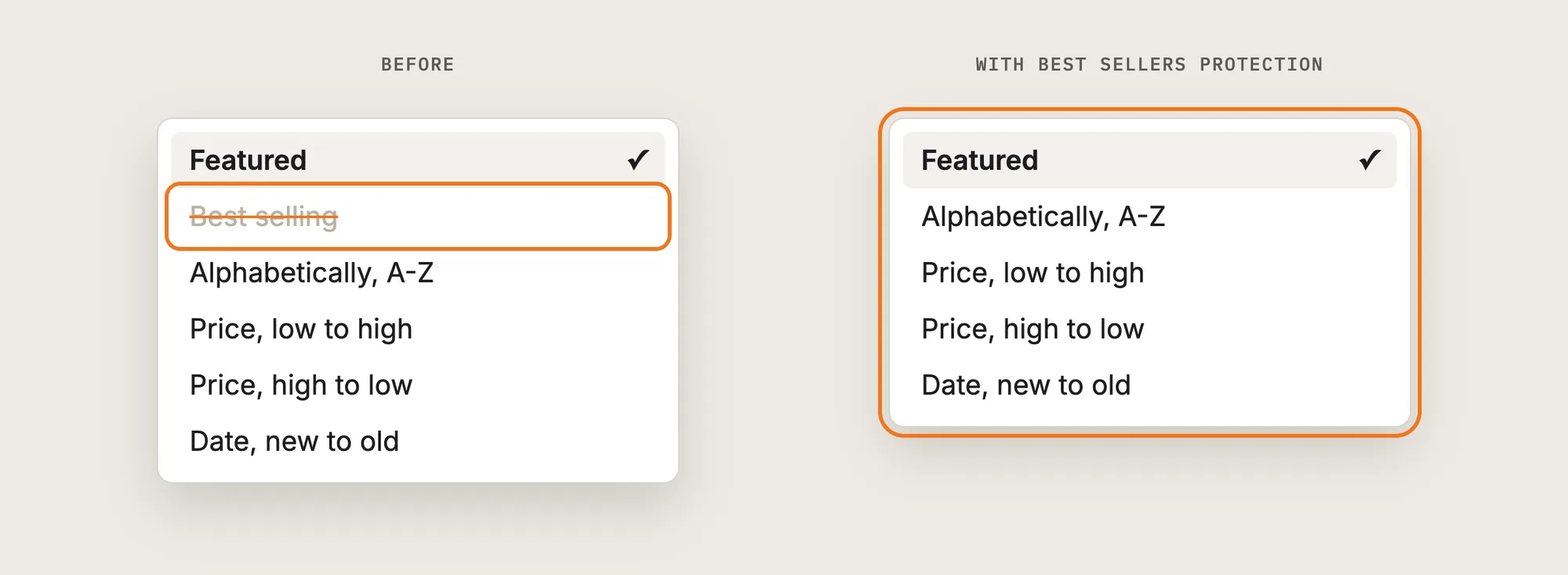
Best sellers protection hides the Best selling sort option on your collection pages, so visitors can't list your top sellers in one click. Shoppers still sort by price, date or name, and your products stay on the page as before.
Good best sellers protection includes:
- No Best selling option: The sort menu on every collection page leaves out Best selling.
- No back door through the link: A collection link with ?sort_by=best-selling opens in your own order instead.
- Every collection at once: One switch applies to all your collections.
- Nothing changes for shoppers: Price, date and name sorts stay in place.
Best sellers protection hides the ranking, not the products. Your products, prices and pages stay public.
How Do Spy Tools Find Your Best Sellers?
Spy tools and curious competitors find your best sellers through the sort that Shopify builds into every collection page. Shopify ranks a collection by sales when the link ends in ?sort_by=best-selling, and the first products on that page are your top sellers.
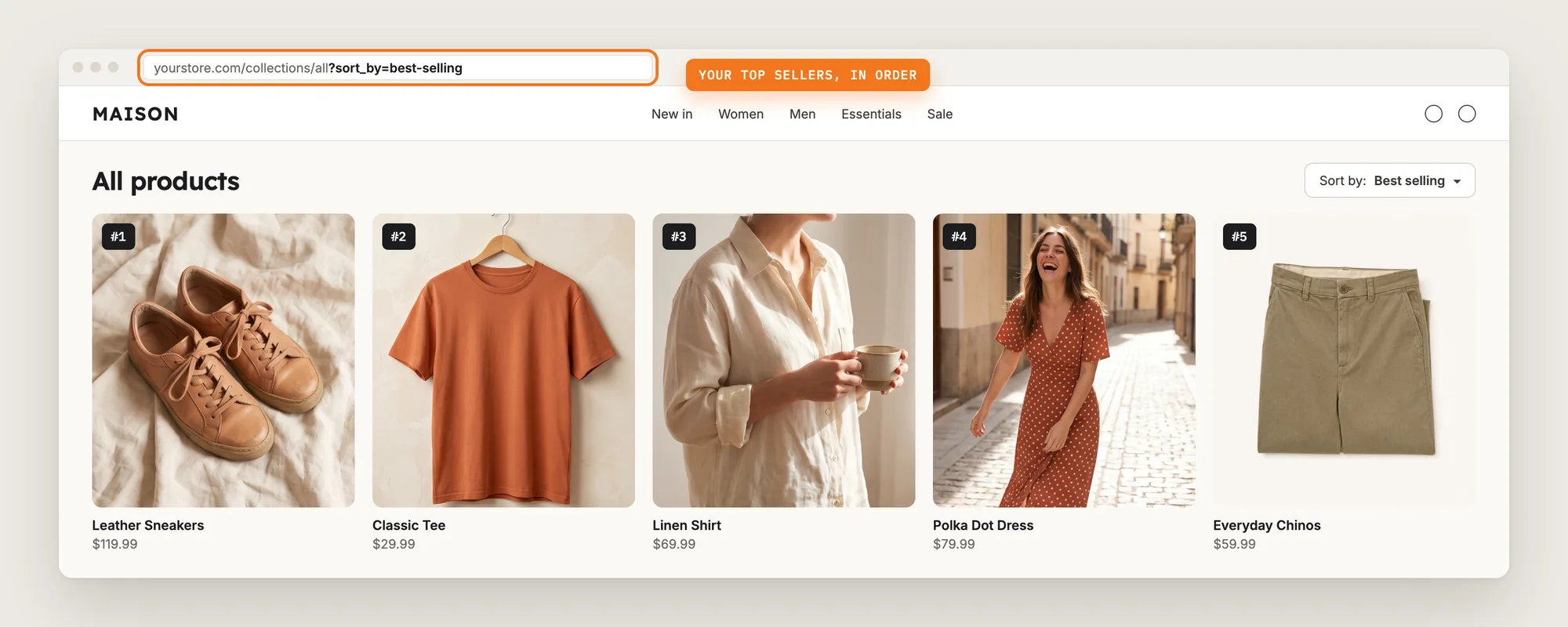
Product spy browser extensions are a separate case. A spy extension works only in the browser of the person who installed it, so your shoppers never see it, and no Shopify app can block an extension in someone else's browser. Best sellers protection removes the ranked list from your store, which is the shortcut most of that research starts with.
What's the Quickest Way to Hide Your Best Sellers?
- Vitals - All in One App is the quickest way to hide your best sellers for most stores
- Vitals also offers 40+ apps, such as Content Protection, Cookie Banner and product reviews, in one subscription of $29.99/month, so you don't have to install and pay for each app separately
Here's how the three methods compare.
How to Hide Your Best Sellers With a Best Sellers Protection App?
Install the Vitals - All in One App, open its Best Sellers Protection app and click Activate Best Sellers Protection. The Best selling sort then disappears from your collection pages, and the steps below check that it works.
Step 1: Install the Vitals - All in One App
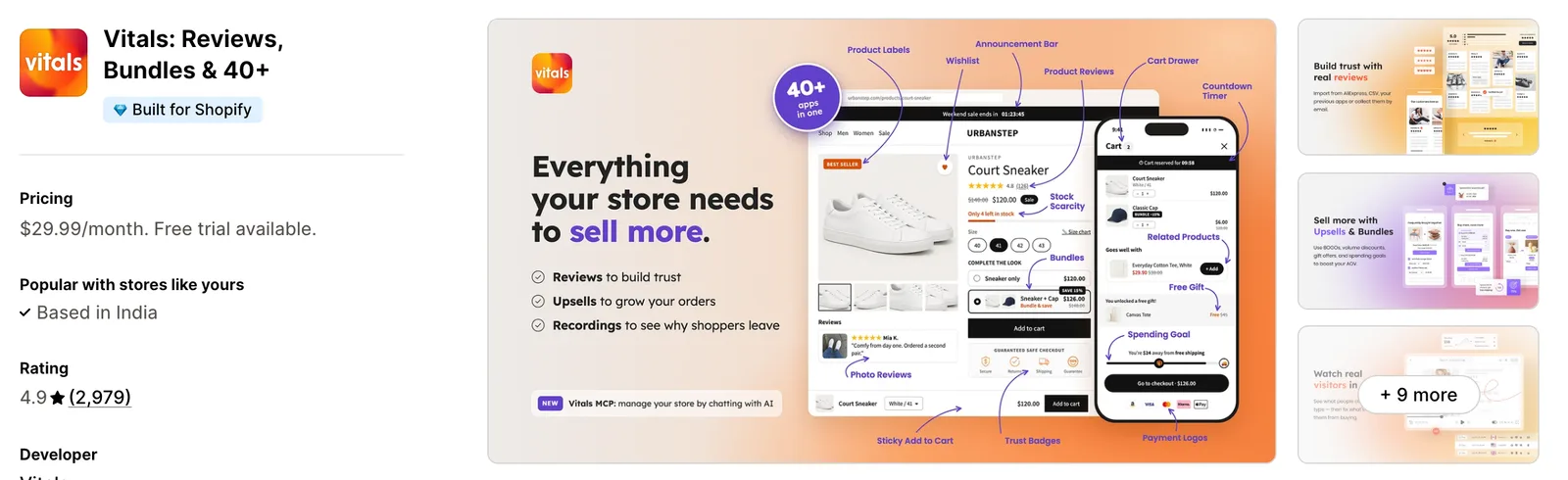
Install the Vitals - All in One App from the Shopify App Store. The 7-day free trial includes the Vitals Best Sellers Protection app.
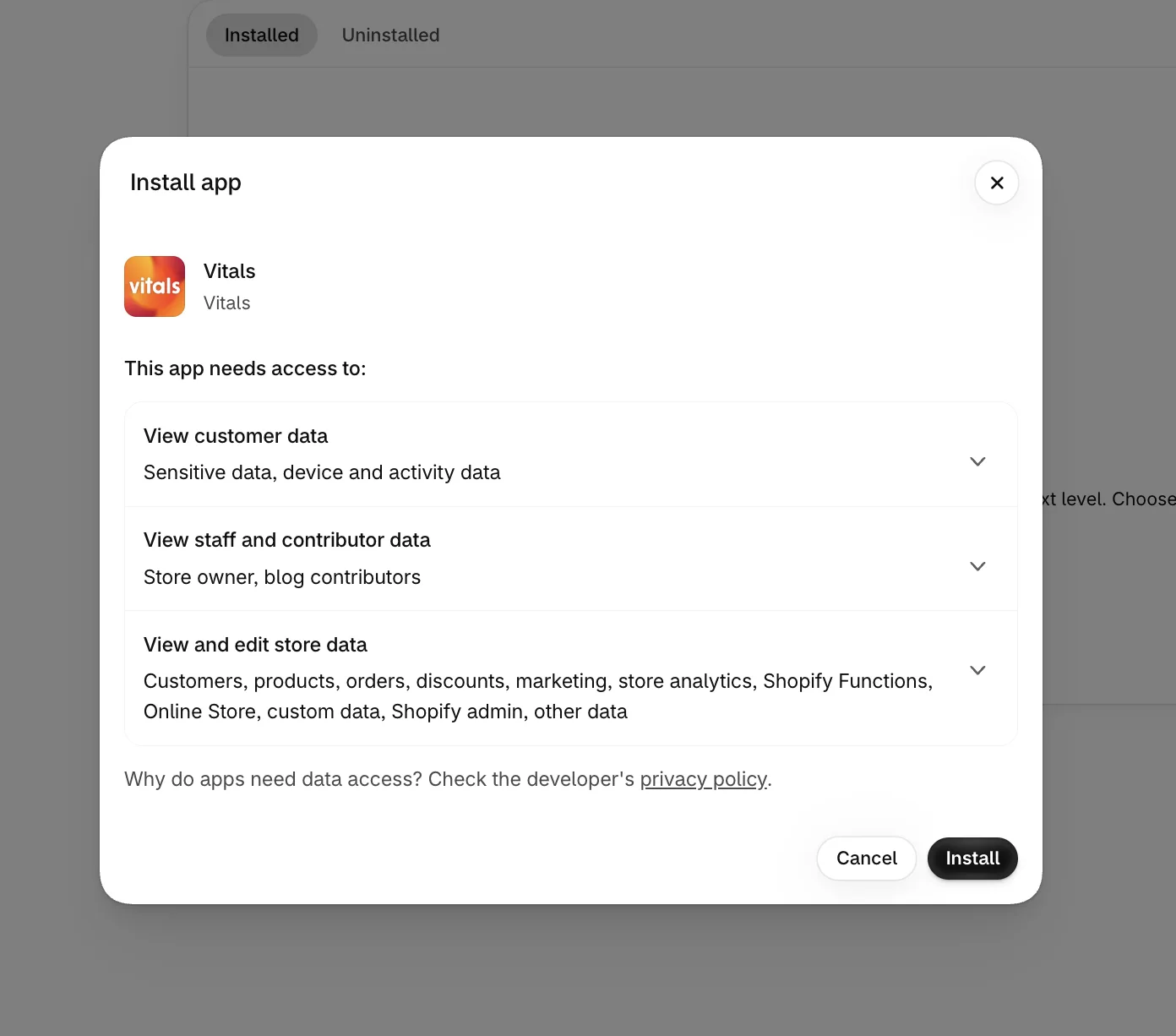
Step 2: Approve the Install in Shopify
Click Install to approve the store data Vitals uses. Shopify then opens the Vitals dashboard.
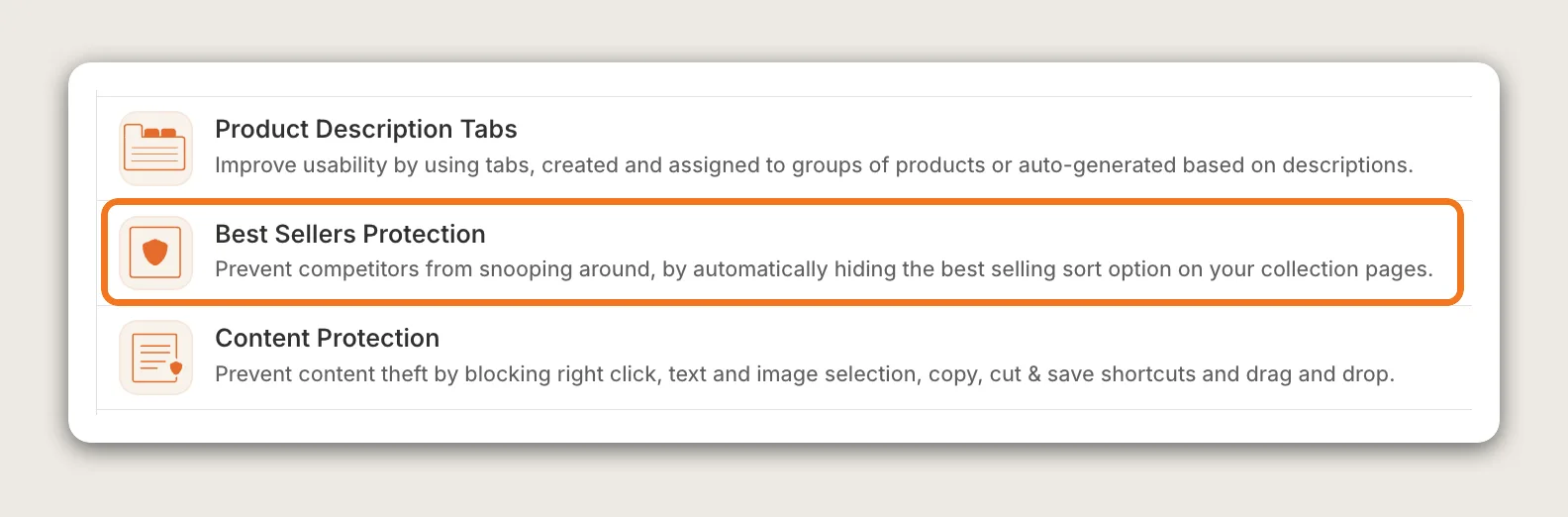
Step 3: Open Best Sellers Protection
In the Vitals dashboard, find Best Sellers Protection in the list of apps and click it.
Step 4: Activate the App
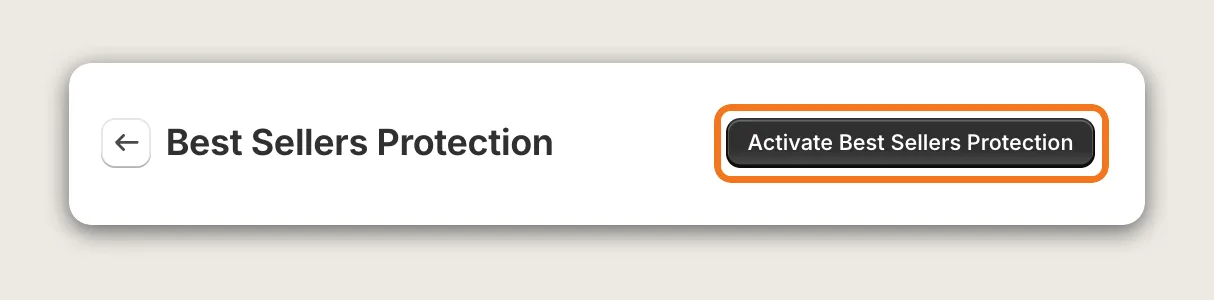
On the Best Sellers Protection page, click Activate Best Sellers Protection. The app has no other settings, so this one click hides the Best selling sort on every collection page.
Step 5: Check That the App Is Active
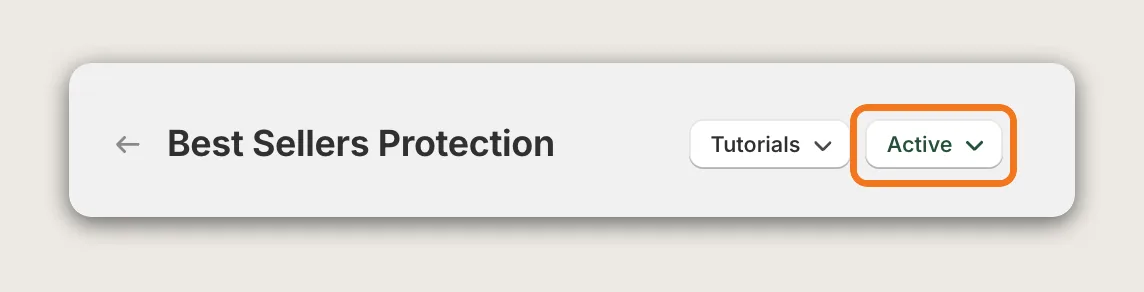
Vitals shows an App activated successfully message, and the page header now shows Active next to Tutorials. The page holds only the app's description, with no settings to fill in. To turn the protection off later, click Active, then Deactivate Best Sellers Protection.
Step 6: Check the Sort Menu on a Collection Page
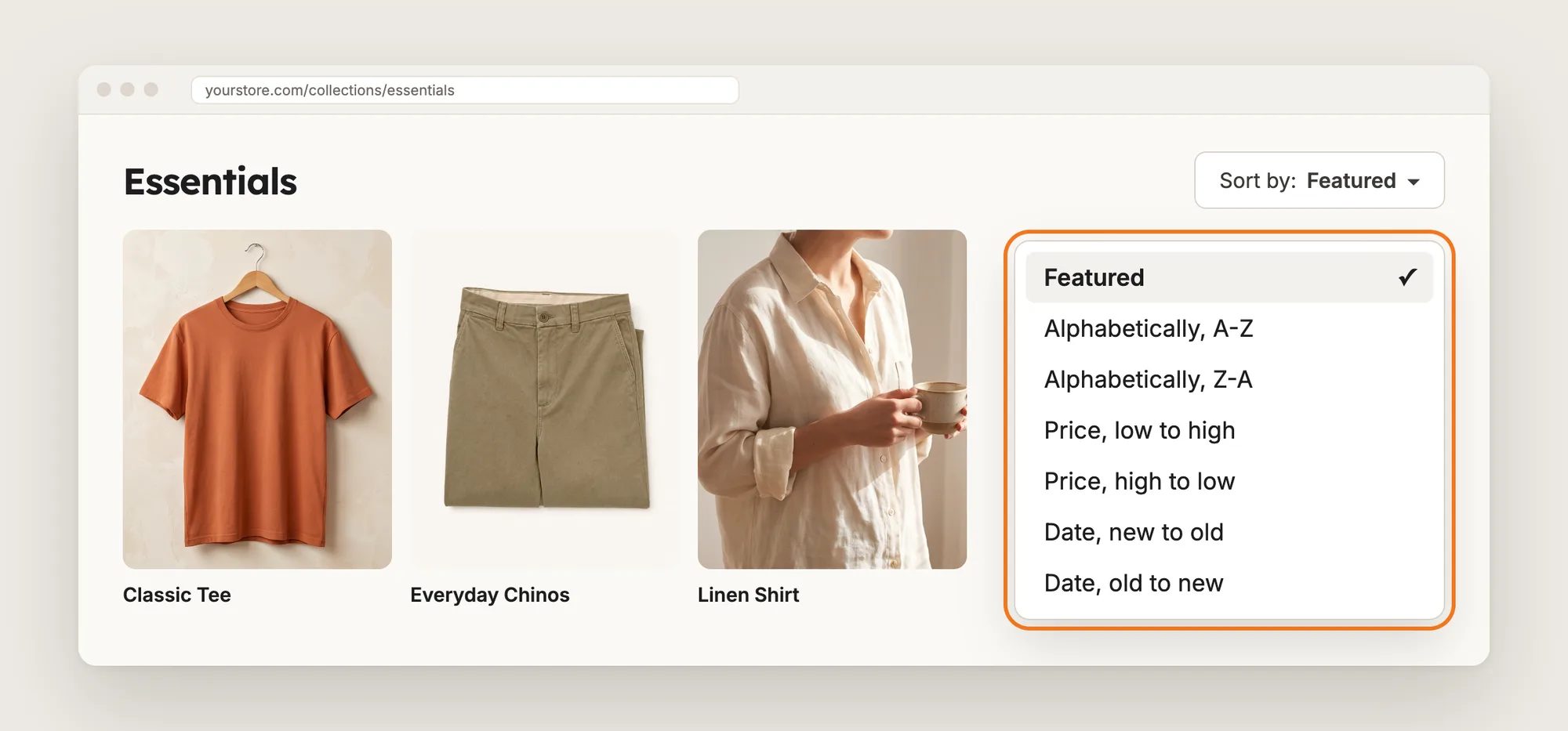
Open any collection page on your store and click the sort menu. Best selling is gone from the list, and the price, date and name sorts are still there.
Step 7: Test a Best Selling Link
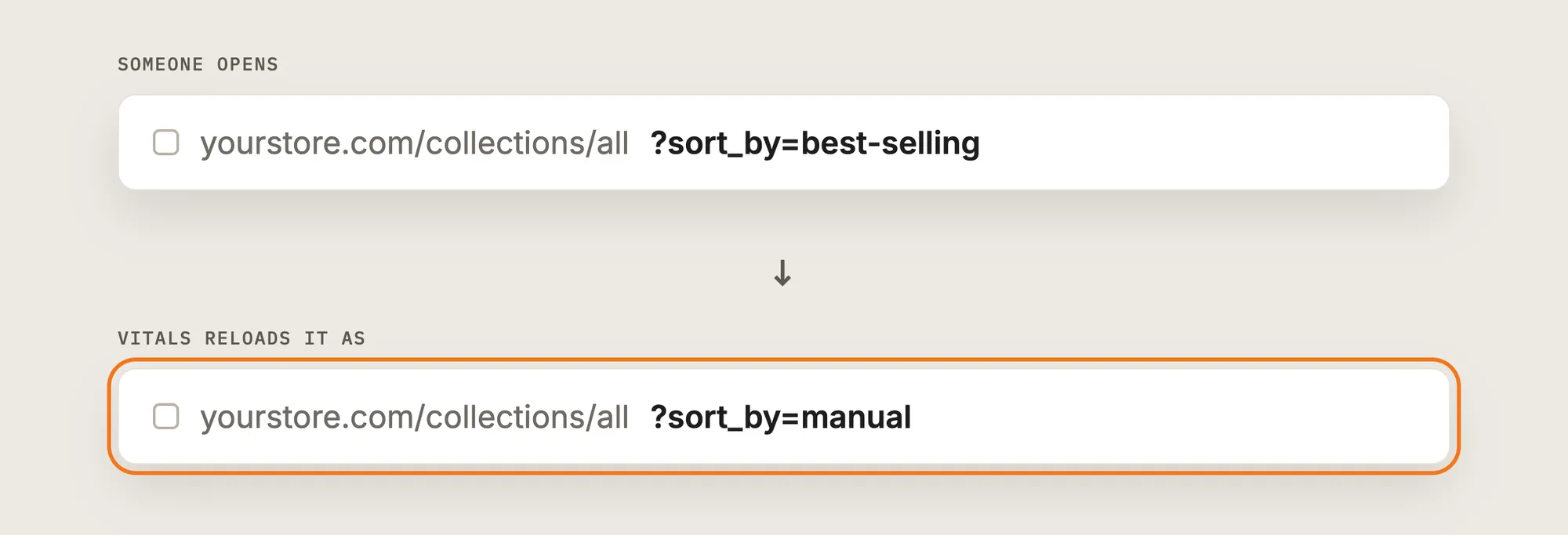
Add ?sort_by=best-selling to the end of a collection link and open it. Vitals reloads the page with ?sort_by=manual, so the collection shows in your own manual order instead of by sales.
Step 8: Test on Your Phone
Open a collection page on your phone and tap the sort menu. Best selling is gone there too, since the app works the same on mobile and desktop.
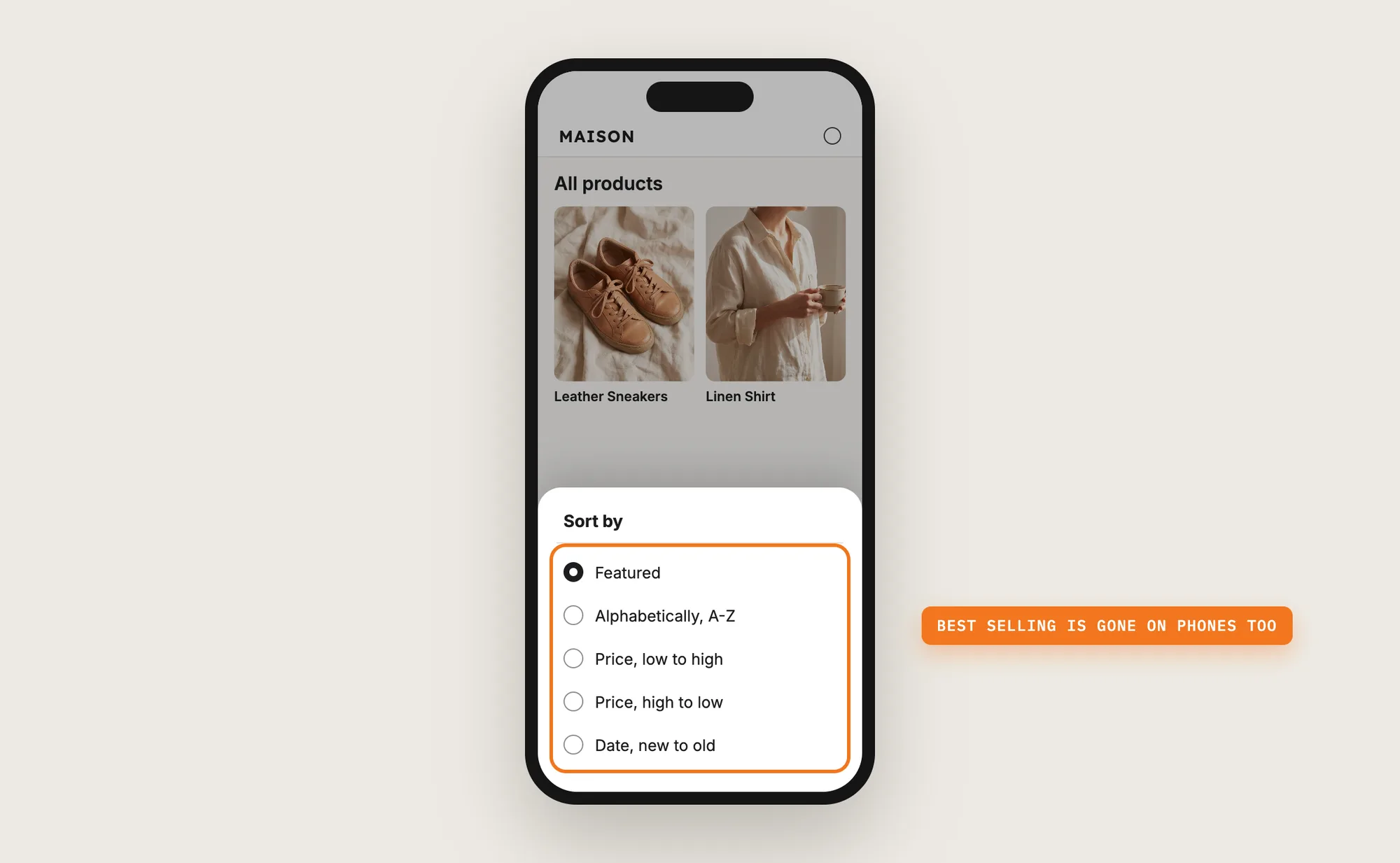
Step 9: Voila, Your Best Sellers Are Hidden on the Store
Visitors can no longer list your top sellers in one click, and shoppers still sort your collections every other way.
How to Hide Your Best Sellers From Your Theme Settings?
Shopify themes have no setting that removes only the Best selling sort. Some Shopify themes include a checkbox that turns off sorting on collection pages, which removes the whole sort menu. To check your theme's settings:
- Click Customize next to your theme in Online Store → Themes
- Open a collection page template from the page menu at the top
- Click the product grid section and look for a sorting checkbox, untick it, then click Save
Turning off sorting removes every sort option, so shoppers lose price and date sorting too. A link that ends in ?sort_by=best-selling still opens the collection ranked by sales, since the theme setting only hides the menu.
How to Hide Your Best Sellers Without an App?
Hire a developer to remove the Best selling option from your theme's sort menu with Liquid. Your developer can also add a script that sends best selling links to another sort order.
Hiding your best sellers with custom code usually involves:
- Copying your theme first, so the live store stays untouched during testing
- Finding the sort menu in the collection page template and in any filter section
- Skipping the best-selling value in the loop that lists the sort options
- Adding a script that reloads ?sort_by=best-selling links in another order
- Testing every collection template on mobile and desktop, then publishing the theme copy
Custom code means no extra app, but you or your developer have to maintain it. A theme update can replace the files the code is in, so the change may need adding back after each update.
How to Increase Sales With Best Sellers Protection?
Best sellers protection keeps the products that bring in your sales off a ready-made list for copycats, so your winners stay yours for longer. These steps help:
- Turn the protection on before a product takes off. A ranked list is easiest to copy once a product starts selling. Click Activate Best Sellers Protection as soon as your store has products to protect
- Test a best selling link on every main collection. Add ?sort_by=best-selling to each link and check that it reloads with ?sort_by=manual
- Set your manual order on purpose. Best selling links reload in your manual order, so arrange each collection in Products → Collections in the order you want visitors to see first
- Check custom sort menus from filter apps. A filter app with its own sort dropdown may still show Best selling. Open the collection page and check the menu after you activate the app
- Keep the app on. The protection works only while the app is active, so leave Active in the page header
Why Isn't My Best Sellers Protection Showing or Working?
These fixes solve most Best Sellers Protection problems:
- Best selling still shows in the sort menu: Check that the page header shows Active. On themes or filter apps with a custom sort dropdown, the option may stay visible, so contact Vitals support with the collection link
- I can't find the settings: The app has no settings besides on and off. The page shows only the app's description and the Active header
- I want to hide Best selling on some collections only: The app works on every collection page. Hiding the sort on chosen collections isn't possible
- I want to hide other sort options too: Only the Best selling option is hidden. Price, date and name sorts stay in the menu
- I still see a spy tool on my own store: Spy tools such as PPSPY and Koala Inspector are browser extensions installed in your own browser. Your shoppers don't see them, and you can remove them from your browser's extensions
- A competitor can still see my products: The app hides the ranking by sales, not your products or prices. A developer can block the app in their own browser, so the protection isn't bullet-proof
Which Best Sellers Protection Method Should You Choose?
Vitals - All in One App suits most stores, but the right method depends on how much of the sort menu you want to keep.
- Choose Vitals - All in One App if you want the Best selling sort gone from every collection page with one click, with best selling links reloaded in your own order. It also includes 40+ other apps in one subscription of $29.99/month, so you don't have to install and pay for each app separately
- Choose your theme's setting if you're happy to remove the whole sort menu from your collection pages
- Choose custom code if you have a developer to change your theme's sort menu and keep it working through theme updates
Start a 7-day free trial: Install the Vitals - All in One App from the Shopify App Store
Frequently Asked Questions
1. What is the best way to hide your best sellers on Shopify?
Vitals - All in One App is the best way for most stores. Its Best Sellers Protection app hides the Best selling sort on every collection page with one click, and reloads best selling links in your manual order.
2. Can competitors see my best sellers on Shopify?
Yes, by default. Anyone can sort a collection by Best selling or add ?sort_by=best-selling to a collection link and see your products ranked by sales. Hiding the Best selling sort removes that ranked list.
3. Does Best Sellers Protection block spy tools?
No app can block a spy browser extension, since the extension works in the browser of the person who installed it. Best Sellers Protection hides the Best selling sort and reloads best selling links, which takes the ranked list of your top sellers off your store.
4. Can I hide only the Best selling sort and keep the others?
Yes. The Vitals Best Sellers Protection app removes only the Best selling option. Price, date and name sorts stay in the menu for shoppers.
5. Does hiding the Best selling sort affect my shoppers?
Shoppers keep every other sort option, and your products and prices stay the same. A shopper who opens a best selling link sees the collection in your manual order.
6. Can I hide the Best selling sort on some collections only?
No. The Vitals Best Sellers Protection app applies to every collection page, with one on and off switch.
7. Can I remove the Best selling sort from my theme settings?
Shopify themes have no setting that removes only the Best selling sort. Some themes can turn off sorting on collection pages, which removes every sort option, and best selling links still work.