
8 Best BF Size Chart Alternatives for Shopify [2026]


Looking for a BF Size Chart Alternative?
BF Size Chart is a popular Shopify app for size charts, measuring guides, ring size charts and chart rules by collection or tag.
However, some merchants report problems with express checkout buttons on product pages. A March 2026 review says the app hid the Shop Pay and Google Pay buttons on products with more than one variant.
To help you find the right alternative, we've compared the eight best BF Size Chart app alternatives based on app type, features, customization, pricing, AI capabilities, and the number of additional apps included in the same subscription.
Since Vitals is our app and one of the alternatives, we've also highlighted its limitations.
What Is the BF Size Chart App?
BF Size Chart & Size Guide, formerly Best Fit Size Charts, is a Shopify app from Relentless Apps for size charts, measuring guides and ring sizes. It lets merchants build charts with text and images, apply them by collection or tag, and show a chart link next to the size label.
Here's what you can do with the BF Size Chart app:
- Size charts: Build a chart for each set of sizes. Each one can hold text boxes, images and a measuring guide.
- Chart rules: Apply charts automatically by collection or by product tag.
- Unit switch: Let shoppers flip the chart between centimeters and inches.
- Placement: Show the chart link next to the size label on the product page. One product can carry more than one chart.
- Ring sizes and integrations: Add ring size charts for jewelry. The app also works with VO Product Options and Vajro.
How Much Does the BF Size Chart App Cost?
Prices from the Shopify App Store listing on October 26, 2026, with a 14-day free trial. Plans also limit how many charts you can publish, with 10 on Starter and 100 on Premium.
Why Shopify Merchants Look for BF Size Chart Alternatives
The BF Size Chart app holds a 4.7 rating from 134 reviews and carries the Built for Shopify badge. Still, some merchants switch to another app for these reasons:
- Hidden express checkout buttons: The app can clash with the buy buttons on product pages. A March 2026 review says it hid Shop Pay and Google Pay on products with more than one variant.
- No recommended size: Shoppers read the table and pick a size themselves. None of the plans on its listing includes a size recommender or a fit quiz.
- Chart limits by plan: Starter publishes up to 10 charts. Premium raises that to 100.
- No AI help: Its listing names no AI features. There's no chart built from a photo and no AI size suggestion.
If any of these sound familiar, an all-in-one app alternative may suit your store better.
Read: Best Size Chart Apps for Shopify in 2026
How We Compared the BF Size Chart Alternatives
We reviewed each app's Shopify App Store listing, help docs and changelog (where available) on October 26, 2026. All ratings and review counts come from the listings on that day.
We compared the apps on:
- App type: standalone or all-in-one
- Features: chart building and importing, chart rules, size recommendations, units and languages
- Customization: where the size chart button and its pop-up show on the product page, and how they're styled
- Pricing: plan prices, free trial length and any usage charges
- AI capabilities: AI tools and MCP support
- Additional apps: how many additional apps each one includes in the same subscription
Short Answer
Vitals - All in One App is the best BF Size Chart alternative for most stores.
- It offers size charts with a size calculator that recommends a size, plus product reviews and trust badges, while the BF Size Chart app focuses on plain size charts
- It includes 40+ apps, such as bundles, discounts and reviews, in one subscription from $29.99/month
- It replaces multiple single-purpose apps you'd otherwise install and pay for one by one each month
What Are the Top BF Size Chart Alternatives for Shopify in 2026?
Here's a quick overview of each app. You'll find what each one can and can't do in the reviews below.
1. Vitals - All in One App
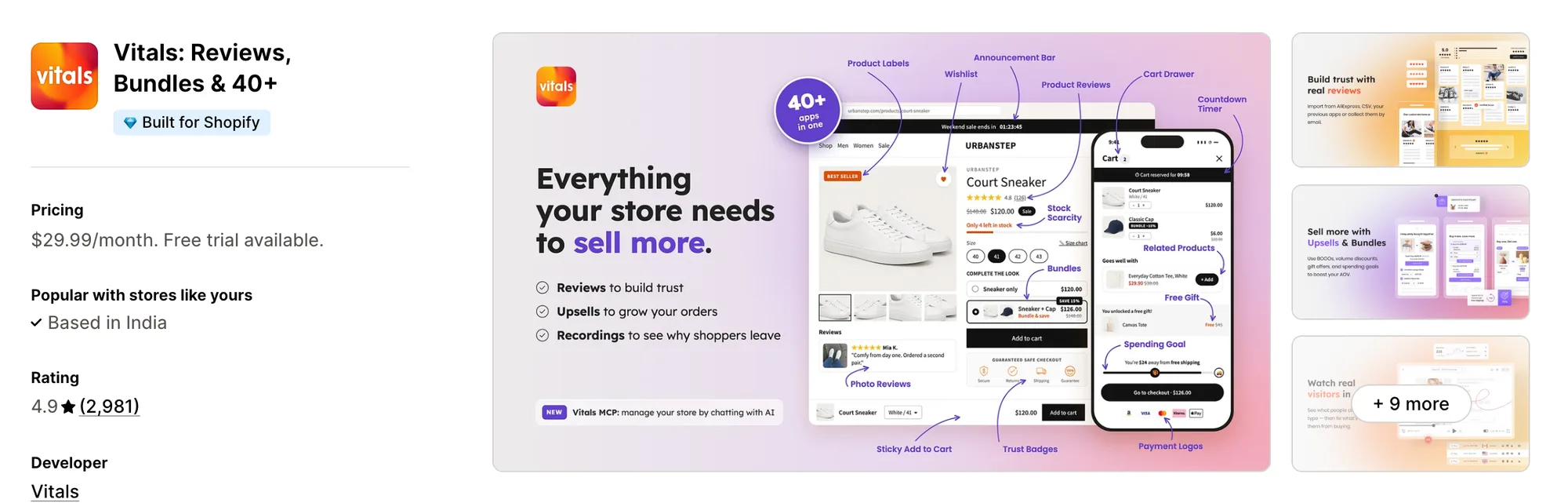
Best for: Stores that want 40+ apps, including Size Chart, Product Reviews, Stock Scarcity and Trust Seals & Badges, in one subscription
Rating: 4.9 (2,981 reviews) | App type: All-in-one | Free trial: 7 days | Built for Shopify: Yes
Vitals is an all-in-one Shopify app that offers a size chart plus 40+ apps under one subscription, starting at $29.99/month.
With the Vitals Size Chart App, you can add a Size Chart button to product pages that opens your chart in a pop-up. You can also turn on a size calculator, so shoppers enter their measurements and see the size that fits. Each chart can go on every product or only on the products and collections it fits.
Beyond size charts, Vitals offers trust badges, product labels, a sticky add to cart bar and 40+ apps in one subscription, so you don't have to install and pay for each app separately.
Key features:
- A size calculator that turns shoppers' measurements into a recommended size from your chart
- A switch between cm and inches while shoppers type their measurements
- A Size Chart button on product pages that opens the chart in a pop-up
- Charts built in the table editor or pasted in as a table
- Chart images uploaded or picked from Shopify Files
- A how-to-measure guide with text and pictures, above or below the table
- One chart for every product, or a chart for each chosen product and collection
- A product's own chart shown ahead of its collection's chart
- Charts saved as drafts until they're ready to publish
- A button placed by the description, by the buy buttons or at any element a CSS selector names
Pros:
- A recommended size worked out from the chart you already have
- Product reviews and low-stock counts on the same plan as the size chart
- Button, table and pop-up styling that you can match to your theme
- 40+ apps in one subscription. Little Dresser, a baby and kids clothing store, brought its size chart and its other apps under one Vitals plan
Cons:
- Translation for chart titles and button text only, not the table or the measuring guide
- No chart rules by product tag
- A size calculator that works with table charts only, not charts made from an image
Pricing:
Prices from vitals.app/pricing on October 31, 2026, with a 7-day free trial and no metered fees on any plan.
Read: Best Shopify Apps to Increase Conversion Rate in 2026
2. GA: Size Chart & Size Guide
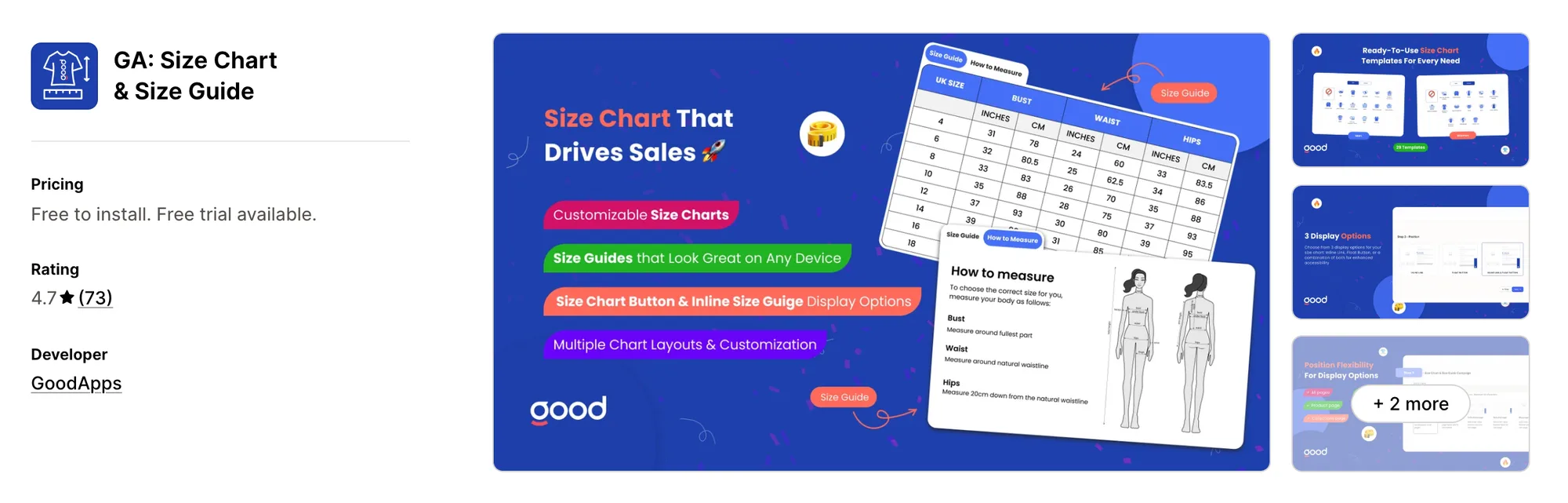
Best for: Stores that want swatches and cross-product size comparisons around the chart
Rating: 4.7 (73 reviews) | App type: Standalone | Free trial: 7 days | Built for Shopify: No
GA: Size Chart & Size Guide is a Shopify app from GoodApps for size charts with swatches and comparison charts. Its biggest strength is the detail around the table, with swatches, a size selector and true-to-size notes beside the chart. Shoppers who fall between two sizes get more to go on than a bare table, so they can choose with less guesswork. Measurement charts also compare one product's sizes with another's. It's a strong choice if your shoppers often compare sizes across products.
Key features:
- Templates for clothing, rings and shoes
- Size swatches and a size selector next to the chart
- True-to-size recommendations and a lazy size option
- Measurement charts that compare sizes across products
- Floating charts and charts on collection pages
- A custom CSS field
Pros:
- True-to-size guidance for each product
- Size charts that can show on collection pages too
Cons:
- Not Built for Shopify
- Charts that didn't display as they were set up, according to 2024 reviews
- Focuses on size charts only
Pricing:
Prices from the Shopify App Store listing on Oct 26, 2026, with a 7-day free trial.
3. Jotly Size Chart & Size Guide
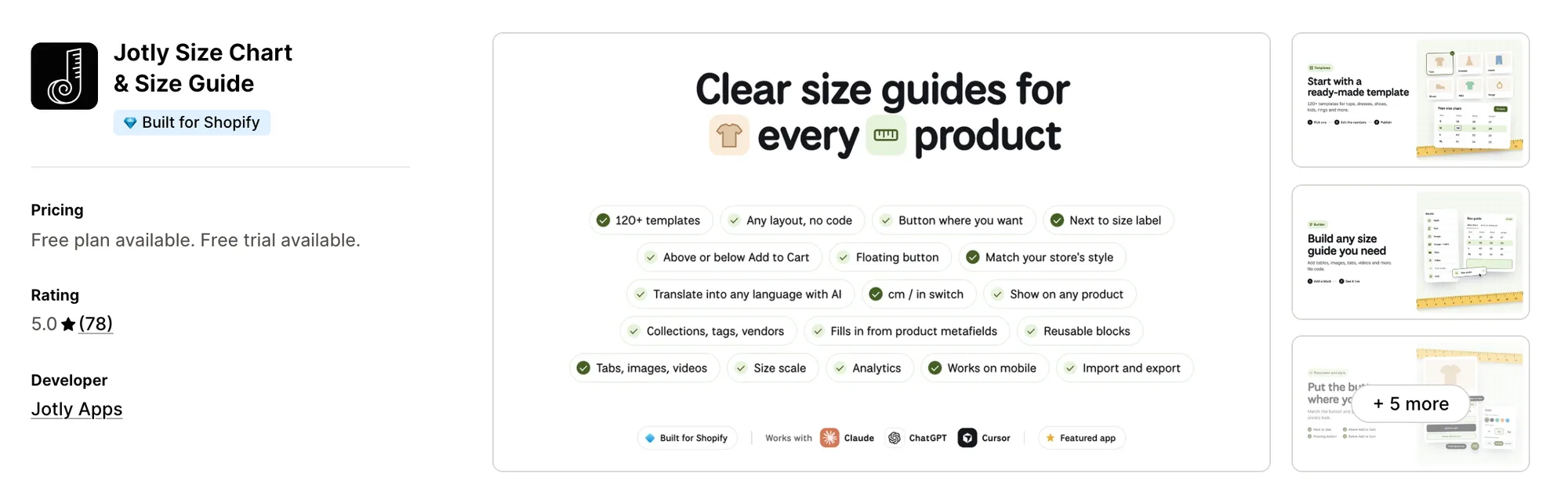
Best for: Stores that track which size guides come before an add to cart
Rating: 5.0 (78 reviews) | App type: Standalone | Free trial: 7 days | Built for Shopify: Yes
Jotly Size Chart & Size Guide is a Shopify app from Jotly Apps, listed since August 2024, for size guides with tables, images and video. What sets it apart is reporting, since its top plan shows which charts shoppers open and which ones come before an add to cart. You can see which guides help a sale, so you know which ones to rework. AI translation comes with the Global plan. If you want numbers behind your size guides, it's a good fit.
Key features:
- 123 editable templates with tables, images and video
- Tabs and several tables in one guide (Essentials plan)
- Units that switch between cm, inches, mm, feet and meters
- Guides assigned by product, collection, tag or vendor
- A true-to-size scale bar on charts
- Google and Meta Pixel tracking
- AI translation (Global plan)
- An MCP assistant for Claude and ChatGPT (Enterprise plan)
Pros:
- Chart reports by views, add-to-carts and device (Enterprise plan)
- Guide content translated into the store's languages
- Built for Shopify
Cons:
- No recommended size, so shoppers read the chart themselves
- Chart reports and MCP on the Enterprise plan only
- Focuses on size guides only
Pricing:
Prices from the Shopify App Store listing on Oct 26, 2026, with a 7-day free trial.
4. MP Size Chart & Size Guide
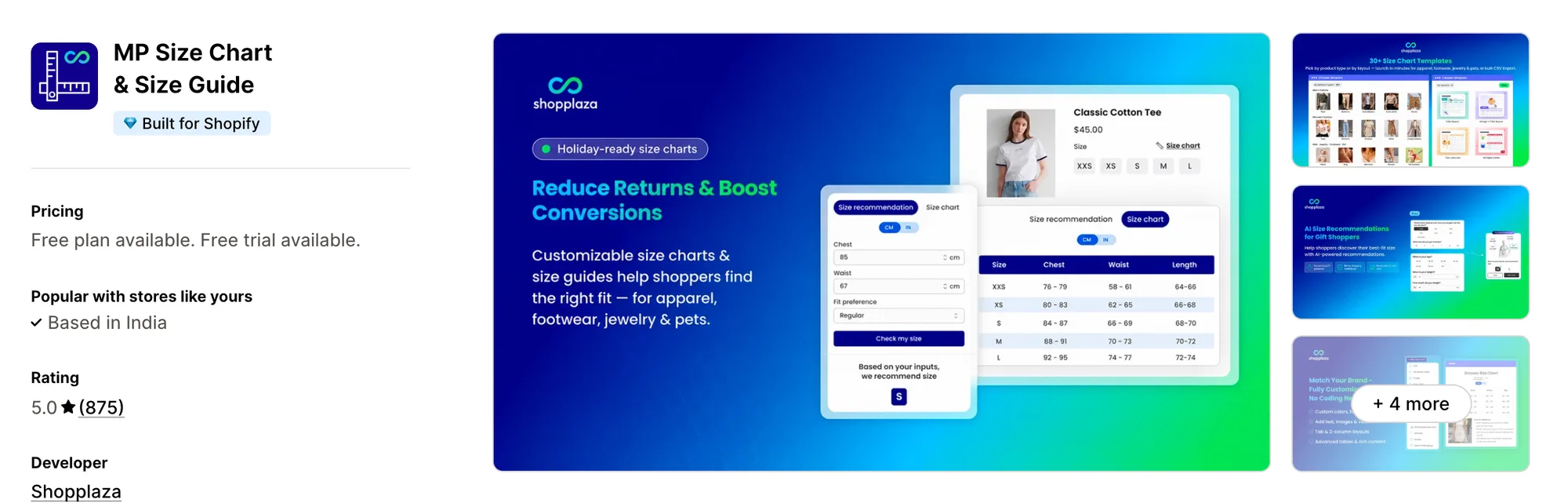
Best for: Stores that want every size guide gathered on one page of the site
Rating: 5.0 (875 reviews) | App type: Standalone | Free trial: 14 days | Built for Shopify: Yes
MP Size Chart & Size Guide is a Shopify app from Shopplaza, a Mageplaza brand, for size charts and a size guide page. Where it stands out is that page, which lists every chart on the store in one place. Shoppers can check sizes for several products from one page, so they don't have to open each product first. Every plan also includes AI size suggestions, up to a monthly limit. It suits stores with many charts across several product types.
Key features:
- 30+ starter charts for apparel, footwear, jewelry and pets
- Images, videos and tabs inside a chart
- CSV import for loading many charts at once
- Placement as a floating button, inline, in a dropdown or beside the size label
- A size guide page that lists every chart
- AI size suggestions on every plan, within a monthly limit
Pros:
- AI size suggestions from the lowest plan up
- Charts in 20+ languages, with auto-translation from Growth
- One page that gathers every size guide
- Built for Shopify
Cons:
- Monthly caps on AI suggestions, from 800 to 5,000 by plan
- A 10-chart limit on Growth
- Focuses on sizing only
Pricing:
Prices from the Shopify App Store listing on Oct 26, 2026, with a 14-day free trial.
5. Kiwi Size Chart & Recommender
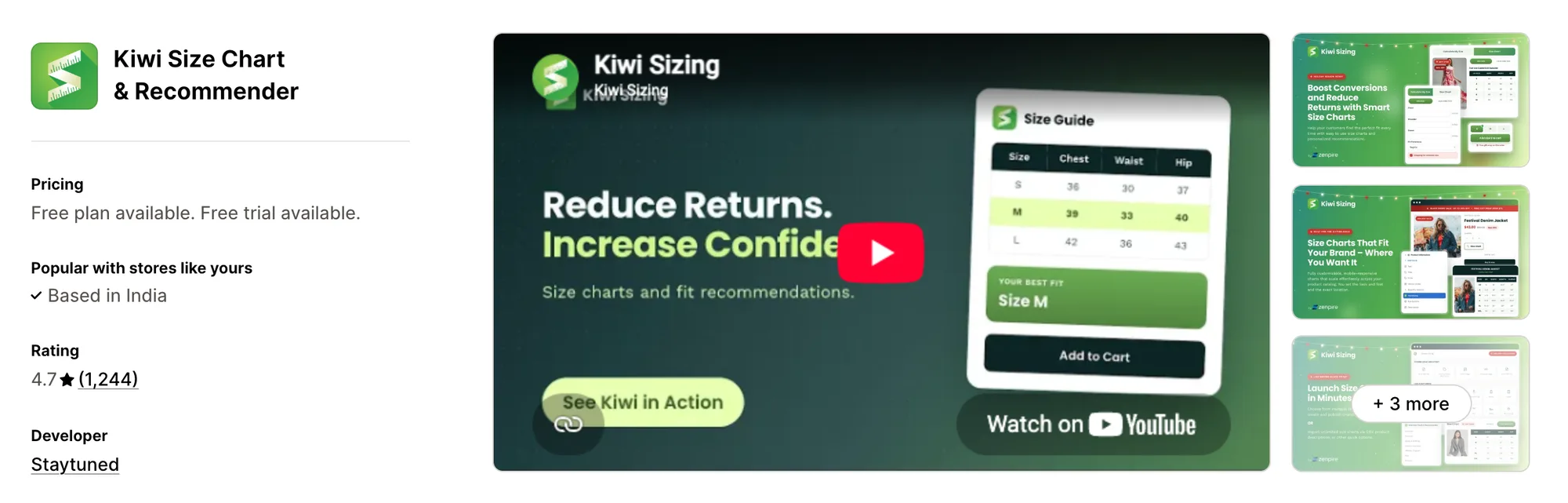
Best for: Stores selling shoes, gear or pet products that need their own size recommender
Rating: 4.7 (1,244 reviews) | App type: Standalone | Free trial: 14 days | Built for Shopify: No
Kiwi Size Chart & Recommender is a Shopify app from Staytuned, listed since 2018, for size charts and size recommenders. It's strongest on recommenders, including custom ones for shoes, snowboards and pet collars. Stores that sell more than clothing can still show a recommended size, so sizing help isn't limited to apparel. It can also build charts from sizes already written in product descriptions. It works well for stores selling footwear, gear or pet products.
Key features:
- 22 templates, with several tables, images, videos and tabs in one chart
- Charts imported from pictures, product descriptions or CSV files
- An AI recommender for clothing sizes
- Custom recommenders for footwear, gear and other sized products (Plus plan)
- Rules by product or collection that pick up new products automatically
- cm or inches chosen from the shopper's location
- Automatic translation, from two languages on Premium to 22 on Ultimate
- Google Analytics (Premium plan)
- Recommender analytics (Plus plan)
Pros:
- Size recommenders for products well beyond clothing
- Charts built from sizes already in product descriptions
- A shareable link for each chart
Cons:
- Recommenders start on the Plus plan
- A cap of 10 published charts on Premium
- Not Built for Shopify
- Charges after a cancelled trial or a removed app, according to several 2026 reviews
Pricing:
Prices from kiwisizing.com on Oct 26, 2026, with a 14-day free trial. On Plus and Ultimate the total follows the store's orders over the last 30 days.
6. CSC Size Chart & Size Guide
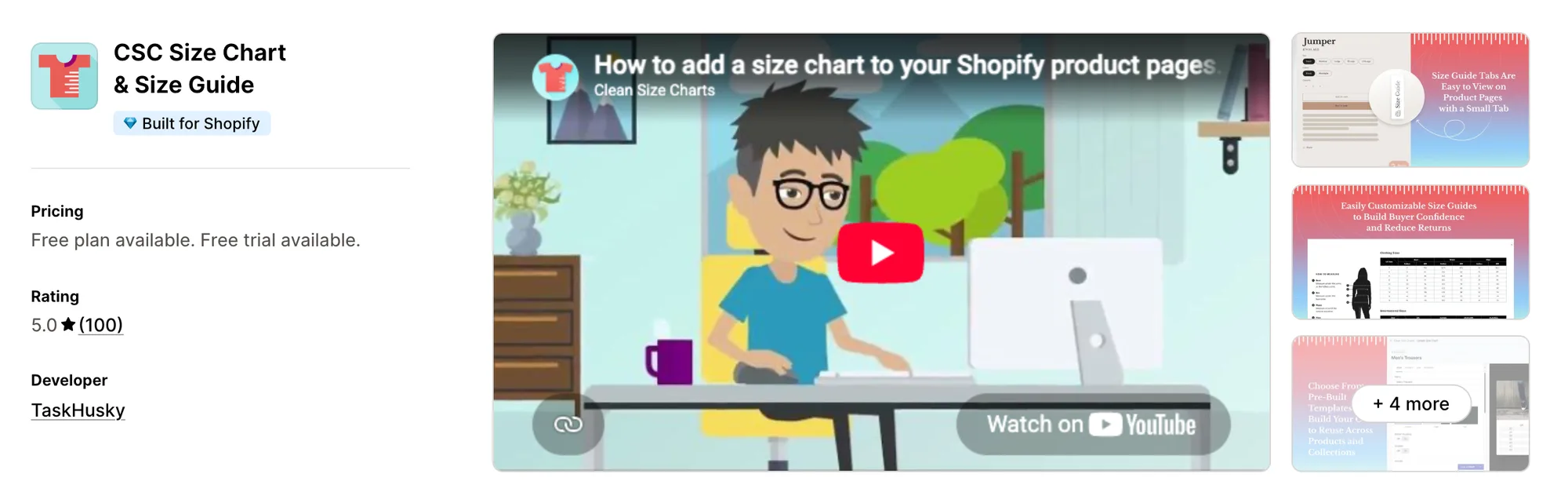
Best for: Clothing stores that want shoppers to try items on their own photo
Rating: 5.0 (100 reviews) | App type: Standalone | Free trial: 14 days | Built for Shopify: Yes
CSC Size Chart & Size Guide is a Shopify app from TaskHusky for size charts, AI size recommendations and fit notes. Its standout is virtual try-on, which places a product onto a photo the shopper uploads. Shoppers see how a piece looks on them, so they get an answer a table alone can't give. Charts can also be built in one click from existing product data. Pick it if you sell clothing and want try-on next to the chart.
Key features:
- One-click charts from product data, or 18 starting templates
- Chart rules by collection, vendor or product type
- AI size recommendations, 500 a month on Advanced and unlimited on Plus
- Fit notes (Plus plan)
- Virtual try-on (Plus plan)
- Per-country charts (Grow plan)
- Unit conversion and CSV import and export (Grow plan)
Pros:
- Virtual try-on, which no other app here lists
- AI size recommendations from the Advanced plan
- Built for Shopify
Cons:
- Fit notes and try-on need the Plus plan
- Charts in several languages start on Advanced
- Focuses on sizing and try-on
Pricing:
Prices from the Shopify App Store listing on Oct 26, 2026, with a 14-day free trial.
7. Smart Size Chart & Size Guide
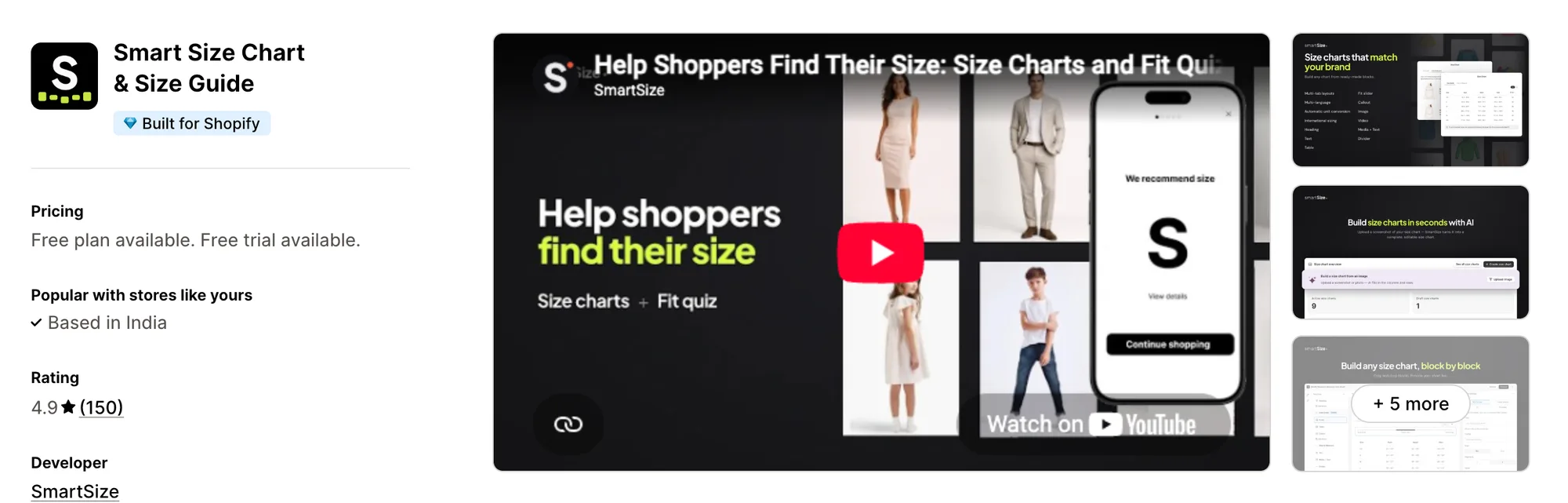
Best for: Stores that want a fit quiz shoppers fill in once for every product
Rating: 4.9 (150 reviews) | App type: Standalone | Free trial: 14 days | Built for Shopify: Yes
Smart Size Chart & Size Guide is a Shopify app from SmartSize for size charts and a Find my size quiz. The highlight is that quiz, since a shopper's answers carry over to every product and every later visit. Returning shoppers don't have to enter their measurements again, so their size is ready on the next product they open. Its AI can also turn a photo of a chart into an editable one. It's made for stores whose shoppers come back and buy across many products.
Key features:
- Starter charts for menswear, womenswear, kidswear, lingerie and pet sizes
- Bulk chart import and export
- AI that turns a photo or screenshot of a chart into an editable chart
- A Find my size quiz for clothes and shoes (Pro plans)
- AI and rule-based fit matching for adults, kids and pets
- 25+ languages, translated by AI from Starter up
- Unit conversion and international sizes on every plan
- MCP access for Claude and similar AI assistants
Pros:
- Fit answers saved for later products and visits
- Chart content translated with AI
- Built for Shopify
Cons:
- The quiz comes with Pro plans only
- 100 quiz users a month on Pro 100
- Focuses on sizing only
Pricing:
Prices from the Shopify App Store listing on Oct 26, 2026, with a 14-day free trial. Larger Pro plans for more quiz users are linked from the listing.
8. ESC Size Charts
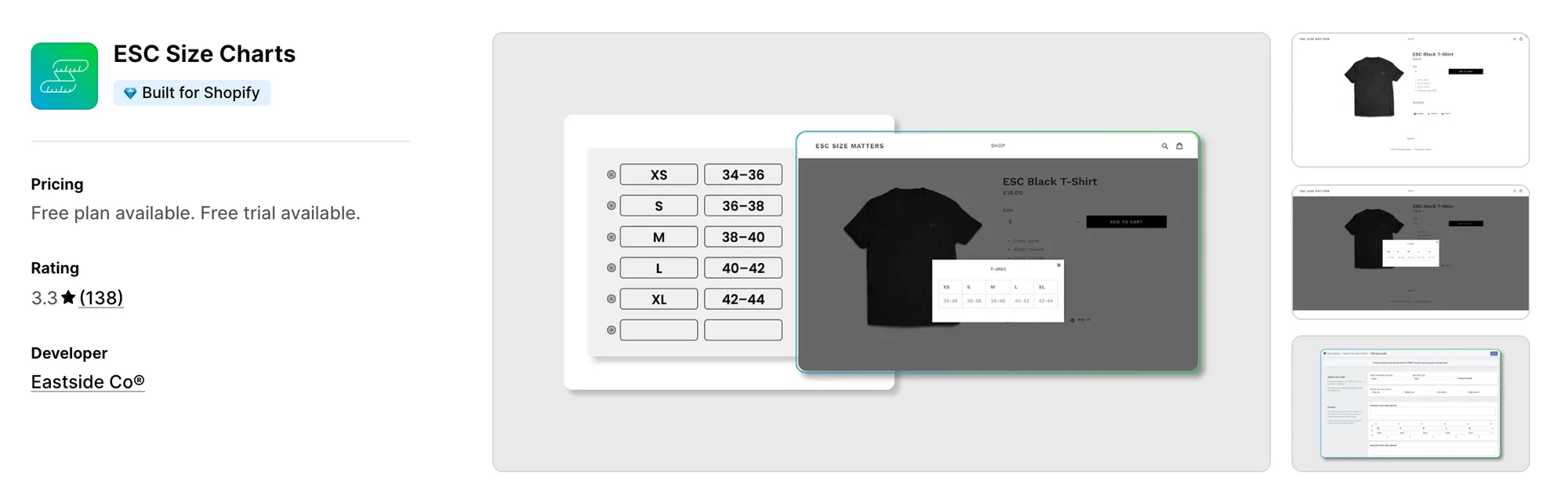
Best for: Stores that sort products with tags and want a single paid plan
Rating: 3.3 (138 reviews) | App type: Standalone | Free trial: 7 days | Built for Shopify: Yes
ESC Size Charts is a Shopify app from the agency Eastside Co, first launched in 2016, for size guides placed by tag or across the store. Its main appeal is simplicity, with one paid plan and unlimited charts. You pay one flat price however many charts you add, so a growing catalog doesn't change the bill. Charts can follow a tag, a collection, a single product, a vendor or a product type. It fits stores whose products are already grouped with tags.
Key features:
- Guides started from a template or a blank page, with images, icons and text
- Charts that follow a tag, a collection, a product, a vendor or a product type
- App blocks for Shopify 2.0 themes
- Chart import and export (Premium plan)
Pros:
- One paid plan with unlimited charts
- Built for Shopify
Cons:
- A 3.3 rating
- Charts disappearing and support emails going unanswered, according to reviews from June to October 2026
- No size recommender, unit conversion or translation in its listing
- Focuses on size guides only
Pricing:
Prices from the Shopify App Store listing on Oct 26, 2026, with a 7-day free trial.
How Many Apps Each Option Replaces
Every app you install can add its own code to your storefront, and that code affects load time. The table below shows how many separate apps each option replaces, based on our count.
Here's what each option replaces:
- Vitals - All in One App: 40+ apps, including a size chart app, a product reviews app, a trust badge app, a low-stock counter app and a product labels app
- GA: Size Chart & Size Guide: one size chart app, with swatches built in
- Jotly Size Chart & Size Guide: one size chart app, with reporting on its top plan
- MP Size Chart & Size Guide: a size chart app and an AI size finder app
- Kiwi Size Chart & Recommender: a size chart app and a recommender app for clothing and other products
- CSC Size Chart & Size Guide: a size chart app, a size recommendation app and a virtual try-on app
- Smart Size Chart & Size Guide: a size chart app and a fit quiz app
- ESC Size Charts: a size chart app
- BF Size Chart & Size Guide: a size chart app with ring size charts
Say you use the BF Size Chart app with a product reviews app, a trust badge app and a low-stock counter app. That's four apps loading four scripts. With Vitals, you can replace all four apps with one subscription.
When Should You Stay on BF Size Chart?
The BF Size Chart app is still the better choice if:
- You sell custom options through VO Product Options, or have a Vajro mobile app, and want size charts built to work with them
- You want several charts on one product, such as a top and a bottom sold as a set
On the other hand, switch to Vitals if you want shoppers to get a recommended size from their own measurements. Product reviews and trust badges are part of the same plan as well.
How to Migrate From BF Size Chart
The BF Size Chart app holds your charts and the collection and tag rules behind them, so copy those before you uninstall it.
- Export your charts, which the BF Size Chart app allows from Starter up, or copy each table by hand
- Note the collections and tags each chart is assigned to, so every chart lands on the same products
- Install Vitals - All in One App and turn on Vitals Size Chart App
- Rebuild each chart in Vitals Size Chart App as a pasted table or an uploaded image, and move any measuring notes into the how-to-measure guide
- Assign each chart to every product or to chosen products and collections. Vitals has no tag rules, so pick the collections that match your BF tags
- Turn on the size calculator for charts that list body measurements, so shoppers see a recommended size
- Place the Size Chart button on a duplicate theme, and check that Shop Pay and other express checkout buttons still show on products with several variants
- Remove the BF app block and any leftover chart link, then uninstall the BF Size Chart app last
Where Each BF Size Chart Feature Goes in Vitals
For example, Stock Supplier dropped 15 single-purpose apps in favour of one Vitals subscription.
Read: Best All in One Apps for Shopify in 2026
Find the Best BF Size Chart Alternative for Your Store
Vitals - All in One App is the best fit for most stores, but the right pick depends on why you're leaving the BF Size Chart app.
- Vitals - All in One App, if you want size charts that recommend a size, product reviews, trust badges, and 40+ apps in one subscription from $29.99/month
- GA: Size Chart & Size Guide, if shoppers keep asking how one product's sizes compare with another's
- Jotly Size Chart & Size Guide, if you'd like numbers on which charts help a sale
- MP Size Chart & Size Guide, if a single page with all your size guides would save shoppers a search
- Kiwi Size Chart & Recommender, if your sized products include boots, boards or pet gear
- CSC Size Chart & Size Guide, if shoppers would buy with more confidence after seeing clothes on their own photo
- Smart Size Chart & Size Guide, if returning shoppers shouldn't have to repeat their measurements
- ESC Size Charts, if your tags already group products and simple guides are enough
Frequently Asked Questions
1. What should replace BF Size Chart on a Shopify store?
Vitals - All in One App is the best BF Size Chart alternative for most stores. It's the only all-in-one app that includes 40+ apps, such as size charts, product reviews and trust badges, in one subscription. Since Vitals is our app, we've listed its limitations in its review above.
2. Why do merchants switch from BF Size Chart?
The BF Size Chart app focuses on size charts. If you want a recommended size, product reviews or trust badges, you need to install other apps. Lower-rated reviews also mention hidden Shop Pay and Google Pay buttons on products with several variants.
3. How does Vitals differ from BF Size Chart on sizing features?
Both offer size charts built from tables and images, measuring guides, and charts for chosen products and collections. Only the BF Size Chart app has chart rules by product tag, several charts on one product and links with VO Product Options and Vajro. Vitals, on the other hand, includes a size calculator that recommends a size, plus product reviews, trust badges and the rest of its 40+ apps.
4. Is one Vitals subscription enough to drop BF Size Chart and several other apps?
Yes, for most stores. Vitals can replace the BF Size Chart app's size charts and measuring guides with Vitals Size Chart App. It can also replace separate product review, trust badge and low-stock counter apps. The one exception is tag-based chart rules, which Vitals doesn't offer.
5. Could leaving BF Size Chart make product pages load differently?
Each app you install can add its own scripts to your storefront. That means speed depends on how many apps you have, not just which ones. Vitals - All in One App loads its size chart, product reviews and trust badges from one script. If you use several single-purpose apps instead, each one loads its own script. We didn't speed-test these apps, so check your own pages before and after a change.
6. Do any BF Size Chart alternatives offer AI or MCP?
Not all of them. Smart Size Chart turns chart photos into editable charts, uses AI in its fit quiz and connects to Claude over MCP. Jotly translates guides with AI and adds an MCP assistant on Enterprise. MP Size Chart and CSC Size Chart suggest sizes with AI, and Kiwi has an AI recommender for clothing. Vitals' size calculator reads the recommended size straight from your chart's table. GA and ESC list no AI features or MCP support, and neither does the BF Size Chart app.
7. Which BF Size Chart alternatives can recommend a size?
Not all of them. Vitals works out a size from shoppers' measurements, and Kiwi offers recommenders for clothing and other products. Smart Size Chart has a fit quiz on Pro, and MP Size Chart includes AI suggestions on every plan. CSC's AI suggestions start on Advanced, and GA's listing promises true-to-size advice. Jotly and ESC don't recommend a size, and neither does the BF Size Chart app.
8. What are the steps to leave BF Size Chart for Vitals?
Export or copy your charts from the BF Size Chart app first. Then rebuild them in Vitals Size Chart App on a duplicate theme, on the same products and collections. Turn on the size calculator and check that express checkout buttons still show. Uninstall the BF Size Chart app last.