









What is the Sticky Add to Cart app?
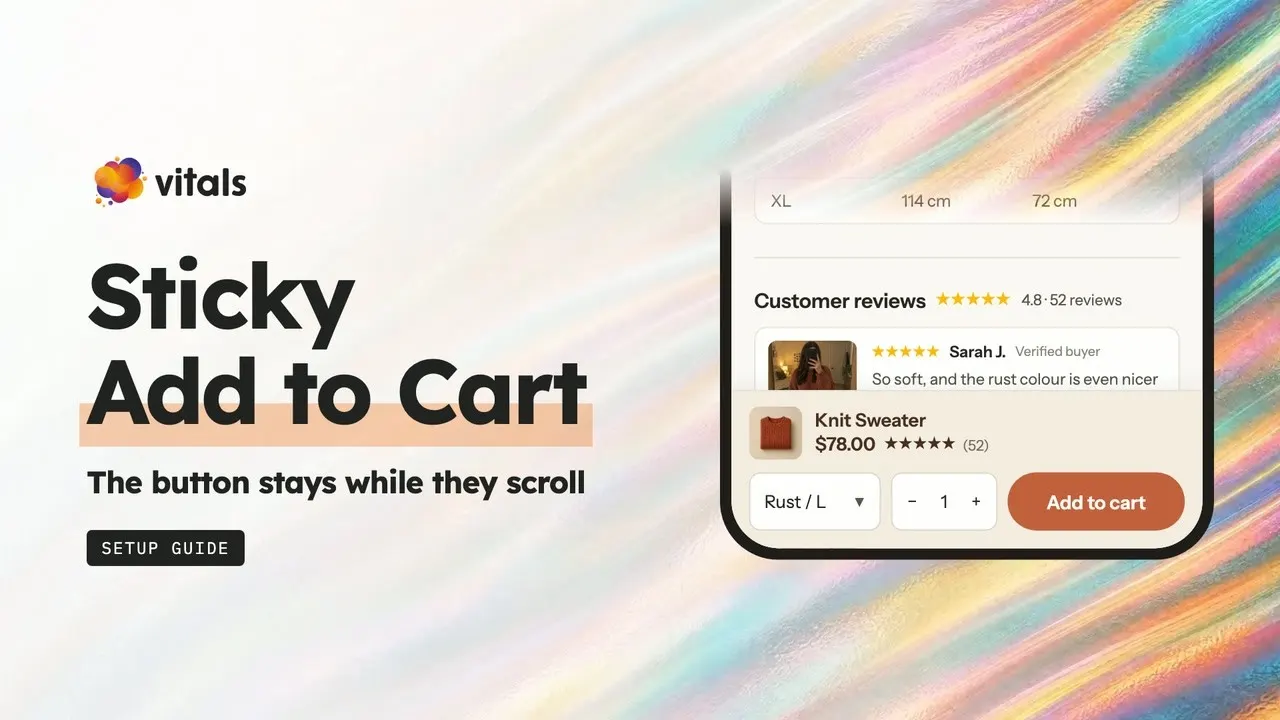
The Vitals Sticky Add to Cart app keeps an Add to cart bar pinned to the top or bottom of the screen, so shoppers can buy without scrolling back up.

Why add a sticky add to cart bar?
A sticky bar keeps the buy button one tap away on long pages, so shoppers who scroll to read reviews can buy right there.
Keep Add to cart on screen however far shoppers scroll.
Give phone shoppers a button they don't have to scroll back to.
Add a sticky bar without installing another app on your store.
What can the bar show?
The bar can show the product, its price, review stars and pickers, so shoppers can choose and buy in one place.
Show the product photo and name in the bar.
Show the price with the compare-at price crossed out.
Show stars and the review count from the Vitals Product Reviews app.
Let shoppers pick a variant without scrolling back up.
Let shoppers set the quantity in the bar.
When does the bar appear?
You choose when it slides in: as soon as shoppers scroll, once they pass your Add to cart button, or straight away.
Show the bar as soon as shoppers start scrolling.
Show the bar once your own Add to cart button leaves the screen.
Show the bar as soon as the page loads.
Show or hide the bar by product, price, discount or stock.
Can I set it up differently for phones and desktop?
Yes. You set the bar separately for each, so it fits every screen.
Show the button with the product details you pick.
Turn the whole bar into one tap-to-add button.
Set the bar's height and content width on desktop.
Pin the bar to the top or bottom of the screen on each device.
What happens when shoppers tap Add to cart?
The bar adds the chosen variant and quantity to the cart, then sends shoppers where you choose.
Add the selected variant and quantity, with any custom fields from the product form.
Click your theme's own button when an options app or cart drawer handles the add.
Open the cart drawer on supported themes, go to the cart or checkout, or stay on the page.
Show the selected Vitals Volume Discount tier price in the bar.
Can I make the bar match my store?
Yes. You can copy your theme's button style or set your own colours, corners and text, so the bar looks like part of your theme.
Copy your theme's Add to cart button in one setting.
Set the bar, text, price and button colours.
Round the button corners from 0 to 40 px.
Write your own button text.
Which other Vitals apps help shoppers buy?
Product Reviews, Countdown Timer and Trust Seals & Badges, all in the same Vitals subscription, so you don't install or pay for three more apps.


What do merchants say about Vitals?
Merchants rate Vitals 4.9 stars across 2,800+ reviews on the Shopify App Store.
Frequently Asked Questions
2,800+ App Store reviews
31,000+ happy merchants
Tablets use your desktop settings. The phone settings apply to screens up to 480 px wide.
Add a sticky bar to your store.
One install. One bill. 7-day free trial.